
Introduction
────────────────────
iPhone charging slow usually starts to feel serious when the phone stays plugged in, but the battery level barely moves.
You leave it on the charger, come back later, and the phone has gained much less battery than you expected.
That can make the battery feel worn out, even when nothing else about your usual charging routine has changed.
Before you think about replacing the battery, check whether the slow charge comes back under the same charger, cable, outlet, and phone condition.
────────────────────
Step-by-Step Guide
────────────────────
────────────────────
Step 1: Check the Same Charger and Cable When iPhone Charging Slow Starts
────────────────────
Start with the charger and cable you were already using when the slow charge first stood out.
Plug the phone in the same way and leave it alone for a short stretch.
Check whether the battery level rises too little during that same kind of charge.
Do not swap the charger, cable, outlet, and phone position all at once.
The first check is easier to read when it uses the same charger, cable, and outlet.
────────────────────
Step 2: Look At The Charging Path Before You Decide It Is A Battery Problem
────────────────────
A slow charge does not always start inside the battery.
Check the cable end, the charging port area, and the power source before you treat the battery as worn out.
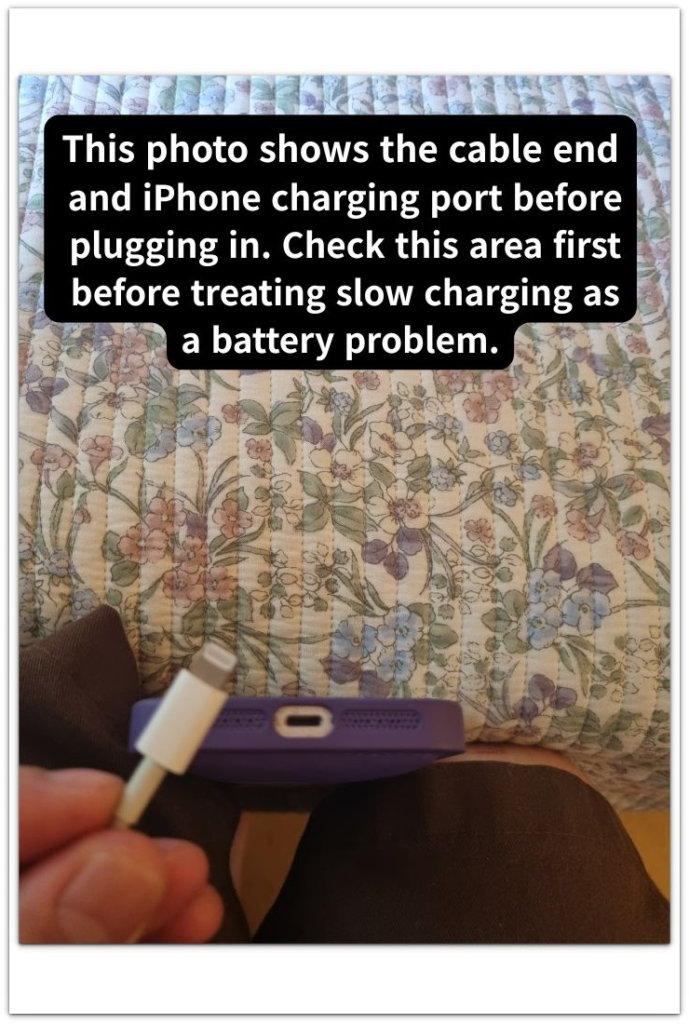
A weak adapter, loose cable, dirty port, or low-power USB port can make the battery rise much less than expected.
Keep the phone still while it charges and watch whether the charging sign stays steady.
That check helps you see whether the problem is coming from the charging path instead of the battery itself.
────────────────────
Step 3: Compare The Result After The Phone Has Been Sitting Still
────────────────────
Leave the phone connected without using it for a short, normal stretch.
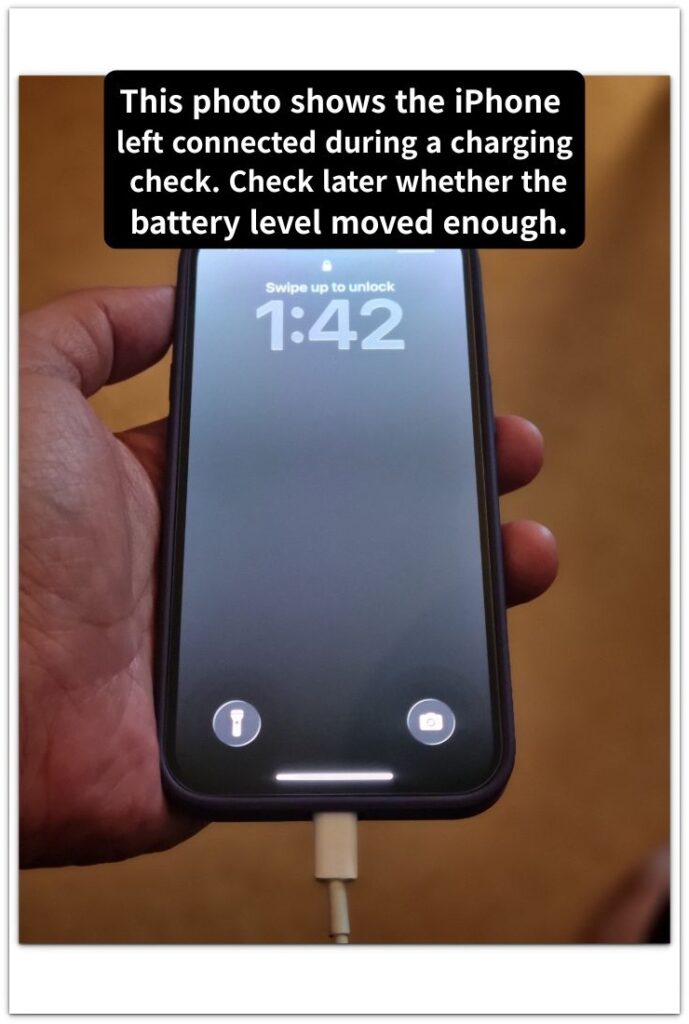
Then check whether the battery level moved enough for that amount of time.
Using the phone while charging can hide the real result because the phone is spending power while it is trying to gain power.
Heat can also slow the charge, especially when the phone is warm, in a case, or sitting in a hot place.
The battery becomes a more likely problem only when the same slow rise comes back after those charging conditions are separated.
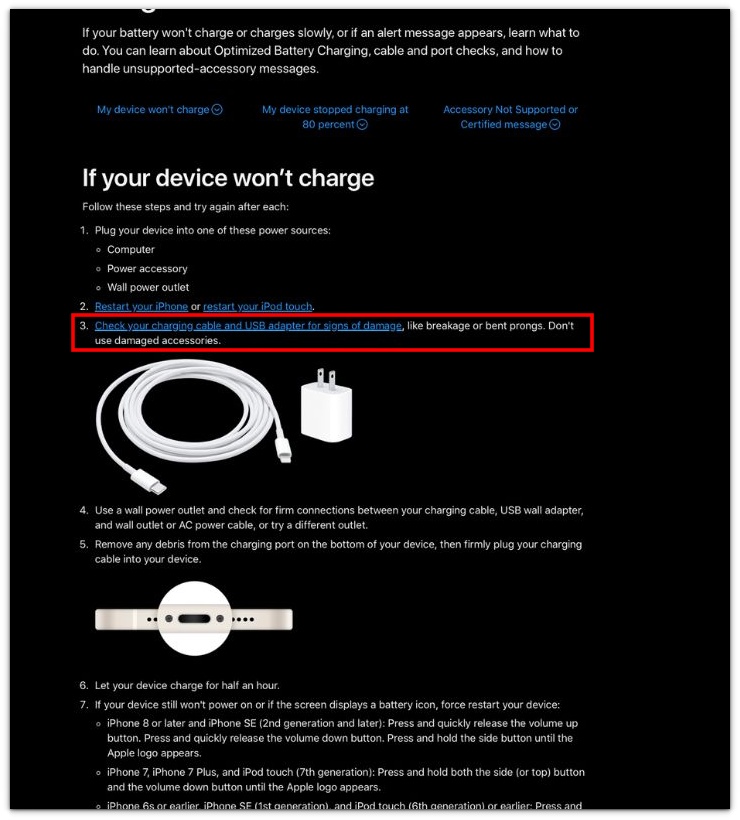
The screenshot below is from Apple’s official support page and shows that a slow or failed charge can lead you to check the charging cable and USB adapter for damage before treating the battery as the problem.
────────────────────
Troubleshooting
────────────────────
────────────────────
Troubleshooting 1: The Phone Still Charges Slowly After The Charging Sign Appears
────────────────────
The charging sign can look normal while the battery level barely moves.
Leave the phone connected for a short stretch and check whether the battery rises enough to match that time.
A weak cable connection, dirty port, or low-power charger can make the phone look like it is charging without giving you a normal rise.
iPhone charging slow matters more when the charging sign stays on, but the battery level still barely changes.
────────────────────
Troubleshooting 2: The Charge Looks Weak Only While You Are Using The Phone
────────────────────
Charging can look worse when the screen stays on, apps are open, or the phone is already warm.
Set the phone down and charge it without using it for a short, normal stretch.
That quiet check shows whether the battery still rises too little when the phone is not spending power at the same time.
A slow rise during use does not carry the same weight as a slow rise while the phone sits still.
────────────────────
Troubleshooting 3: The Charge Looks Better Once, Then Slows Down Again
────────────────────
One better charge can make the problem look finished too early.
Check the next ordinary charge before you decide the slow result is gone.
That return matters when the same charger, cable, outlet, and phone condition lead to the same slow rise again.
A single better charge does not cancel out the slower result when it comes back under the same setup.
If the same slow rise keeps coming back after the charger, cable, outlet, and phone use have been checked, the battery needs a deeper check.
────────────────────
Additional Tips
────────────────────
Do one charging check at a time.
Use the same cable, charger, outlet, and phone position before you change anything.
Take the phone case off once if the phone feels warm while charging.
Check the charging port only with a dry look. Do not push anything sharp into it.
This slow charge is easier to trust when the next ordinary charge shows the same weak rise after one simple charging check.
────────────────────
Final Notes
────────────────────
A slow charge does not mean the battery is ready to replace right away.
Check the charger, cable, outlet, port, phone use, and heat before you treat the battery as the main problem.
iPhone charging slow becomes a stronger battery concern only when the same weak rise comes back after those charging conditions are no longer in the way.
By then, you are no longer guessing from one bad charge. You are looking at the same slow result after the easy causes have been cleared.
────────────────────
Checklist
────────────────────
☐ Checked the same charger, cable, and outlet again.
☐ Left the phone still during the charging check.
☐ Checked whether the battery level rose too little again.
☐ Looked at the charging port without using anything sharp.
☐ Checked heat, phone use, and power source before blaming the battery.
☐ Treated the battery as a possible problem only after the same slow rise came back.
────────────────────
Related iPhone Charging Checks
────────────────────
1. A slow charging message matters because the iPhone is already telling you that charging is being limited.
2. Charging after 80 percent can feel slower when the iPhone is managing the final part of the charge instead of filling at the same speed.
3. Heat can make charging look weak when the iPhone stays warm even though the charger is still connected.
4. An older charger can feel slower when the adapter output is lower than what newer iPhones can use for faster charging.
5. The original charger can still look right even when heat, cable fit, adapter output, the charging port, or iOS charging behavior slows the charge.
6. Car charging can look normal at first, but this check helps you see why the battery barely rises during the drive.
7. A laptop USB port can hold the charge back even when the iPhone shows that it is connected.
8. Wireless charging can show the charging icon while poor alignment, heat, or the case keeps the battery from rising properly.
9. MagSafe can attach to the iPhone and still charge weakly if the position, case, heat, or adapter is holding it back.
10. Using the iPhone while it charges can make the battery barely move when the screen is on, apps are active, or the phone is getting warm.
11. Charging appears on the screen, but the battery percentage does not rise.
12. Charging starts normally, then stops or disconnects after a few minutes.
13. Dust or debris inside the charging port weakens the cable connection.
14. Charging feels slower after an iOS update because heat or background work changes the charging pattern.
15. A USB-C cable looks like a faster setup, but the charger, port, or power source can still set the real charging limit.
────────────────────
Extra Section 1
────────────────────
I once left the iPhone plugged in while I was doing something else.
I expected the battery level to look much higher when I came back.
The charger was connected, the screen was off, and nothing looked wrong at first glance.
That made the slow charge feel more serious than it probably was.
I did not notice the small detail until I picked up the cable.
The connector had not fallen out, but it did not feel as firm as usual.
I plugged it in again, left the phone alone, and checked it after a short stretch.
The battery level rose more steadily from the same outlet.
That check changed the problem from “the battery is weak” to “the connection was not steady.”
iPhone charging slow is harder to judge when the phone looks connected, but the cable is not sitting firmly enough.
────────────────────
Extra Section 2
────────────────────
Another time, the charge looked weak even though the setup seemed normal.
The phone was on the charger, the cable was in place, and the battery screen did not show anything strange.
I almost treated it as the same battery problem again.
Then I noticed the room was warm and the phone had been sitting near a window.
The charger was not the only thing affecting the result.
I moved the phone away from the warm spot and stopped checking it every few minutes.
The next check gave me a cleaner read on the charge.
That made the slow charge easier to separate from a battery replacement problem.
The battery was not the first thing I needed to blame that time.