
Introduction
────────────────────
iPhone charging slow on laptop can be confusing when the phone stays plugged into the laptop USB port, but the battery level barely moves.
You leave it connected while working and expect the battery to climb in the background.
Instead, the iPhone charges much slower than it does with a wall charger.
That does not automatically mean the cable or the iPhone is the problem.
Start by checking whether the laptop USB port is giving the iPhone enough power before you blame the cable or the iPhone.
────────────────────
Step-by-Step Guide
────────────────────
────────────────────
Step 1: Check the Laptop USB Port Before You Change Anything
────────────────────
Start with the same laptop port where the charging looked slow.
Plug the iPhone into that port again and watch whether the battery level rises while the laptop stays awake.
Do not change the cable, port, charger, and phone settings all at once.
Some laptop USB ports give enough power for syncing or light charging, but not enough for faster charging.
iPhone charging slow on laptop is easier to judge when the first check starts from the same USB port.
────────────────────
Step 2: Test a Different USB Port on the Same Laptop
────────────────────
Move the cable to another USB port on the same laptop.
Use the same phone and the same cable, then check whether the battery level rises faster from that port.
Some laptop ports can behave differently, especially when one port is built more for data transfer than steady charging.
If one port barely raises the battery level and another port works better, the slow charge is more likely coming from the weaker port.
That keeps the test focused on the laptop port instead of making you guess between the cable and the phone.
────────────────────
Step 3: Compare the Laptop With a Wall Charger
────────────────────
Plug the same phone and cable into a wall charger after the laptop test.
Leave the phone alone for a short check and see whether the battery level climbs faster.
Do not use it heavily during this comparison.
If the phone charges normally from the wall charger but barely moves from the laptop, the laptop USB port is probably the weak part.
That comparison helps separate a weak laptop USB charge from a battery problem.
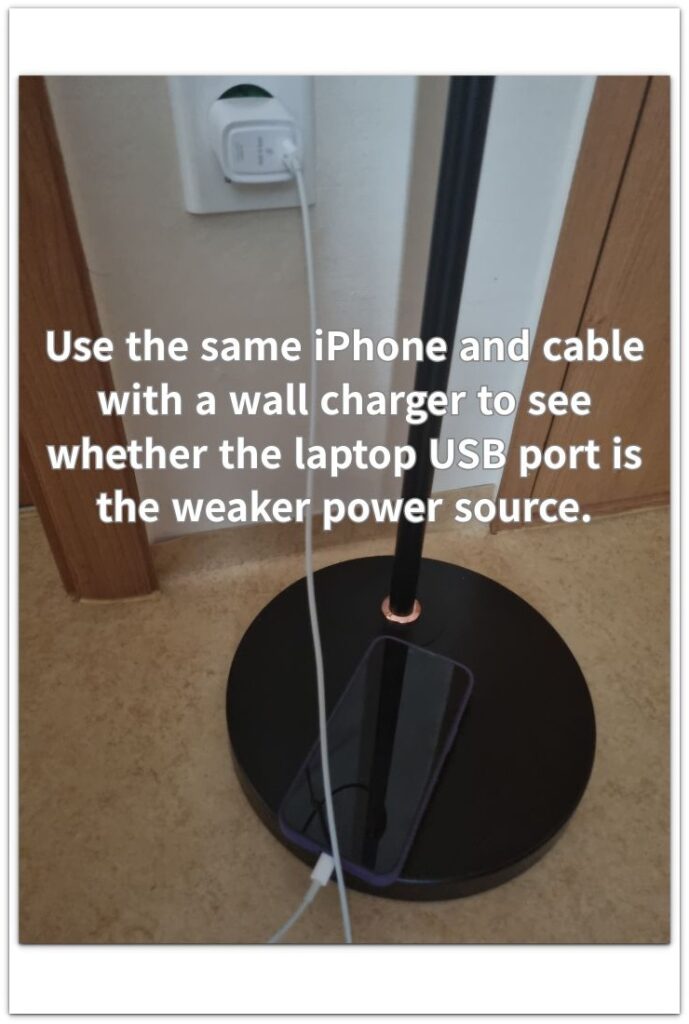
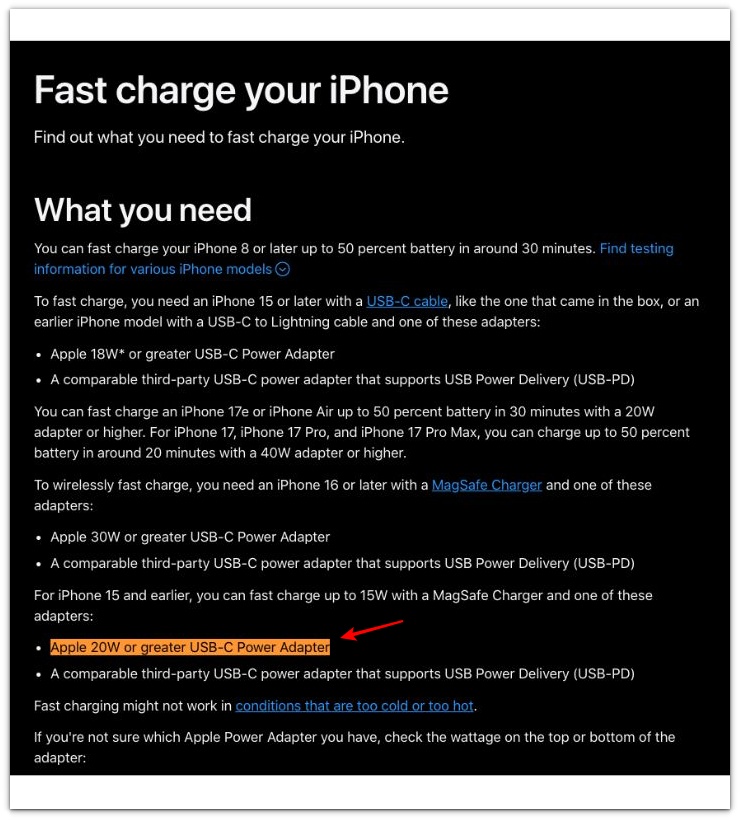
Apple says fast charging needs a 20W or greater USB-C power adapter, so a slow laptop charge should still be compared with a wall charger before you blame the iPhone or ignore the problem.
────────────────────
Troubleshooting
────────────────────
────────────────────
Troubleshooting 1: The Laptop Shows Charging, But the Battery Barely Moves
────────────────────
The charging icon can appear even when the laptop USB port is only giving the phone a weak charge.
Leave the phone connected for a short check while the laptop stays awake.
Do not judge it from the icon alone.
If the battery level barely rises during that check, the port is probably too weak for a useful charge.
The laptop port is the first place to question, not the battery.
────────────────────
Troubleshooting 2: The Phone Charges Slowly While You Are Using It
────────────────────
A laptop charge can look weaker when the screen stays on, apps keep running, or the phone stays in use while plugged in.
Lock the screen and leave the phone alone for a short comparison.
Do not test it while streaming, syncing files, or using hotspot.
If the battery climbs better when the phone is idle, the laptop is charging but not fast enough to keep up with active use.
────────────────────
Troubleshooting 3: The Charge Improves, Then Slows Down Again
────────────────────
iPhone charging slow on laptop can return when the laptop sleeps, locks, or reduces power to save battery.
Check whether the laptop screen dimmed, locked, or stopped staying fully awake during the charge.
Test again with the laptop plugged into power so the USB port is not limited by power-saving behavior.
If charging improves only while the laptop stays awake and plugged in, the laptop’s power state is the problem.
A laptop USB limit is less likely when the same phone and cable still charge poorly from a wall charger.
Poor charging from both the laptop and a wall charger needs a broader charging check before you blame the laptop USB port.
────────────────────
Additional Tips
────────────────────
A laptop USB charge is usually better for keeping the phone alive than for filling the battery quickly.
iPhone charging slow on laptop is easier to judge when the laptop stays awake and the phone sits unused for a few minutes.
Use a short cable if you have one, and avoid loose hubs or adapters during the first check.
Keep the laptop awake while charging because some laptops reduce USB power when the screen locks or the computer sleeps.
Let the phone sit unused for a few minutes before judging the charge, especially after streaming, syncing, or using hotspot.
────────────────────
Final Notes
────────────────────
iPhone charging slow on laptop is easier to judge when a wall charger test points back to the laptop USB port.
When the same phone and cable charge normally from the wall charger, check the laptop port first.
A charging icon alone is not enough.
Watch whether the battery level actually climbs while the laptop stays awake and the phone sits unused.
If the battery barely moves only on the laptop, treat it as a laptop USB power limit before blaming the phone.
────────────────────
Checklist
────────────────────
☐ Check the same laptop USB port before changing the cable.
☐ Keep the laptop awake while the phone is charging.
☐ Test another USB port on the same laptop.
☐ Compare the same phone and cable with a wall charger.
☐ Leave the phone unused during the charging check.
☐ Avoid USB hubs or loose adapters during the first test.
☐ Treat the laptop USB port as the likely issue when the phone charges normally from a wall charger.
For a broader charging check, the guide above helps you separate a weak laptop USB charge from a battery problem before you replace anything.
────────────────────
Extra Section 1
────────────────────
I once left my phone plugged into a laptop during a long work stretch and trusted the charging icon.
The screen showed that charging had started, so I expected the battery level to be higher later.
When I checked again, the battery had barely moved.
The laptop was awake, and the cable was still connected, so the slow charge did not look obvious at first.
iPhone charging slow on laptop made more sense once I stopped trusting the icon and watched the battery level itself.
The charging icon only told me the connection had started, not that the battery was filling at a useful speed.
────────────────────
Extra Section 2
────────────────────
The cable looked like the easiest thing to blame when the phone charged slowly from my laptop.
It still clicked into the port, but the charge stayed weak.
I moved it around, checked the connection, and plugged it back in.
The charge still looked weak from the laptop.
Then I used the same cable with a wall charger.
The battery level started climbing much more normally.
When I moved the same cable back to the laptop, the charge slowed down again.
The wall charger test pointed back to the laptop port, not the cable.
The cable was still worth checking, but it was not the weak part that time.
The laptop USB port was what kept the charge moving so slowly.