
Introduction
────────────────────
You update the iPhone and expect charging to feel the same as before.
The charger still works.
The cable still connects.
The charging icon still appears on the screen.
But the battery percentage rises more slowly than it did before the update.
The problem feels confusing because nothing looks clearly broken.
iPhone charging slow after iOS update often feels like a battery problem, a charger problem, and a new iOS problem all at once.
A slower charge after an update is not enough to blame the battery or charger first.
────────────────────
Step-by-Step Guide
────────────────────
────────────────────
Step 1: Check when the slow charging started
────────────────────
Start with the timing, not the charger.
Think back to the last normal charge before the update.
A normal charge before the iOS update and a slow charge right after installation make the timing important.
Keep the same charger, cable, outlet, and charging spot for this first check.
Do not switch everything at once.
Keep the charging setup the same so iPhone charging slow after iOS update is easier to compare.
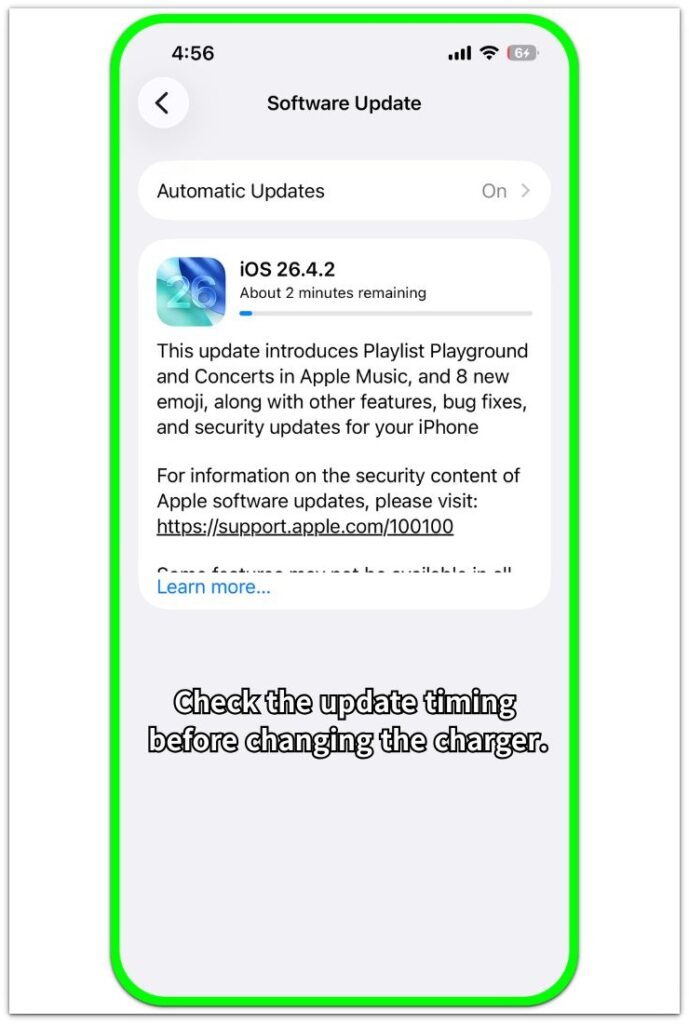
The Software Update screen helps show whether the slow charge started right after the iOS update or appeared later under a different charging condition.
────────────────────
Step 2: Check whether the iPhone feels warm
────────────────────
Plug in the iPhone and touch the back of the phone while it charges.
If it feels warmer than usual, do not blame the charger yet.
A warm iPhone often charges more slowly, especially right after an update.
Lock the screen and leave the phone connected for a while.
Check whether the battery starts moving better after the phone cools down.
────────────────────
Step 3: Try one more charge after the phone settles
────────────────────
Wait until the iPhone feels normal again.
Use the same charger and cable for one more charge.
Do not test it while gaming, streaming, or keeping the screen on for a long time.
Watch whether the battery percentage moves better during that later charge.
The later charge shows whether the first slow charge was only a short post-update change.
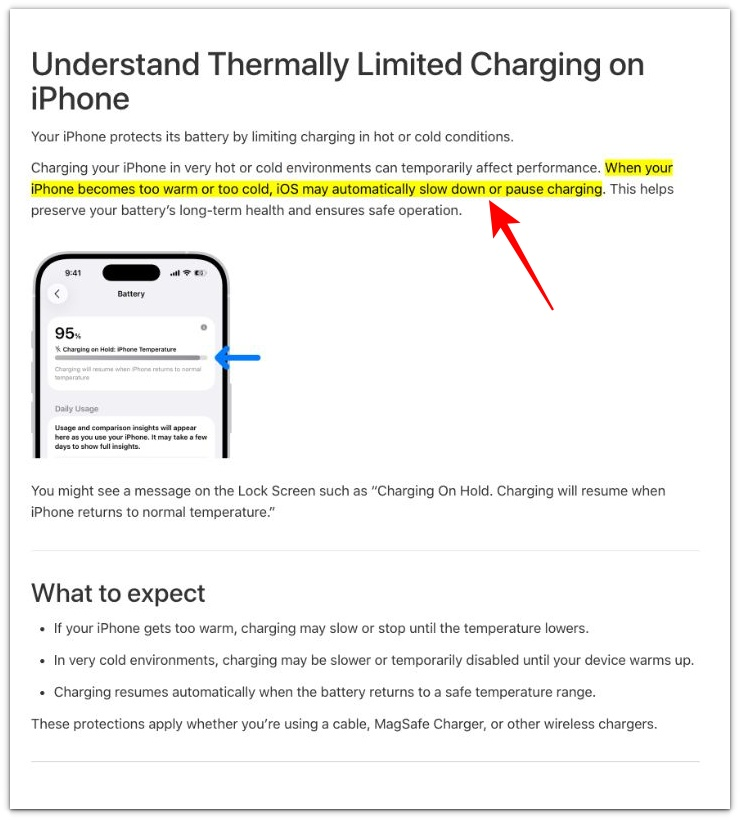
Apple says iOS may slow down or pause charging when the iPhone becomes too warm or too cold. That supports checking heat after an update first, but it does not explain slow charging that keeps returning after the iPhone cools down.
────────────────────
Troubleshooting
────────────────────
────────────────────
Troubleshooting 1: The iPhone feels warm and the battery barely moves
────────────────────
The first charge after an update often looks slower than expected.
The iPhone is plugged in.
The charging icon appears.
But the battery number barely moves for a while.
The back of the phone also feels warmer than usual.
The warm back of the phone matters more than the charging icon alone.
The charger is still being detected, but the phone is still acting busy right after the update.
Lock the screen and leave the iPhone connected without opening apps.
A better charge later with the same setup points to temporary post-update activity, not a failed charger.
────────────────────
Troubleshooting 2: The charging icon stays on, but the battery still rises too slowly
────────────────────
The confusing part is the steady charging icon.
The cable is in.
The charging icon stays on.
There is no warning on the screen.
But the battery percentage moves so slowly that the charge does not feel normal.
The phone has already cooled down, so the update alone is no longer a strong explanation.
When iPhone charging slow after iOS update continues without heat, warnings, or a loose cable, the charger, cable fit, adapter strength, and battery condition need a closer check.
────────────────────
Troubleshooting 3: The slow charge comes back only in certain charging spots
────────────────────
Some slow charging patterns do not repeat every time.
The iPhone charges better on one desk.
It charges slowly near the bed.
It looks normal in the car for a few minutes, then barely moves.
The update makes the timing suspicious, but the charging spot gives the better clue.
A loose cable angle, a weaker adapter, a warm case, or active screen use explains why one spot charges worse than another.
The charging icon still appears while the battery barely rises.
The icon alone is not enough to judge the charge.
That pattern points more to the charging setup than to the iOS update itself.
A slow charge that keeps returning after the iPhone cools down usually needs a closer charger or battery check.
────────────────────
Additional Tips
────────────────────
Do not judge the whole problem from the first few minutes after the update.
The first charge is easy to misread because the phone often feels busy even when nothing obvious is open.
A short slowdown right after installation does not carry the same weight as slow charging that returns later.
The part to watch is whether the slow charge appears only under one clear condition.
iPhone charging slow after iOS update often looks like an iOS problem when each charge starts under a different condition.
The update timing matters, but it should not be the only detail you trust.
────────────────────
Final Notes
────────────────────
iPhone charging slow after iOS update should not be judged from the first slow charge alone.
The timing matters, but it is only the starting point.
A warm phone, a busy first charge, or one uneven charging spot makes the update look like the full cause.
The better check is what happens after the phone feels normal again.
A short slowdown right after installation is different from slow charging that keeps returning later.
Slow charging that keeps coming back after the phone cools down is not just an update timing issue.
────────────────────
Checklist
────────────────────
□ Check whether the slow charging started only after the iOS update.
□ Use the same charger, cable, outlet, and charging spot for the first comparison.
□ Touch the back of the iPhone while it charges and check for unusual warmth.
□ Lock the screen and watch whether the battery moves better after the phone cools down.
□ Try one more charge later with the same charger and cable.
□ Compare that later charge with the first slow charge after the update.
□ Treat repeated slow charging after the phone cools down as a real charging problem, not a normal post-update change.
Use the main iPhone charging slow guide to compare this update-related case with the full charging checklist.
────────────────────
Extra Section 1
────────────────────
I once watched the battery percentage more closely than usual right after an update.
Before the update, I usually plugged in the iPhone and left it alone.
After the update, I kept waking the screen to check the battery percentage.
The number looked like it was moving too slowly because I was watching every small change.
iPhone charging slow after iOS update looked worse than the actual charging result because I was checking every small change.
The charging result had not changed as much as the way I was checking it.
When I stopped watching the number every few minutes and checked again later, the battery gain looked more normal.
The update did not change the charge as much as it changed the way I watched the number.
────────────────────
Extra Section 2
────────────────────
I also checked an iPhone that looked slower only when the battery was already high.
Earlier in the day, the battery rose quickly from a lower percentage.
The charger looked fine during the earlier charge.
Later, the same iPhone looked much slower when the battery was already high.
The update had happened recently, so it was easy to connect the slower part to iOS.
But the difference was the battery range, not the update itself.
The charge felt faster from a lower percentage because the number moved more often.
Near a higher percentage, the battery number changed more slowly and made the charge feel delayed.
A failed charger would usually cause trouble in more than one battery range.
The slower part fit a normal high-battery charging pattern, not a charger failure.