
Introduction
────────────────────
iPhone charging slow when hot often starts with one clear mismatch: the charger is connected, but the battery level barely climbs while the phone still feels warm.
You leave it plugged in for a while, then check again and see almost no progress.
That does not automatically mean the charger failed.
Do not judge the charger from the charging icon alone.
Start by checking whether charging improves after the phone cools down with the same charger.
────────────────────
Step-by-Step Guide
────────────────────
────────────────────
Step 1: Check The Phone Temperature Before You Change The Charger
────────────────────
Start with the phone as it is.
Keep the same charger connected and touch the back of the iPhone to see whether it still feels warm.
Do not switch the cable, adapter, outlet, and phone position at the same time.
iPhone charging slow when hot points to heat first when the phone feels warm before you change the charger.
That gives you one clean starting point before you test anything else.
────────────────────
Step 2: Let The Phone Cool Before You Test The Same Charger Again
────────────────────
Unplug the iPhone and leave it somewhere cooler for a short while.
Take off a thick case if the phone still feels warm in your hand.
Do not use the phone heavily during this cooling check.
Plug the same charger back in only after the phone feels closer to normal.
That second look shows whether heat was slowing the charge before you blame the charger.
────────────────────
Step 3: Watch Whether Charging Improves After The First Few Minutes
────────────────────
After the phone cools down, connect the same charger again and leave the iPhone still.
Watch the battery level for a short stretch instead of judging the first charging icon.
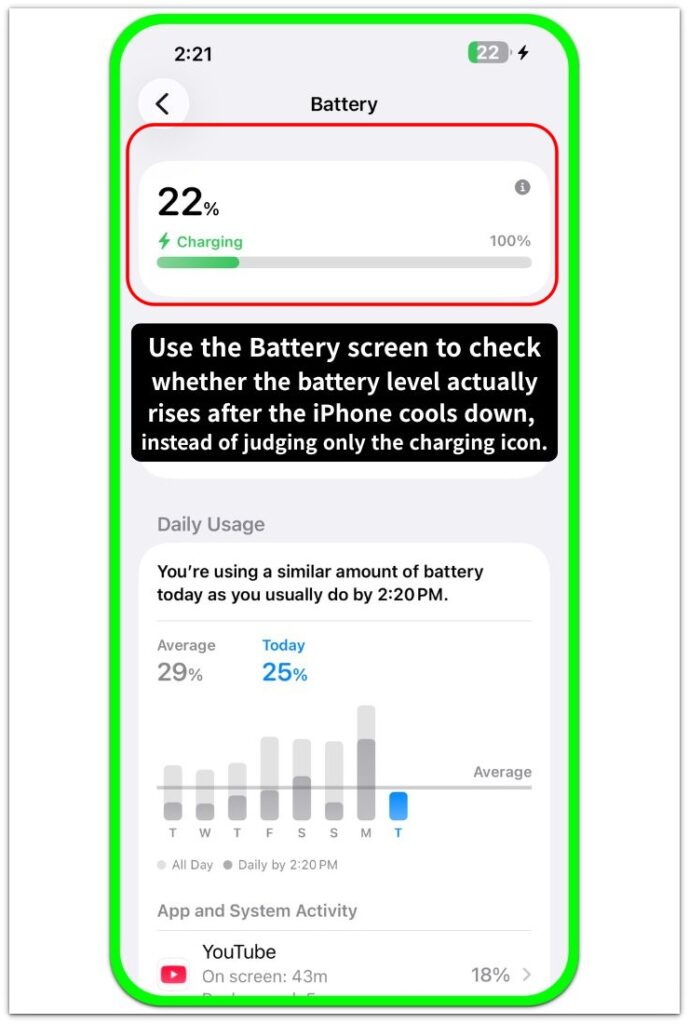
A normal battery rise after cooling makes the charger less likely to be the main problem.
When the battery still barely moves after the phone feels normal, test another known good charger next.
That final check tells you whether to keep watching heat or test another charger next.
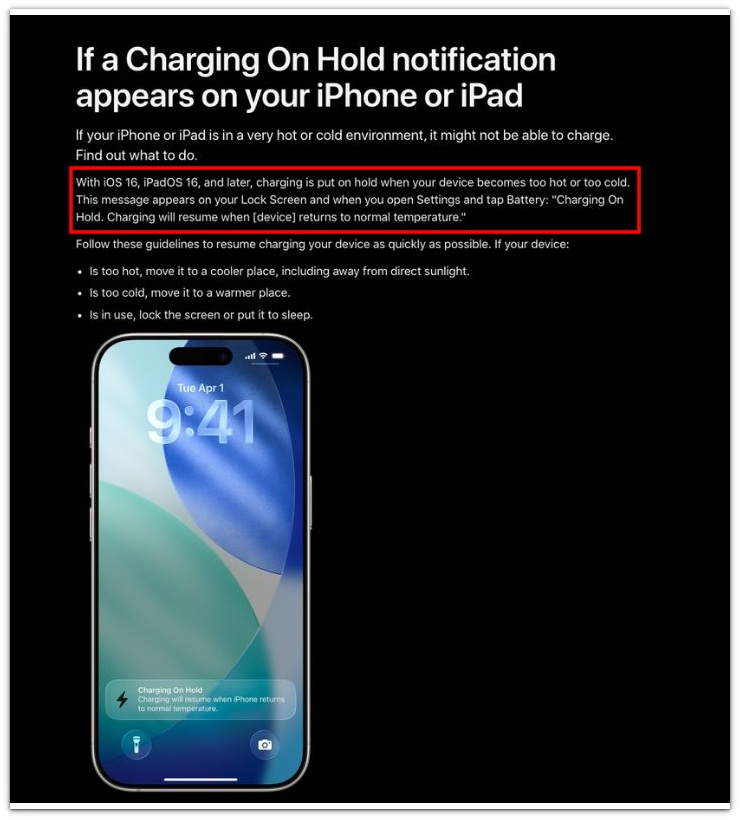
Official Apple guidance shows that heat can interrupt charging, so the same charger should be tested again after the iPhone cools down.
────────────────────
Troubleshooting
────────────────────
────────────────────
Troubleshooting 1: The Phone Still Charges Slowly Even After It Feels Cooler
────────────────────
The back of the iPhone can feel normal before the inside has fully cooled.
Leave the phone alone a little longer and keep the screen off during the next check.
Do not judge the result right after you plug the charger back in.
Give the same charger a short stretch after the phone has cooled more.
iPhone charging slow when hot points more clearly to heat when charging improves only after the phone stays cool for a while.
────────────────────
Troubleshooting 2: Charging Looks Weak While You Are Still Using The Phone
────────────────────
Charging can still look weak when you keep using the phone while it is trying to cool down.
Stop using the screen for a short while before you compare the battery level.
A warm phone that is still being used can use power while it charges.
That makes the battery level look like it is barely moving.
Check again with the phone locked before you blame the charger.
────────────────────
Troubleshooting 3: Charging Improves For A While, Then Slows Down Again
────────────────────
A short improvement does not always mean the heat issue is finished.
The phone can warm up again after a few minutes of charging, especially with a case on.
Remove the case and leave the phone on a cooler surface for the next check.
Watch whether the battery rises more steadily after that.
If the slowdown comes back with heat, the charger is not the first thing to blame.
If charging still slows after the phone cools down, do a deeper slow charging check before you keep blaming heat.
────────────────────
Additional Tips
────────────────────
Keep the iPhone out of direct sunlight while it charges.
Remove a thick case if the back of the phone stays warm during charging.
Do not judge slow charging from the first minute after you plug the cable in.
Use the same charger again after the phone cools down before you blame the adapter.
iPhone charging slow when hot becomes clearer when the same charger works better after the phone cools down.
────────────────────
Final Notes
────────────────────
iPhone charging slow when hot should not be judged from the charging icon alone.
A warm phone can stay plugged in and still charge slower than expected.
Use the same charger again after the phone cools down.
When the battery rises normally after cooling, heat was likely part of the slowdown.
When the battery still barely moves after the phone cools down, check the charger or cable next.
────────────────────
Checklist
────────────────────
☐ Check whether the iPhone feels warm while charging.
☐ Keep the same charger connected before you change anything.
☐ Let the iPhone cool down before testing the charger again.
☐ Remove a thick case if the back of the phone stays warm.
☐ Watch the battery level after the first few minutes, not only the charging icon.
☐ Test another known good charger if the battery still barely moves after the phone cools down.
Use the guide above first if you want to check normal slow charging before blaming heat for the slower charge.
────────────────────
Extra Section 1
────────────────────
I used to blame the charger first when the battery barely moved.
The charging icon stayed on, so I thought the cable and adapter were doing their job.
Then I picked up the phone and noticed the back still felt warm.
I had been looking at the charging sign, but I had not checked the phone itself.
That was the part I missed at first.
iPhone charging slow when hot became clearer when I checked the warm phone and the battery level together.
The phone was connected, but the battery was not rising the way it normally did.
I started checking the phone temperature and the actual battery rise together before blaming the charger.
────────────────────
Extra Section 2
────────────────────
I once thought the phone had cooled enough because it felt better after a few minutes.
I plugged the same charger back in and watched the battery level for a short while.
At first, the charge looked a little stronger.
Then the phone started feeling warm again with the case still on.
The battery level slowed down before I could tell whether the first check was real.
That made the first improvement less useful.
I took the case off, left the phone alone longer, and checked the same charger again.
The next check gave me a cleaner result because the phone stayed cooler while it charged.