
Introduction
Your iPhone says storage is full even though the storage bar still shows free space, but downloads stop, app installs fail, and iOS updates refuse to continue while that number still looks safe.
iPhone storage full even with free space usually means the visible number is not the same as usable space for a new download.
Start by checking what the iPhone is still counting before deleting more photos or apps.
Step-by-Step Guide
Step 1: Check the iPhone Storage Screen First
Open Settings → General → iPhone Storage, then wait until the storage bar finishes loading before judging the warning.
Check whether the bar is completely full or still shows some available space, because a warning that appears while the graph still shows room is not just a visible file problem.
iPhone storage full even with free space needs a closer check when downloads, installs, or updates fail before the storage screen looks completely full.
Step 2: Check System Data and Hidden Storage
Scroll through the iPhone Storage category list and look for System Data, iOS, or any storage category that looks larger than expected.
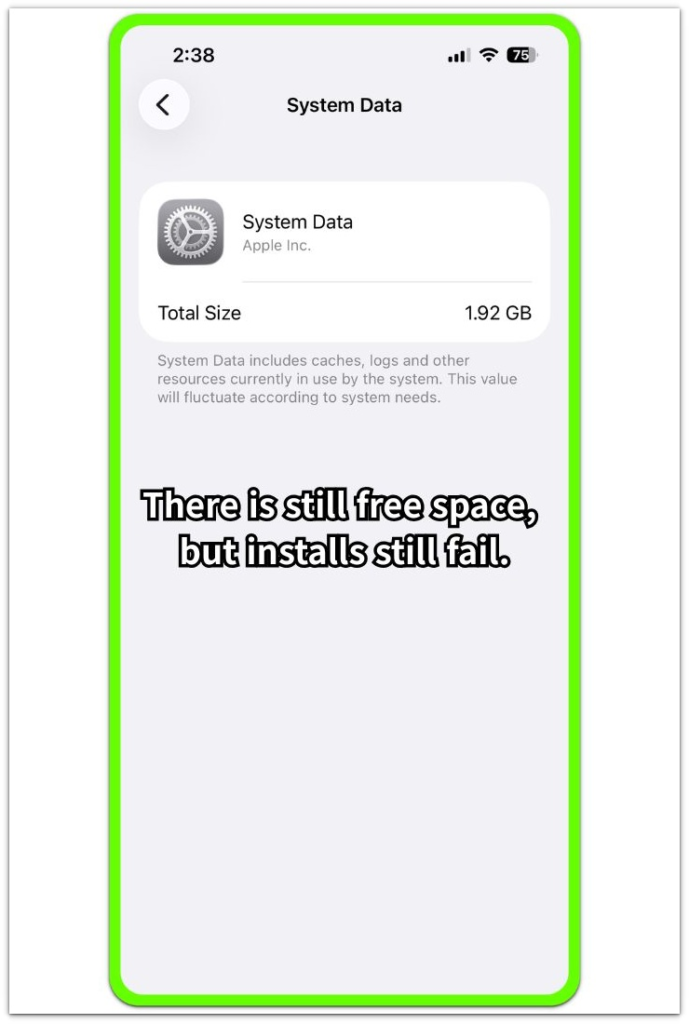
Photos, Apps, and Media are not enough when those sections do not explain the warning. System Data growing while Apps and Media look normal usually points to system files, cache, logs, or update-related data instead of a normal photo or app.
The warning becomes clearer when the graph still shows room but the iPhone refuses new storage work.
Step 3: Test a Small Download or Install
Try installing a small app first, and use a small file or short video as a second test. Avoid a large game, long movie, or full iOS update for this check.
The point is to see whether the iPhone blocks even a small amount of new data while the storage screen still shows free space.
A failed small download or app install is enough. Stop testing with larger files and check what iPhone Storage is counting before deleting more photos, apps, or personal files.
Troubleshooting iPhone Storage Full Even With Free Space Problems
Troubleshooting 1: The Warning Appears After Heavy App Use
The warning often appears after a long video session, a large app update, or heavy camera use. The storage screen still shows some room, but the iPhone refuses a download or install for a short time.
Check whether it disappears after one restart and a fully loaded iPhone Storage graph. Small downloads working again after that usually points to temporary storage pressure from recent activity.
The same message returning within a few hours needs more than a one-time storage refresh.
Troubleshooting 2: System Data Keeps Growing
System Data becomes easier to judge when it grows while Photos, Apps, and Media do not explain the warning.
Restart the iPhone, use it normally, then look at System Data again. Deleting visible photos or unused apps will not solve much when that number takes more space and small downloads still fail.
Confirm the number is still rising before clearing more visible files.
Troubleshooting 3: The Warning Stays After an iOS Update
An iOS update often makes the storage screen look strange for a short time because the phone still needs time to finish cleanup, indexing, and system file changes.
Give the phone a full day of normal use after charging and restarting it, then check whether small downloads or app installs work again.
When the warning still blocks small downloads the next day, stop judging it as only an update delay. The failed download or install matters more than the update timing.
Extra Section 1: When a Small App Failed With 4GB Left
A 128GB iPhone looked like it still had enough space left. The storage screen showed about 4GB available, so a small app install seemed safe.
The app was only around 200MB, but the install still failed. Photos did not max out, and the app list showed no obvious storage problem.
The small install test mattered more than the total number at the top of the screen. After a restart, System Data still held enough space to make the remaining storage unreliable.
Random photo cleanup was not the first fix. The better check was System Data and the small install result.
Extra Section 2: When an iOS Update Left Space but New Installs Still Failed
The problem showed up right after an iOS update. The iPhone still showed more than 5GB of free space, but small downloads kept failing.
Waiting a few hours helped only a little. System Data dropped slightly, but the phone still refused new installs, so the storage screen alone was not reliable yet.
A normal full-storage problem nearly fills the storage bar. Here, the bar still showed room, but the phone acted like the remaining space was not ready to use.
The repeated failure after the update mattered more than the free-space number. The next check was not another photo cleanup, but whether small downloads worked again after the update cleanup settled.
Official Source: Apple Explains Hidden Storage Counts
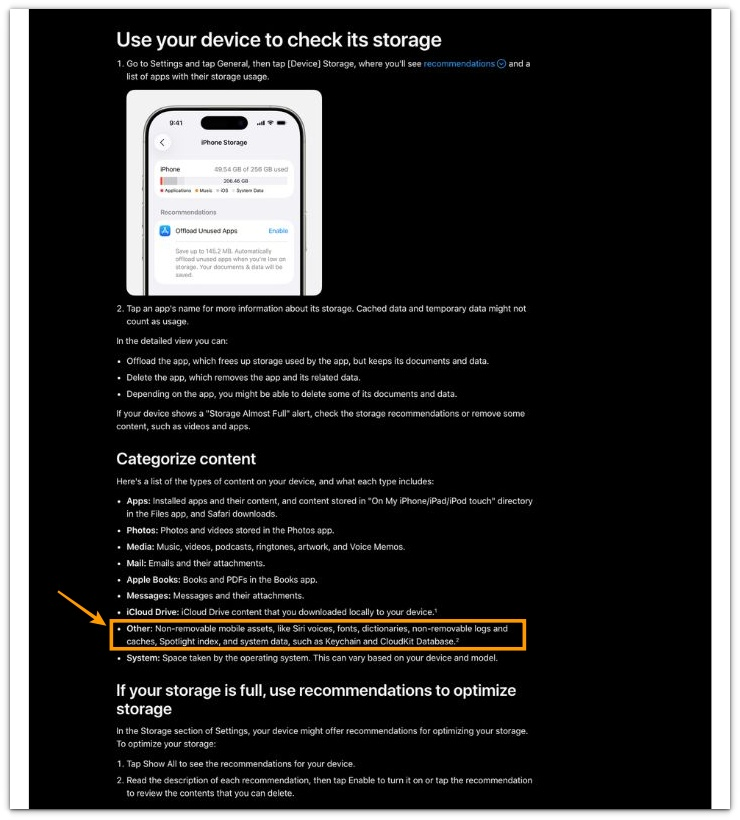
Apple explains that iPhone Storage can include cached data, temporary data, and system-related storage that does not always look like a normal photo, app, or video.
This Apple storage guide supports checking more than the visible storage bar.
The graph is only the first clue. Compare it with what the iPhone actually allows you to download or install.
Additional Tips
An iPhone that stays close to full storage has less room for temporary system work. The storage bar can show a little space, but downloads, app installs, and iOS update files still need room to prepare.
Smaller iPhones, such as 64GB or 128GB models, reach this problem faster because System Data and update cleanup have less room to move.
A restart can help the storage number settle, but it should not lead to another round of random photo deletion.
Small System Data changes after normal use are not the real warning sign. Repeated growth after light use becomes the stronger warning while small downloads or app installs still fail.
Final Notes
iPhone storage full even with free space is not always a broken storage graph.
The warning becomes serious when the iPhone still shows available space but refuses a small app install after a restart.
System Data, update files, cache, and internal storage can leave the phone with space that looks available but does not work for new files.
Repeated failure after normal cleanup means the remaining space is not reliable yet. Keep checking iPhone Storage before treating that space as usable again.
Checklist
- Check whether the storage warning appears while the graph still shows free space.
- Wait for the iPhone Storage graph to finish loading before judging the warning.
- Check whether System Data is growing while Photos, Apps, and Media look normal.
- Restart the iPhone once before deleting more personal files.
- Test a small app install or small download after the restart.
- Treat repeated download or install failures as a real storage problem, not just a display issue.
For broader iPhone storage problems, use the main guide next, especially when downloads or app installs still fail while iPhone Storage shows free space.