
Introduction
────────────────────
You plug in the iPhone, see the charging icon, and think the battery should start moving.
A few minutes later, the icon is gone or the battery looks almost the same.
Then you unplug the cable, connect it again, and charging starts like nothing happened.
That quick reset can make the charger look fine, even when the connection is not staying steady.
iPhone charging stops after a few minutes when charging starts normally, drops out, and does not stay connected after the first few minutes.
────────────────────
Step-by-Step Guide
────────────────────
────────────────────
Step 1: Check Whether the Charge Drops Out After the First Connection
────────────────────
Start with the first few minutes after you plug in the cable.
Do not unplug it right away when the battery looks slow.
Leave the iPhone connected to the same charger, with the same cable, in the same outlet.
Watch whether the charging icon stays on or disappears after the first connection.
iPhone charging stops after a few minutes is easier to judge when you watch the charging icon, not just the battery percentage.
────────────────────
Step 2: Check the Cable Position Before You Blame the Battery
────────────────────
The cable can look connected at first, but the angle still matters when the charge drops out after the iPhone is set down.
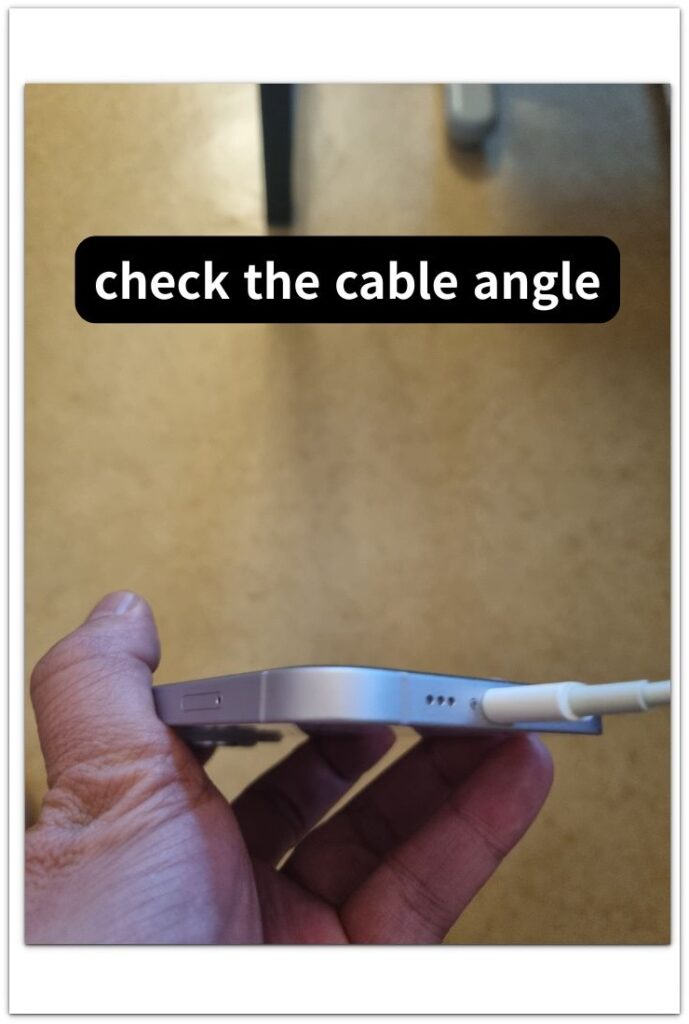
Pick up the iPhone gently while it is still connected.
Do not pull the cable, twist it, or press the connector hard into the port.
Move the phone the same way you normally would on a desk, bed, or nightstand.
If charging stops when the cable angle changes, the problem is closer to the cable, connector, case fit, or charging port.
A battery problem usually does not start and stop just because the cable moves slightly.
────────────────────
Step 3: Check Heat and Port Condition Before You Replace Anything
────────────────────
Touch the back of the iPhone and check whether it feels warmer than usual.
Remove a thick case for the next check if the phone feels hot.
Use a bright light to look inside the charging port, but do not push anything sharp into it.
Dust, pocket lint, heat, or a loose connection can make charging start normally and then drop out soon after.
Repeat the same check once more after the phone cools down and the cable sits firmly.
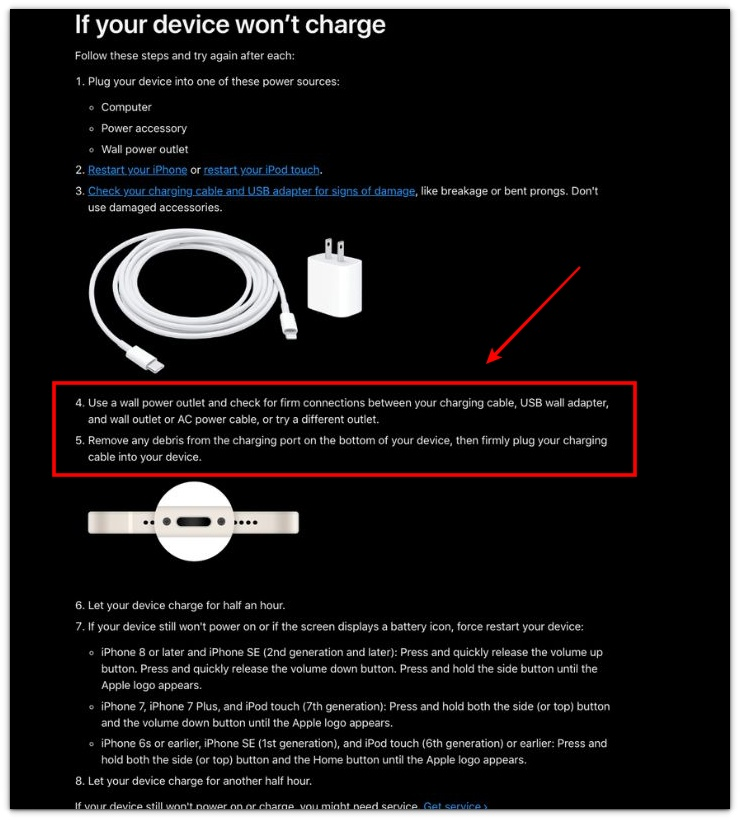
Apple’s check is useful here, but the next part matters more: see whether the same connection stays steady after the first few minutes.
────────────────────
Troubleshooting
────────────────────
────────────────────
Troubleshooting 1: The Charging Icon Disappears Without a Clear Warning
────────────────────
The iPhone can stop charging without showing a big alert.
You notice it when the charging icon is gone or the battery percentage has not moved.
Check the same cable again without changing the outlet or charger first.
Look at the screen after a few minutes, not only right after you plug it in.
iPhone charging stops after a few minutes is easier to confirm when the icon disappears again during the same short charging check.
────────────────────
Troubleshooting 2: The Charge Looks Weak While the iPhone Is Being Used
────────────────────
Using the iPhone during the check can make the problem harder to read.
The cable can still be connected, but the battery can look stuck while the screen stays on.
Put the iPhone down with the screen off for a short stretch.
Do not open video, maps, games, camera, or hotspot during this check.
If charging only stops during active use, check it again while the iPhone is resting.
────────────────────
Troubleshooting 3: Charging Starts Again, Then Drops Out Later
────────────────────
Reconnecting the cable can make the charger look normal for a while.
That does not prove the cable, port, or charger is stable.
Plug it in once, leave it alone, and check whether charging drops out again after you reconnect it.
Do not keep unplugging and reconnecting the cable every time the icon disappears.
When one steady charging check still drops out after a few minutes, the charging path or battery needs a closer check.
────────────────────
Additional Tips
────────────────────
Keep the first check simple.
Use one charger, one cable, and one outlet before you change anything else.
Do not judge the problem from the first few seconds after plugging in the cable.
Check again after the iPhone has been connected for a few minutes.
Remove a thick case if the phone feels warm during the charge.
Look for dust or pocket lint around the charging port, but do not push anything sharp inside.
iPhone charging stops after a few minutes is easier to judge when charging drops out again under the same simple setup.
If charging stays steady after the phone cools down, sits still, and stays connected to the same cable, battery replacement is less likely to be the first answer.
────────────────────
Final Notes
────────────────────
A charger that works for the first few seconds is not always stable.
Do not judge the problem only from the charging icon that appears right after you plug in the cable.
Check whether the iPhone stops charging again after it sits still with the same charger and cable.
iPhone charging stops after a few minutes is easier to judge when charging starts normally, then drops out again during the same simple check.
If the charge stays steady after the phone cools down and the cable sits firmly, battery replacement should not be the first move.
────────────────────
Checklist
────────────────────
☐ Checked whether the charging icon stays on after the first few minutes.
☐ Used the same charger, cable, and outlet before changing anything.
☐ Watched whether the charge drops out after the first connection.
☐ Checked whether the cable angle changes the charging status.
☐ Let the iPhone sit still with the screen off for a short stretch.
☐ Checked whether heat or a thick case affects the charge.
☐ Avoided blaming the battery before checking the charging path.
Use the main iPhone charging guide when the problem is not just stopping after a few minutes, but also slow charging, weak charging, or confusion about battery replacement.
────────────────────
Extra Section 1
────────────────────
I once thought the charger was fine because the iPhone started charging the moment I plugged it in.
The charging icon appeared right away, so I left the phone on the edge of the desk.
A few minutes later, the icon was gone.
Nothing looked broken.
The cable was still in the port, and the adapter was still plugged into the outlet.
I missed how the cable bent when the iPhone sat in that spot.
When I moved the phone closer to the edge, the cable pulled downward a little.
When I pushed the phone farther back, the charging icon came back.
That made the problem easier to separate from the battery.
iPhone charging stops after a few minutes can happen when the first connection works, but the cable position cannot stay steady after you set the phone down.
The charger was not completely dead.
The connection was only stable in one position, and that was enough to make the charge look random.
────────────────────
Extra Section 2
────────────────────
Another time, the cable did not move at all.
I plugged the iPhone in while it was lying flat on a table, and the charging icon appeared right away.
That made the connection look steady.
A few minutes later, the battery still barely changed, and the phone felt warmer than it should have.
The case was thicker than usual, but I did not think about it at first.
I kept checking the cable because that felt like the obvious place to look.
Then I removed the case and left the iPhone alone for a short stretch.
When I plugged it in again, the same charger kept charging more steadily.
The cable had not been the main problem that time.
The phone needed to cool down before the charge could stay stable.
That check helped me avoid replacing a charger that was not really the issue.