
Introduction
────────────────────
Iphone storage full after update describes a state where available storage suddenly reaches the limit after a system update because system-level files temporarily expand during post-update initialization.
The storage bar may appear completely filled even though the device had free space before the update.
No large apps or files may have been added by the user.
During an iOS update, the system creates temporary installation containers, rebuilds system indexes, and refreshes internal file mappings.
These operations temporarily expand system-level storage blocks.
While the update process finalizes system allocation, those temporary files and rebuilt indexes remain stored inside the system layer.
Storage can appear full even though the visible user data has not significantly changed.
User control reaches the storage interface shown in Settings → General → iPhone Storage.
System file expansion and internal allocation management operate beneath that visible boundary.
iphone storage full after update becomes visible at the storage interface shown to the user, but the system-level allocation changes that create the condition occur inside system storage layers beyond that interface.
────────────────────
Step-by-Step Guide
────────────────────
────────────────────
Step 1: Verify That the Storage Change Appeared Immediately After the Update
────────────────────
Open Settings → General → iPhone Storage.
Review the total storage bar and the available space value.
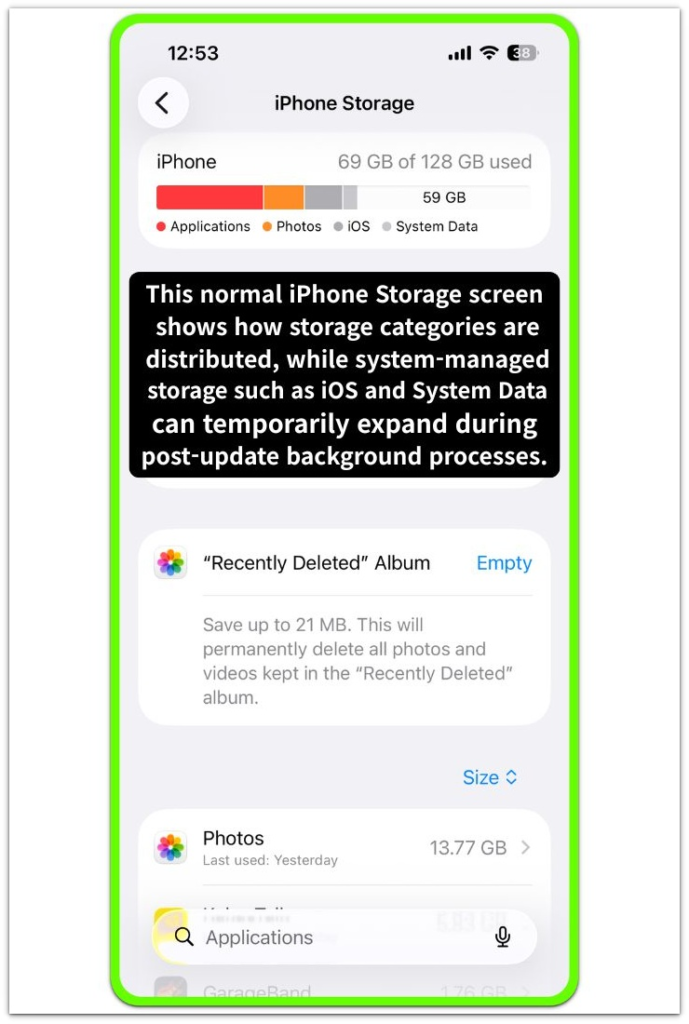
iphone storage full after update appearing shortly after a system update usually originates from temporary system file expansion created during the update process.
Check whether large applications, videos, or photos were added around the same time.
When no major user data changes exist but storage suddenly reports a full state, the expansion commonly comes from system-level update artifacts rather than user content.
────────────────────
Step 2: Identify System Data Expansion in the Storage Breakdown
────────────────────
Inside the iPhone Storage screen, review the storage category list.
Look for categories such as System Data or other system-managed storage segments.
After a system update, this category can temporarily increase while the operating system rebuilds logs, caches, and system indexes.
The expansion occurs because iOS reorganizes internal file structures during the update reconciliation process.
This storage allocation remains inside the system partition and does not appear as user-removable files.
────────────────────
Step 3: Check Whether the Device Recently Completed Post-Update Initialization
────────────────────
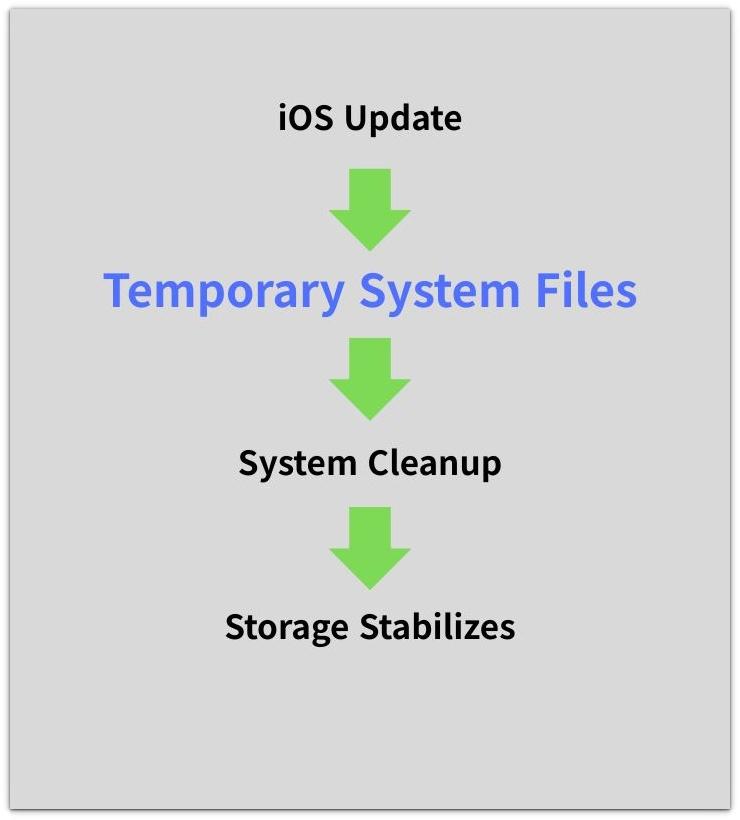
After a system update finishes installing, iOS continues background initialization tasks.
These tasks include rebuilding search indexes, refreshing application container mappings, and reconstructing system logs.
During post-update initialization, storage can temporarily appear full because system files expand while background processes finalize.
Once initialization finishes and temporary installation files are removed, storage allocation typically stabilizes inside the system layer.
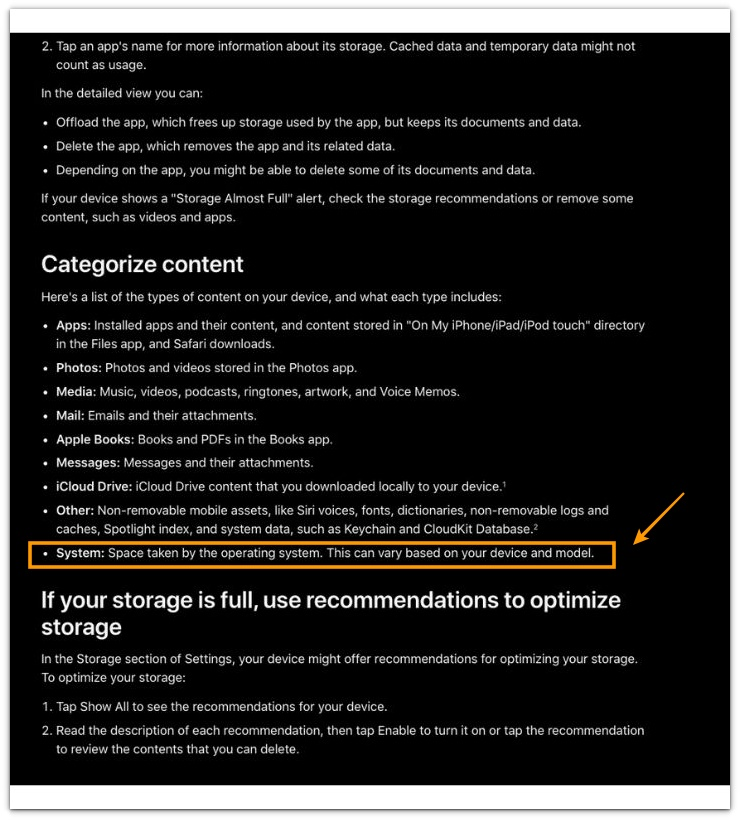
For reference, the screenshot from Apple’s official support documentation illustrates how post-update system processes can continue after installation.
────────────────────
Troubleshooting: Iphone storage full after update
────────────────────
────────────────────
Troubleshooting 1: Storage Remains Full Several Hours After the Update
────────────────────
A system update often triggers background maintenance tasks that continue after the installation screen disappears.
These tasks include index rebuilding, log restructuring, and application container verification.
When these operations remain active, storage accounting may temporarily reflect expanded system allocation.
When iphone storage full after update appears shortly after a system update, the storage expansion usually originates from temporary system files created during update installation rather than permanent user data growth.
Allow the device to remain connected to power and network while idle so the operating system can complete post-update maintenance.
When those processes finish, the system layer typically removes temporary installation containers and intermediate system files.
────────────────────
Troubleshooting 2: Storage Appears Full Without Large User Files
────────────────────
The storage interface lists user data such as apps, photos, and media.
However, certain system files remain outside those visible categories.
During update installation, iOS generates temporary system containers that store update fragments, validation logs, and migration data.
Those files remain inside protected system directories, and the user storage interface cannot remove them.
If the storage bar shows a full state while user files remain unchanged, the space is coming from temporary system allocation rather than new user content.
────────────────────
Troubleshooting 3: Storage Does Not Change After a Device Restart
────────────────────
Restarting the device refreshes several runtime components and clears certain temporary caches.
However, update-related system files are managed by deeper storage services that operate independently of a simple restart.
If the storage full condition continues after reboot, the condition may indicate that the system is still maintaining update migration data or verification logs.
Those files remain stored until the operating system finalizes its internal cleanup sequence.
This behavior originates from system update architecture rather than user-controlled storage activity.
If deeper system storage behavior needs to be examined further, additional diagnostic options may be considered.
────────────────────
Additional Tips
────────────────────
System updates often perform multiple internal maintenance stages even after the visible installation completes.
Keeping the device connected to power during the first idle cycle after an update allows background tasks such as index reconstruction and log reconciliation to complete without interruption.
Storage values can change during this stabilization period because the operating system recalculates allocation maps while temporary installation containers are gradually removed.
When iphone storage full after update appears immediately after a system update while user files remain unchanged, the storage expansion normally comes from temporary system-managed files created during the update process.
────────────────────
Final Notes
────────────────────
Iphone storage full after update does not always indicate that new user data has filled the device.
The condition often appears when system files expand during the update installation and post-update initialization stages.
During this period, the operating system manages temporary update containers, validation logs, and rebuilt system indexes that occupy internal storage blocks.
The storage interface shows the resulting allocation but does not expose those system-managed files directly.
The visible full state can originate from internal system processes rather than direct user activity.
The storage limit therefore reflects a temporary system-level expansion phase rather than immediate user-controlled data growth.
System file expansion during update reconciliation is what creates the storage full condition rather than direct user storage consumption.
────────────────────
Checklist
────────────────────
☐ Confirm that the storage change appeared after a system update
☐ Review the iPhone Storage breakdown for expanded system-managed categories
☐ Verify that no large user files were recently added
☐ Allow the device to remain idle so post-update background maintenance can complete
On real devices this pattern frequently appears for several hours after a major iOS update while the system finalizes background initialization tasks.
────────────────────
Extra Section 1
────────────────────
A similar storage full condition can appear immediately after a major iOS update even when the device previously had sufficient free storage.
On several test devices, the storage bar suddenly reached the limit shortly after the update installation finished.
No new photos, videos, or applications were added during that period.
Opening the storage screen showed that application sizes remained unchanged while system-managed storage temporarily expanded.
The device completed the update overnight while it remained connected to power and Wi-Fi.
When the storage screen appeared the following morning, the available space showed a significant drop.
However, the storage allocation gradually changed during the next several hours without any user action.
Later that day the storage bar showed a different distribution, and a portion of the previously occupied space became available.
This pattern indicates that post-update system processes were still completing background indexing and file reconciliation tasks.
During this stage the operating system temporarily stores update fragments, rebuild logs, and refreshed index data.
Once those background operations finish, the system gradually releases temporary storage blocks created during the update cycle.
────────────────────
Extra Section 2
────────────────────
Another commonly observed case occurs when a device receives a larger iOS update that modifies core system components.
During one update cycle tested on an older device with limited free storage, the system update completed successfully but the storage interface showed a full state shortly afterward.
Applications still opened normally and no warning messages appeared beyond the storage indicator.
The storage breakdown showed that the change concentrated in system-managed categories rather than user content.
The device remained idle for several hours while connected to power.
After that idle period, the storage values shifted again and the available space partially returned.
This behavior reflects how iOS performs staged cleanup after installing major system updates.
Temporary installation containers, migration files, and verification logs are removed only after internal update validation finishes.
Because those files exist inside protected system directories, they remain invisible to the user storage interface while the update cycle completes.
For that reason, iphone storage full after update often resolves only after the operating system finishes its internal reconciliation process rather than through manual file removal.