
Introduction
────────────────────
iphone storage changed after restart describes a condition where the reported storage amount becomes different after a device reboot because the system recalculates storage allocation during initialization.
The storage bar may show a different number.
Available space may increase or decrease.
No files may have been added or removed.
This change usually does not originate from new data creation.
It occurs when the storage accounting layer refreshes allocation records and cached size estimates during boot.
As those indexes are rebuilt, previously estimated storage values can be replaced with recalculated totals.
The reported storage therefore changes even though the physical data remains largely unchanged.
User control reaches the storage interface shown in Settings → General → iPhone Storage.
Storage reconciliation operates beneath that visible layer.
────────────────────
Step-by-Step Guide
────────────────────
────────────────────
Step 1: Verify That the Change Appeared After Restart
────────────────────
Open Settings → General → iPhone Storage.
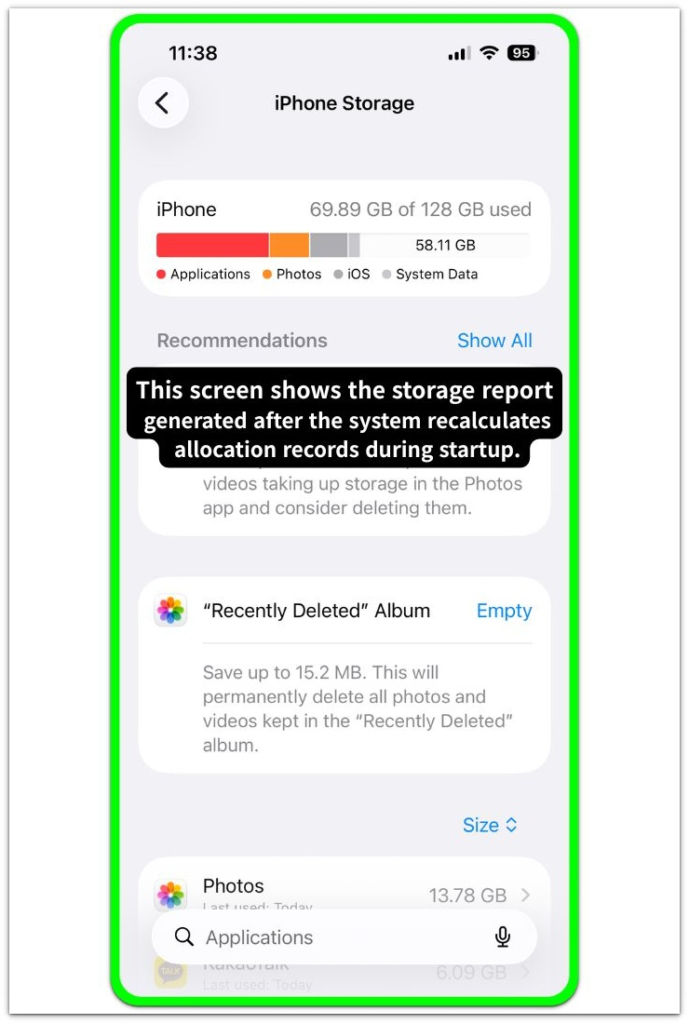
Observe the storage bar and the available space value.
Compare the value with what was visible before the device restarted.
If the number changed immediately after reboot while no files were added or removed, the device is displaying a storage value that was updated during the restart process.
Small variations are common when the system refreshes its internal allocation records.
────────────────────
Step 2: Check Whether System Data Was Recalculated
────────────────────
Review the storage category labeled System Data.
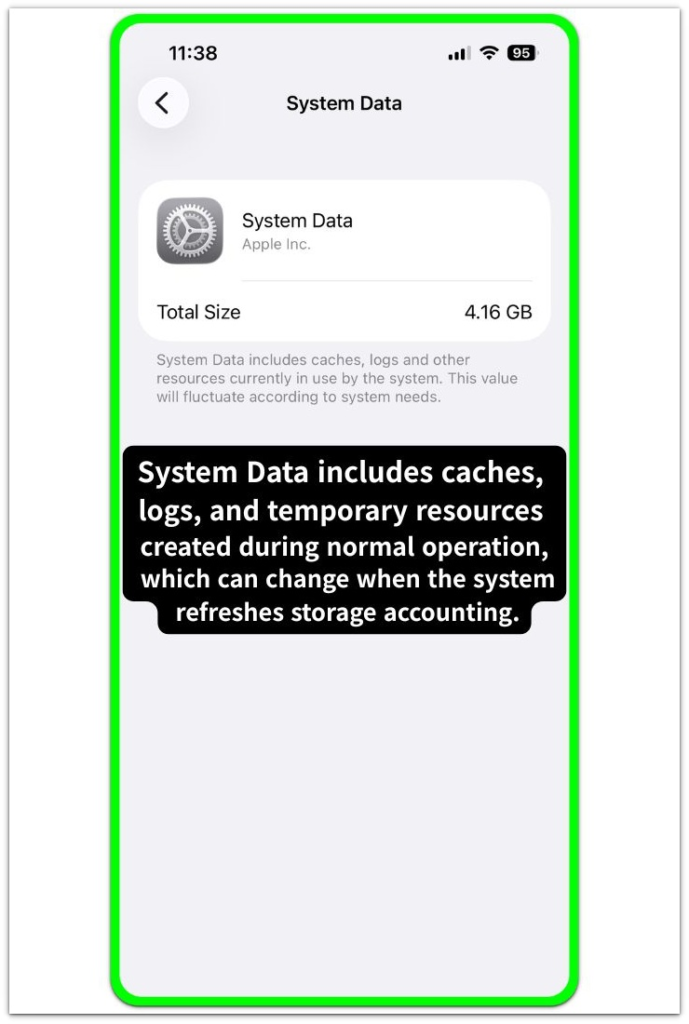
System Data contains caches, logs, temporary runtime files, and system maintenance records.
These components are not measured continuously.
Instead, the system periodically rebuilds their reported size.
After a restart, the system may recount these blocks during memory reconciliation.
The reported size of System Data can therefore change even when the underlying data remains similar.
This behavior commonly explains why iphone storage changed after restart appears without any user action.
────────────────────
Step 3: Allow Storage Index Reconciliation to Stabilize
────────────────────
Leave the device running for several minutes after restart.
The storage interface may update while background index reconciliation continues.
Category sizes sometimes shift while reconciliation continues.
Once the internal indexes stabilize, storage values normally stop changing.
If the number remains consistent after several minutes of normal device operation, iphone storage changed after restart typically reflects a reconciliation cycle that has already completed.
────────────────────
Step 4: Confirm That No Background Restore or Sync Occurred
────────────────────
Open Settings and review iCloud activity and recently installed applications.
Background operations such as photo synchronization, app restoration, or system cache rebuilding can update storage accounting shortly after boot.
When these processes run during startup, storage values may change temporarily as allocation records update.
If no sync activity is visible and the change appeared directly after restart, the most likely cause remains storage index reconciliation performed during the system boot process.
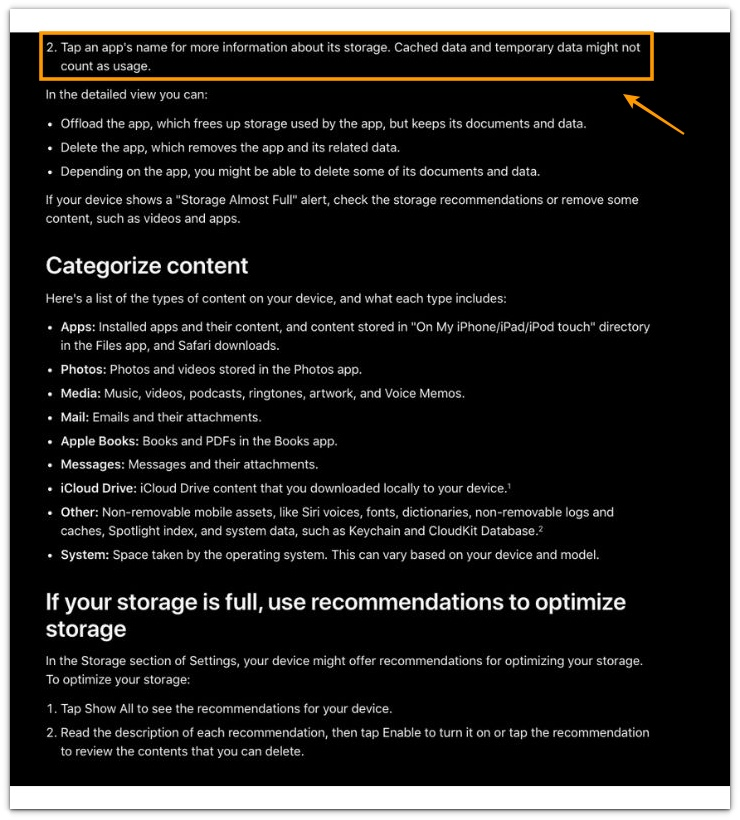
For reference, the official documentation notes that cached and temporary data may not always be counted as storage usage during system evaluation.
────────────────────
Troubleshooting: iphone storage changed after restart
────────────────────
────────────────────
Troubleshooting 1: Storage Value Changes Again After Restart
────────────────────
Restart the device once more and return to Settings → General → iPhone Storage.
Storage values sometimes adjust again when the system completes additional reconciliation tasks during the next boot cycle.
If the number stabilizes after the second restart and no further changes appear, the system likely refreshed storage accounting during boot rather than creating new storage usage.
A stable value across multiple restarts usually indicates that the storage index now matches the actual disk usage.
────────────────────
Troubleshooting 2: System Data Size Changes After Boot
────────────────────
Review the size of System Data in the storage list.
System Data contains caches, temporary logs, diagnostic files, and background service artifacts created during normal device operation.
The system does not measure these components continuously.
The system can update their size when it rebuilds internal allocation references.
If System Data changes noticeably after restart, iphone storage changed after restart often reflects recalculated temporary storage blocks rather than newly created data.
This behavior reflects a reporting adjustment rather than a sudden increase in stored content.
────────────────────
Troubleshooting 3: Storage Value Stabilizes After Startup
────────────────────
Observe the storage value again after several minutes of normal device usage.
Background maintenance processes may update cached storage values shortly after boot.
These processes include cache validation, temporary file reconciliation, and system service initialization.
If the storage value remains consistent during normal operation and does not continue increasing, the startup reconciliation cycle likely caused the earlier change.
A stable reading indicates that storage reporting has completed its update phase.
If the storage value continues changing after the checks above, the situation may require a closer examination beyond normal device settings.
────────────────────
Additional Tips
────────────────────
Small storage differences after restart are one of the most common situations where iphone storage changed after restart appears without direct user activity.
During startup the system reconciles temporary files, cached resource containers, and diagnostic logs.
When the system refreshes those records, updated allocation measurements replace earlier storage estimates.
Observing whether the storage value remains stable after normal device operation provides a reliable indicator of whether the change originated from reconciliation rather than new file growth.
Devices that continue to show stable storage values across several checks typically reflect completed storage index alignment.
────────────────────
Final Notes
────────────────────
iphone storage changed after restart represents a reporting adjustment produced by storage reconciliation during system initialization rather than direct user activity.
This behavior is not caused by storage growth but by a recalculation of allocation records that occurs when the system rebuilds its storage index during startup.
The visible storage change is therefore a reporting outcome created during index reconciliation rather than an indication of new data being stored.
The visible storage interface shows values that come from internal allocation records.
When the system refreshes those records during startup, recalculated totals replace previously cached estimates.
────────────────────
Checklist
────────────────────
☐ Restart the device and confirm that the storage value changed immediately after boot
☐ Verify that no new files or applications were added before the restart
☐ Observe whether the storage number stabilizes after several minutes of normal operation
☐ Review System Data size to see whether temporary storage categories were recalculated
☐ Confirm that the storage value remains stable across subsequent checks
If the storage number changes only after a restart but remains stable afterward, the difference usually reflects a reporting correction rather than actual data growth.
────────────────────
Extra Section 1
────────────────────
A storage change after restart is often noticed when checking available space before and after a reboot.
For example, a device may show 5.8 GB available before restart and 6.3 GB after the system boots again.
No files were removed.
No applications were deleted.
Situations like this usually appear after long device uptime.
During extended operation, cached storage values can accumulate inside the reporting layer.
The system sometimes estimates temporary files, background service logs, and cache containers instead of measuring them continuously.
When the device restarts, the system refreshes internal allocation indexes and replaces earlier estimates with recalculated values.
From a user perspective, the phone appears to gain or lose storage space.
From the system side, the storage report simply reflects the current allocation map.
If the value changes once after restart and then remains stable during normal use, the storage report has already aligned with the internal records.
────────────────────
Extra Section 2
────────────────────
Another situation where iphone storage changed after restart appears is after heavy temporary activity before reboot.
Browsing sessions, media downloads, and messaging attachments can generate short-term cache containers during normal use.
Those containers may remain attached to application processes until the system rebuilds runtime references during startup.
After restart, background services refresh storage allocation records and release temporary containers that no longer link to active sessions.
The storage report then reflects the updated allocation map created during initialization.
In practical observation, a device that showed limited free space before restart may display additional space after boot completes.
If the storage value stabilizes afterward and does not continue shifting, the reconciliation process has already finished and the storage report now reflects the actual disk allocation state.