
Introduction
────────────────────
Iphone battery health starts feeling more real when you open Battery Health in Settings and see that the maximum capacity is lower than it was before.
You check the battery health screen and realize the maximum capacity changed since the last time you looked.
The phone still charges, still turns on normally, and still gets through most of the day.
That leaves you with a simple question: is the battery actually lasting less, or is the maximum capacity lower before daily use really changes?
So the first thing to check is whether your iphone is lasting less during the same parts of your usual day.
────────────────────
Step-by-Step Guide
────────────────────
────────────────────
Step 1: Check Whether Your iPhone Is Lasting Less In The Same Part Of Your Day
────────────────────
Start with a part of your usual day that is easy to compare.
Check the battery at about the same time you normally look at it, such as late morning, mid-afternoon, or early evening.
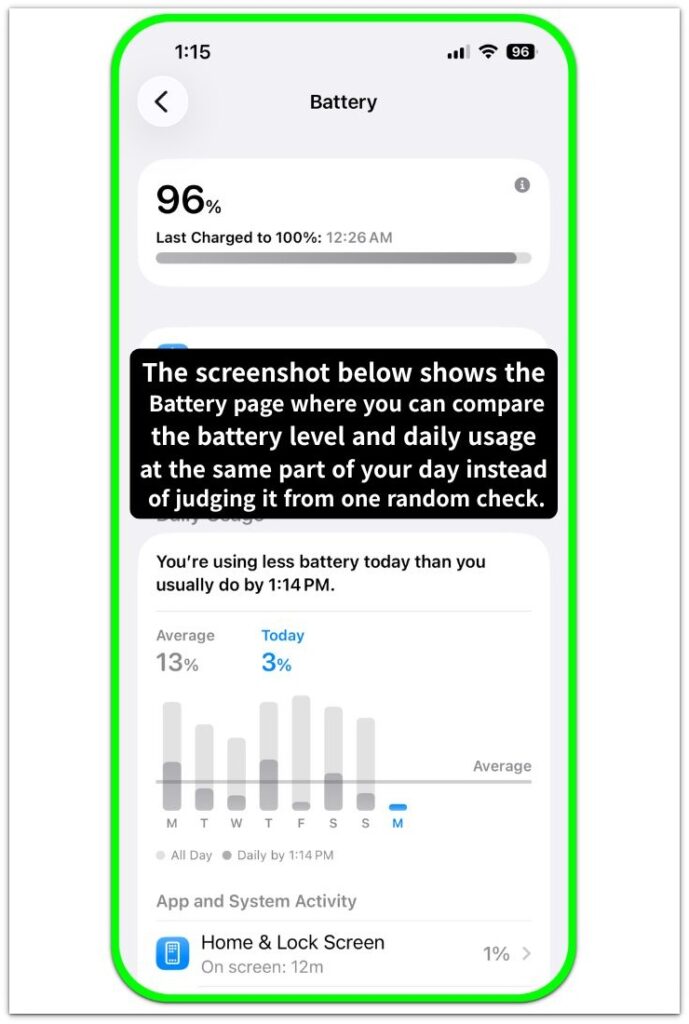
Do not judge it from one random day.
Look at whether your iphone is already lower than you would expect in that same part of your normal routine.
────────────────────
Step 2: Check Whether The Drop Comes Back During The Same Kind Of Use
────────────────────
Keep the check simple and stay close to what you normally do.
Use the phone the way you usually would for a while, then see whether the battery falls faster during the same kind of use you repeat most days.
That can be messaging, browsing, music, or short video watching.
Do not test everything at once.
Check whether the shorter battery life returns in the same kind of everyday use.
────────────────────
Step 3: Check Whether You Are Reaching For The Charger Earlier Than Before
────────────────────
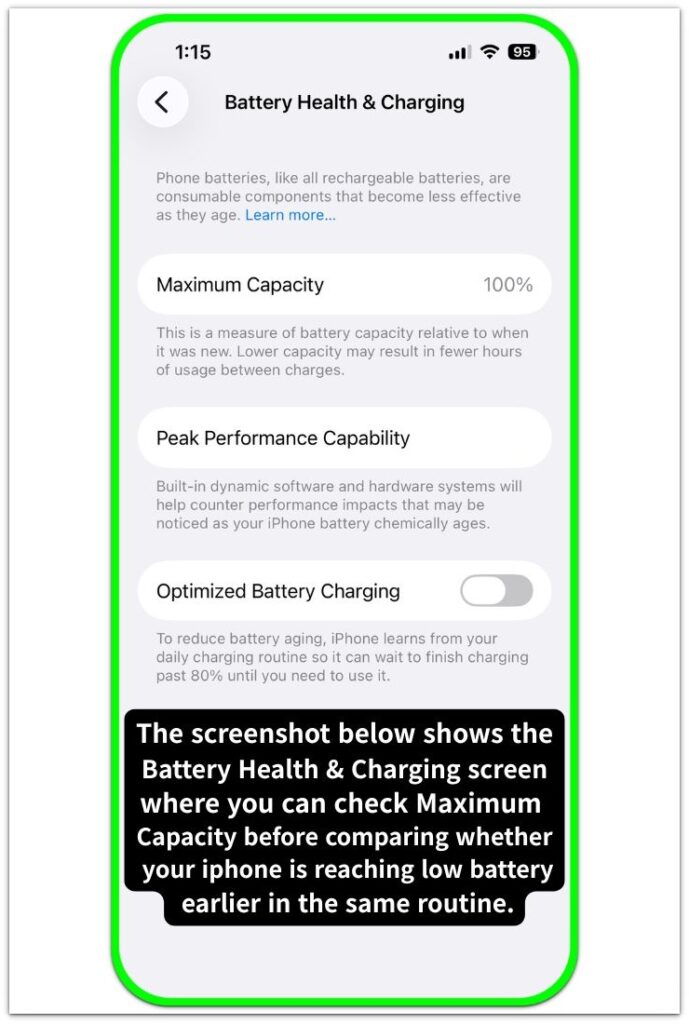
Open battery health, check the maximum capacity, then come back to how the phone is actually getting through the day.
That lower maximum capacity matters more when the phone now reaches low battery earlier than it used to during the same routine.
Pay attention to whether you are charging earlier, looking for the cable sooner, or adjusting your use before the day is over.
Iphone battery health matters more when the phone starts running low earlier in the same routine.
────────────────────
Step 4: Check Whether The Shorter Day Holds Up Across More Than One Normal Day
────────────────────
Go back to the same kind of day once more instead of deciding from a single result.
Keep the routine close to normal and compare whether the phone runs low earlier than it used to.
One off day is not enough for a strong judgment.
The phone running low earlier on more than one ordinary day gives you a much stronger answer.
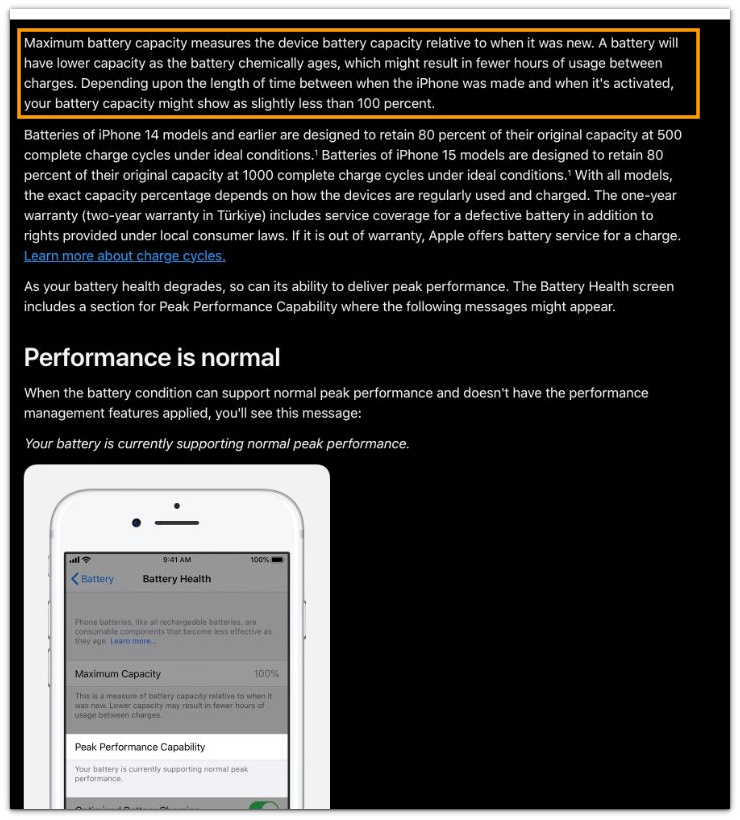
See the screenshot below where Apple explains that maximum battery capacity goes down as the battery chemically ages and that this can lead to fewer hours of use between charges.
────────────────────
Troubleshooting
────────────────────
────────────────────
Troubleshooting 1: The Reading Looks Lower, But The Day Still Feels Mostly The Same
────────────────────
Iphone battery health can drop before daily use feels clearly different.
You check battery health and expect the phone to feel worse right away.
But the day can still look mostly the same at first.
Watch the phone through the same routine before you judge it from that screen alone.
────────────────────
Troubleshooting 2: The Day Looks Fine While You Use It, Then Feels Shorter After You Put It Down
────────────────────
Some days still feel fairly normal while the phone is in your hand.
The difference can show up later.
You put the phone down for a while, pick it up again, and notice the battery is lower than you expected for that same part of the day.
Go back to the same kind of break and check whether the battery ends up lower after that break.
────────────────────
Troubleshooting 3: The Phone Looks Fine For A Day Or Two, Then Starts Running Low Earlier
────────────────────
A short stretch of normal battery life can make the concern look finished.
Then the phone starts running low earlier during the same kind of ordinary day.
Check one more normal day before you decide the problem is gone.
If this keeps showing up across normal days too, battery replacement is the practical next step.
────────────────────
Additional Tips
────────────────────
Keep your check close to a normal day.
Do not change too many habits at once just because the maximum capacity looks lower than before.
Iphone battery health is easier to judge when you compare the same kind of day, the same charging time, and the same part of your routine.
A simple check usually tells you more than a busy day with too many changes.
────────────────────
Final Notes
────────────────────
Iphone battery health matters more when the phone starts running low earlier in the same routine, not when the screen only shows a lower maximum capacity.
A lower maximum capacity by itself is not enough to judge the change well.
The real check is whether the phone now runs low earlier during the same kind of ordinary day.
Once that starts happening on normal days too, you are looking at a shorter day, not just a lower battery health reading.
────────────────────
Checklist
────────────────────
☐ Check battery health and see whether the maximum capacity is lower than before.
☐ Compare the battery at the same part of your usual day instead of judging it from one random check.
☐ Use the phone in the same kind of everyday routine and see whether it runs low earlier than it used to.
☐ Notice whether you are reaching for the charger earlier during a normal day.
☐ Check more than one ordinary day before you decide the battery is actually lasting less.
☐ Judge the change from daily use too, not just from a lower battery health reading.
────────────────────
Related iPhone Battery Health Checks
────────────────────
1.Battery health matters more when the battery keeps falling faster than expected in the same daily use.
2.A battery health reading stuck at 80 becomes harder to ignore when you are trying to decide whether battery replacement should happen now.
3.A battery health warning matters more when you want to know what to check first before moving straight to battery replacement.
4.A lower battery health number after an update stands out more when the number drops first and the reason is still not clear.
5.A service message on battery health deserves a closer look before you decide that battery replacement has to happen right away.
6.Battery Health at 79 can make replacement feel urgent, but this article helps you judge the screen before treating the battery as worn out.
7.Battery Health can stay on the same Maximum Capacity even when the phone feels different, and this guide helps you read that stuck result without rushing.
8.A lower Battery Health number after one night can feel sudden, and this article helps you decide whether the drop is a real change or a one-time surprise.
9.Battery Health can still look wrong after a replacement, and this guide helps you check whether the new result actually changed enough.
10.Peak Performance Capability can look normal while the battery still raises questions, and this article helps you read it separately from Maximum Capacity.
────────────────────
Extra Section 1
────────────────────
You open battery health and the lower maximum capacity stands out right away.
You can still walk away without a clear answer.
Iphone battery health can feel more serious the moment the reading looks lower.
The confusing part is that the phone does not always feel worse right away in daily use.
You look at the reading and expect the change to be obvious as soon as you start using the phone again.
Then the day keeps going in a way that feels close to normal.
The lower reading can push you toward the wrong conclusion.
A lower reading can get your attention first, but it does not tell the whole story by itself.
The phone running low earlier in the same kind of ordinary day is what makes the change feel real.
────────────────────
Extra Section 2
────────────────────
You notice it in a different way when the day starts changing before you even open battery health.
The phone gets through the morning, but you begin thinking about the charger earlier than you used to.
It can seem like a longer day or a little more use than usual.
Then you start reaching for the charger in parts of the day that usually were not a problem.
You are not looking at the battery health screen first.
You are noticing that your routine is starting to move around the battery.
The change feels more real once that shift starts showing up in your usual day.
The phone is still working, but you are already planning around it sooner than before.
You feel the difference first when your normal day no longer goes the way it used to.