
Introduction
────────────────────
iPhone charging slow on MagSafe gets annoying when the charger snaps on, the icon appears, and the battery still barely moves.
You leave the iPhone sitting there for a while and expect the battery to climb without checking it every few minutes.
Instead, the phone stays on the charger, but the battery level does not rise the way it should.
That does not automatically mean the iPhone battery is the problem.
Start by checking the MagSafe alignment, case, heat, and power adapter before you blame the iPhone itself.
────────────────────
Step-by-Step Guide
────────────────────
────────────────────
Step 1: Check the MagSafe Position Before You Change Anything
────────────────────
Start with the same MagSafe charger where the battery looked slow.
Let the charger snap onto the back of the iPhone and make sure it sits flat.
Do not change the case, adapter, cable, and charger position all at once.
A MagSafe charger can attach to the phone and still sit slightly off if the case is thick, loose, or not made for MagSafe.
iPhone charging slow on MagSafe is easier to judge when the first check starts with the same charger and a clean magnetic connection.
────────────────────
Step 2: Remove the Case and Watch the First Few Minutes
────────────────────
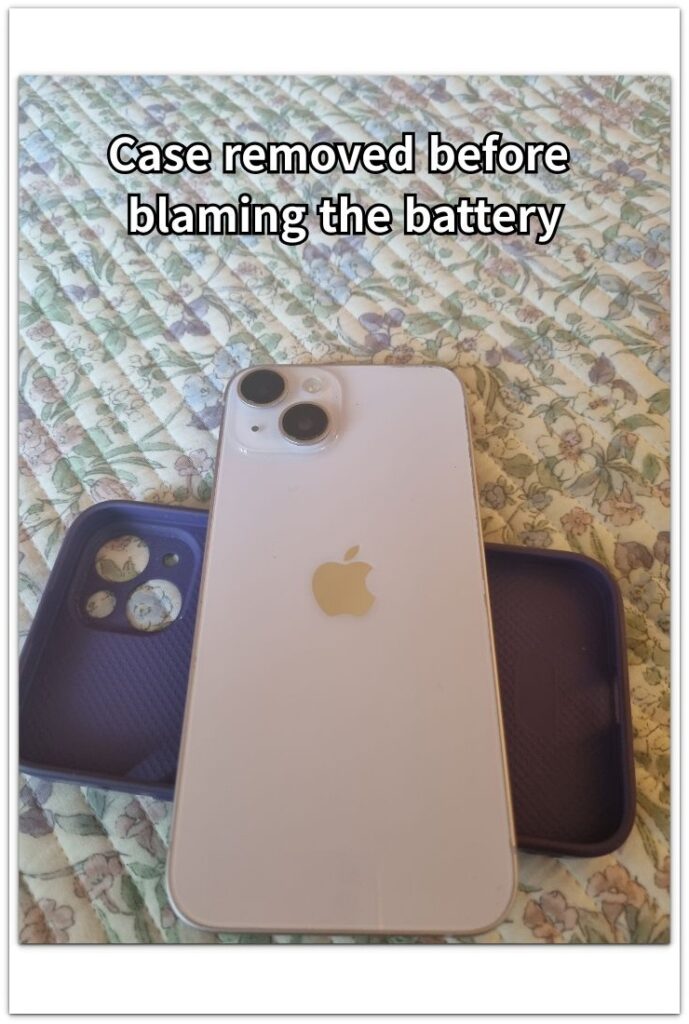
Take the case off before you blame the charger or the battery.
Attach the MagSafe charger directly to the back of the iPhone and leave the phone locked for a few minutes.
Watch whether the battery level starts rising more steadily without the case.
A case can make the connection feel normal from the outside while still weakening the charging position.
This check separates a real charger issue from a case problem.
The image shows the iPhone checked without the case before judging whether the charger or battery is causing the slow MagSafe charge.
────────────────────
Step 3: Check Heat and the Power Adapter
────────────────────
Touch the back of the iPhone and the charging puck after it has been charging for a short time.
If the phone feels warm, stop judging the battery level right away.
Let the iPhone cool down, then test the same charger again with a proper power adapter.
A weak adapter can make the charge feel slow even when the charger is attached correctly.
If the charge is still weak after that, the problem is no longer just the phone being warm.
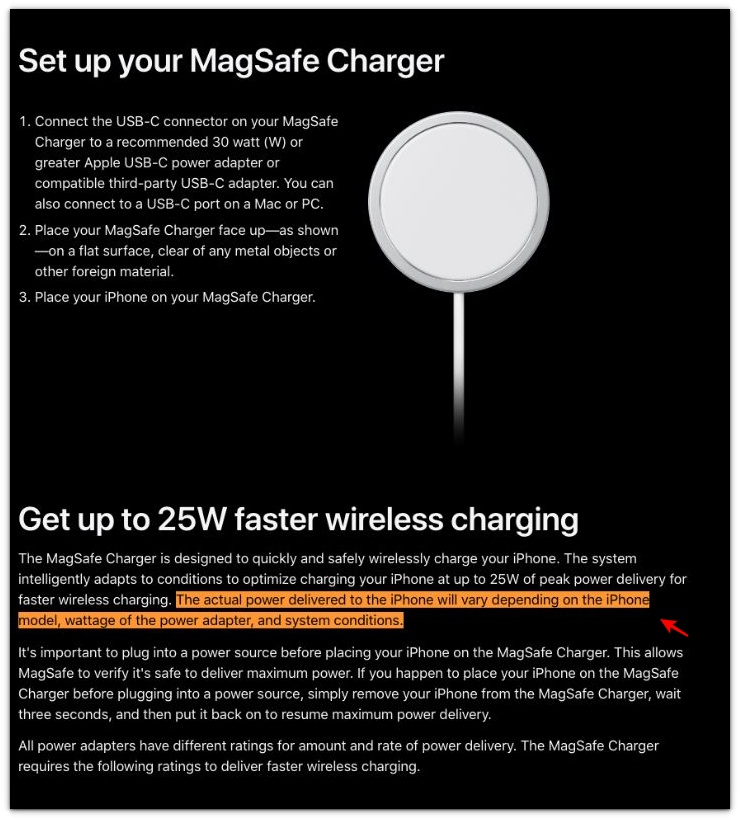
Apple’s MagSafe guide explains why the charger can look connected but still charge slowly, so the next check is whether the case, heat, adapter, or phone position is holding the power back.
────────────────────
Troubleshooting
────────────────────
────────────────────
Troubleshooting 1: The Charging Icon Appears, but the Battery Still Barely Moves
────────────────────
The charging icon can make the connection look fine even when the battery barely rises.
Leave the iPhone locked on the same MagSafe charger for a short check.
Do not judge it while the screen is on, apps are open, or the phone is still warm.
If the battery level barely moves during a quiet check, the problem is not just the icon.
Check the MagSafe connection, adapter, and heat again before you blame the battery.
────────────────────
Troubleshooting 2: The Charge Looks Weak Only While You Are Using the Phone
────────────────────
A MagSafe charge can look worse when the screen stays on during the check.
Brightness, video, maps, or a warm phone can use power while the charger is still working.
Lock the iPhone and leave it alone for a few minutes before judging the result.
If the battery rises more normally while the phone is locked, the charger may not be the main problem.
That points more toward active use, heat, or screen drain during charging.
────────────────────
Troubleshooting 3: The Charge Improves Once, Then Slows Down Again
────────────────────
A better result one time does not always close the problem.
The iPhone may charge better after you remove the case or let it cool down.
Then the same slow charge can show up when the case goes back on, the phone warms up, or the adapter struggles again.
iPhone charging slow on MagSafe is more serious when the same slow pattern returns after one good check.
One good charge only proves that the setup can work for a moment.
If the same slow MagSafe charge returns after one good check, the charger, adapter, and battery need a closer look.
────────────────────
Additional Tips
────────────────────
Keep the charging puck and the back of the iPhone clean before you test again.
Small dust, a loose case edge, or a slightly raised camera area can make the charger sit worse than it looks.
Use the same wall adapter during the next check so the result does not change because of weaker power.
Let the iPhone cool down before judging the charging speed, especially after maps, video, gaming, or outdoor use.
iPhone charging slow on MagSafe is easier to judge when the phone is locked, cool, and attached to the same charger for a clean check.
────────────────────
Final Notes
────────────────────
iPhone charging slow on MagSafe does not always mean the battery is failing.
A weak charge can come from the case, heat, a slightly poor magnetic position, or the power adapter behind the charger.
Do one more check with the iPhone locked, cool, and attached directly to the same charger.
If the battery still barely rises under that setup, the slow charge is no longer just a normal MagSafe moment.
The charger, adapter, and battery need a closer check if the same weak charge shows up again under the same setup.
────────────────────
Checklist
────────────────────
☐ Check the charger position
☐ Remove the case before judging the charger
☐ Keep the iPhone locked during the check
☐ Let the iPhone cool down before testing again
☐ Use the same wall adapter for the next check
☐ Watch whether the same weak charge comes back under the same setup
Use this main guide when the MagSafe check still does not explain why the iPhone keeps charging slowly.
────────────────────
Extra Section 1
────────────────────
I once thought the MagSafe charger was attached well because it snapped onto the iPhone right away.
The charging icon appeared, so I left it on the desk and stopped watching it.
A little later, the battery had barely moved.
The problem was not the case that time.
The cable was pulling the MagSafe puck slightly toward the edge of the desk.
The charger was still attached, but it was not sitting as freely as it looked.
I moved the cable so it was not pulling against the charger and left the iPhone locked again.
The battery started rising more steadily.
iPhone charging slow on MagSafe can look like a charger problem, but that time the cable was quietly pulling the puck out of place.
────────────────────
Extra Section 2
────────────────────
I once left the iPhone on MagSafe before going to sleep and expected the battery to be much higher by morning.
The phone was not hot, the screen was off, and no app was running in front of me.
So the slow morning charge was not easy to blame on heat or screen use.
Then I checked the adapter behind the bedside table.
It was the same small adapter I had used for an older charger.
The iPhone had stayed on MagSafe all night, but the power behind the charger was weaker than I thought.
The charge did rise, but not the way it usually did from the same setup.
The iPhone had been sitting there all night, but the small adapter was still holding the charge back.