
Introduction
────────────────────
iPhone charging slow on wireless charger can get annoying when the phone sits on the pad for a while, but the battery level barely moves.
You place it in the same spot, see the charging icon, and expect the battery to climb without thinking about it.
Instead, wireless charging feels slower than it does with a cable.
That does not automatically mean the iPhone battery is the problem.
Start by checking the wireless pad, the phone position, the case, heat, and the power adapter before you blame the iPhone itself.
────────────────────
Step-by-Step Guide
────────────────────
────────────────────
Step 1: Check The Phone Position On The Wireless Pad
────────────────────
Start with the exact wireless pad where the charging looked slow.
Place the iPhone in the center of the pad and wait until the charging icon appears.
Do not change the case, cable, adapter, and phone position all at once.
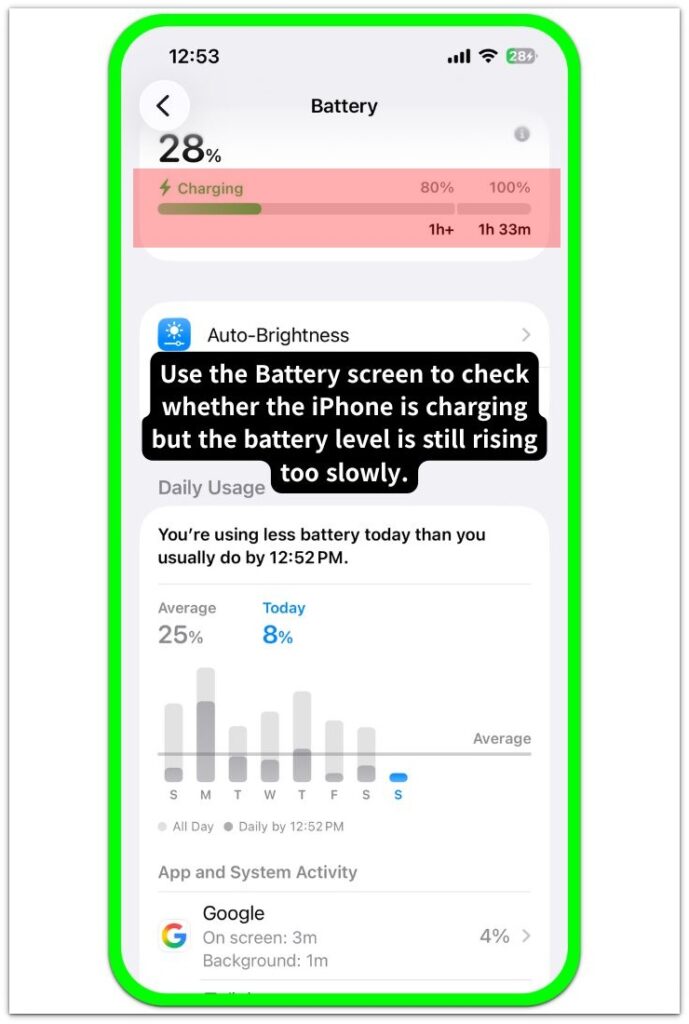
A wireless charger can show the charging icon even when the phone is not lined up well enough to charge properly.
iPhone charging slow on wireless charger is easier to judge when the first check starts with the same pad and proper alignment.
────────────────────
Step 2: Remove The Case Before You Blame The Charger
────────────────────
Take the case off and put the iPhone back on the same wireless pad.
Watch whether the battery level climbs more normally during the next short check.
A thick case, metal plate, ring holder, wallet case, or loose magnetic accessory can weaken wireless charging.
Keep the test simple so you can tell whether the case was holding the charge back.
────────────────────
Step 3: Check Heat And The Power Adapter Behind The Pad
────────────────────
Touch the back of the iPhone and the wireless pad after the charge has been slow for a while.
A warm phone can charge more slowly even when the pad and cable look normal.
Then check the adapter plugged into the wireless pad.
A weak adapter can make the pad act like the problem, even when the wireless charger itself is not the weak part.
Line up the phone, remove the case, and use a stronger adapter before you blame the iPhone battery.
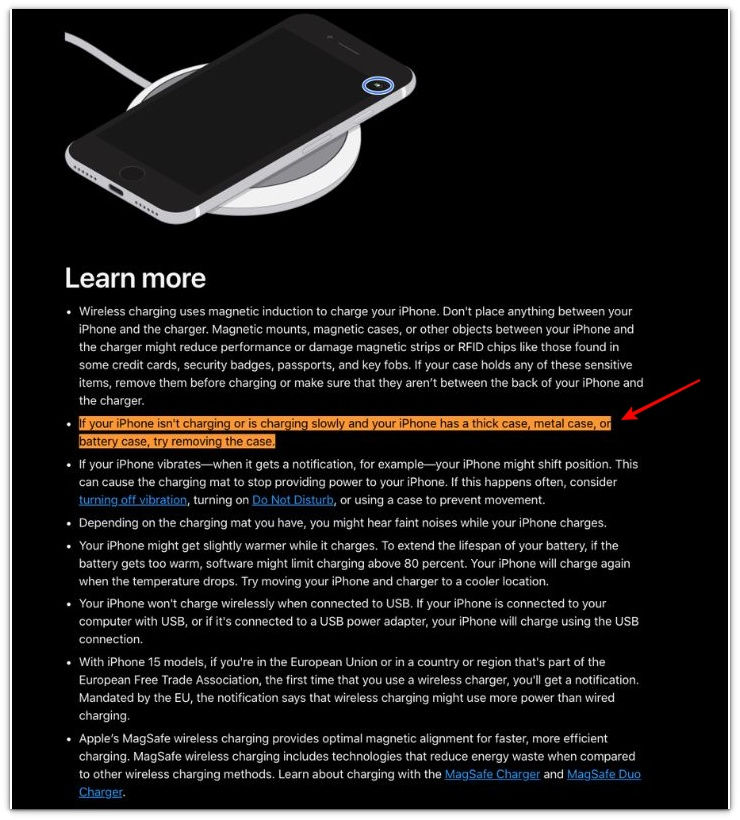
Apple notes that a thick, metal, or battery case can slow charging, so use this as the first clue before you also check the phone position, heat, and the adapter behind the wireless pad.
────────────────────
Troubleshooting
────────────────────
────────────────────
Troubleshooting 1: The Charging Icon Shows, But The Battery Barely Climbs
────────────────────
The charging icon can appear even when the iPhone is not sitting well on the wireless pad.
Lift the phone, place it back in the center, and wait a few minutes before you judge the charger.
iPhone charging slow on wireless charger becomes a real concern when the icon shows, but the battery level still barely moves after the phone is lined up again.
The problem is more likely a weak wireless connection than a worn-out battery.
────────────────────
Troubleshooting 2: The Charge Looks Weak While You Are Still Using The Phone
────────────────────
Wireless charging can look slower when the screen stays on, apps keep running, or the phone feels warm in your hand.
Put the iPhone down, lock the screen, and let it sit on the pad without using it for a short check.
A charger that looks weak during active use can work more normally when the phone is locked and cooler.
That separates a weak wireless charge from a phone that is simply using power while it charges.
────────────────────
Troubleshooting 3: The Charge Improves, Then Slows Again
────────────────────
A better position or stronger adapter can make the charge improve at first.
The problem can return later when the phone warms up, the case shifts slightly, or the pad stops holding the phone in proper alignment.
Check the phone position again after it has been sitting on the pad for a while.
A charge that starts well but slows again usually needs a steadier pad setup before you blame the iPhone battery.
If the charge still slows after the phone is lined up, cool, and using a stronger adapter, check the iPhone battery next.
────────────────────
Additional Tips
────────────────────
Small changes around the wireless pad can affect charging more than they seem.
Use a flat, stable surface so the iPhone does not slide out of alignment while it charges.
Keep metal plates, thick wallet cases, loose magnetic rings, and pop-out grips away from the back of the phone during wireless charging.
Do not judge the charger while the iPhone is hot, the screen is on, or a heavy app is still running.
A short locked-screen check shows whether the wireless pad is really the slow part.
────────────────────
Final Notes
────────────────────
iPhone charging slow on wireless charger does not always mean the iPhone battery is wearing out.
Wireless charging depends on the pad, phone position, case, heat, and the adapter behind the charger.
A charger can look weak when one of those parts holds the charge back.
Judge it after the phone is lined up, the case is off, the iPhone is cooler, and the pad uses a strong enough adapter.
If the charge still barely moves after that check, the wireless charger is no longer the only part to question.
────────────────────
Checklist
────────────────────
☐ Check the same wireless pad before you blame the iPhone
☐ Place the iPhone in the center of the pad
☐ Remove the case before judging the charger
☐ Keep metal plates, wallet cases, rings, and grips away from the back of the phone
☐ Let the iPhone cool down before checking wireless charging again
☐ Check the power adapter connected to the wireless pad
☐ Compare the charge while the screen is locked
☐ Check the wireless setup first when the charge only looks weak on the pad
iPhone charging slow on wireless charger can look like a battery problem at first, but the guide above helps you check the pad, case, heat, and adapter before you blame the iPhone.
────────────────────
Extra Section 1
────────────────────
I once left my iPhone on a wireless pad while I answered emails at my desk.
The charging icon stayed on, so I assumed the phone was charging normally.
About half an hour later, the battery level had barely moved.
That made the pad look weak at first.
The part I missed was the case.
A small magnetic ring on the back kept the phone from sitting flat enough on the pad.
iPhone charging slow on wireless charger made more sense once I removed the case and placed the phone back in the center.
The same pad charged better once the case was off, so the charger was not the part I should have blamed first.
────────────────────
Extra Section 2
────────────────────
I once thought the wireless pad itself was failing because every charge from that spot looked slow.
The iPhone charged normally with a cable, so the pad seemed like the obvious problem.
I almost replaced it.
Then I checked the small adapter plugged into the wall behind the desk.
It was an older adapter that had been moved from another charger.
I used the same pad with a stronger adapter and left the iPhone locked for a short check.
The battery level climbed more normally that time.
The pad had not failed.
The weak part was the power behind it.