
Introduction
────────────────────────
iPhone restore apps stay empty describes a situation where an iPhone restore process completes without visible errors, apps appear on the Home Screen, but the system excludes app data containers after the restore phase ends, leaving internal app data missing.
From the system’s perspective, the restore finishes successfully and the device transitions into a usable state.
The system reinstalls apps normally through the App Store, and they open without crashes or warning messages.
The problem becomes clear only after interacting with those apps.
Previous histories do not load, saved states are gone, and user-generated content never reappears, even though the system marks the restore as complete.
This behavior does not indicate a failed restore or any network interruption.
It marks a boundary where the system excludes app data containers after finalizing the system-level restore decision.
Once the system crosses this boundary, user actions no longer influence whether app data can return.
────────────────────────
Step-by-Step Guide
────────────────────────
────────────────────────
Step 1: Understand why restore completion does not include app data
────────────────────────
A completed restore often creates the impression that the system has applied all data domains.
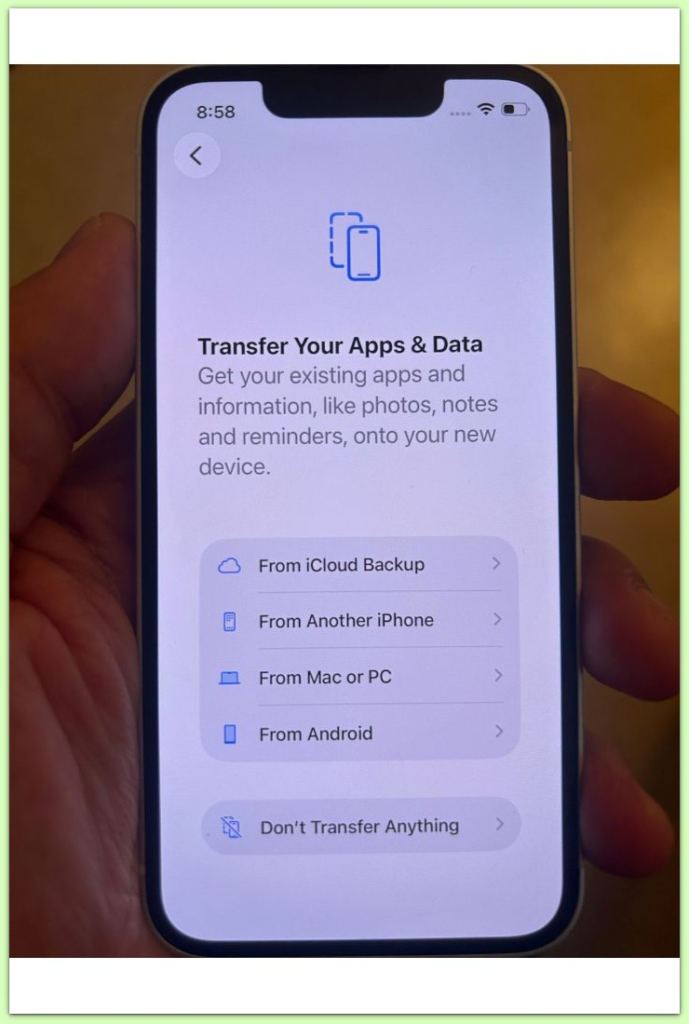
The setup process ends normally, the device reaches the Home Screen, and the restore indicator disappears.
These signals indicate that the core system restore pipeline has finished executing.
However, the system restores app data containers only after the main system state passes internal validation.
If the system fails or skips that validation, container restoration never begins, even though the restore completes.
This explains why apps can exist in a functional state while remaining internally empty.
────────────────────────
Step 2: Distinguish empty apps from sync delays
────────────────────────
Users often mistake empty apps for delayed iCloud synchronization.
In a sync delay, app content gradually appears as background processes complete.
With container restoration failure, no such progression occurs.
The apps remain permanently blank, regardless of time, network quality, or repeated launches.
This persistence indicates that the system never applied the data, rather than still downloading it.
At this stage, waiting longer does not change the outcome, and many users continue searching for explanations even though iphone restore apps stay empty after the system has already finalized the restore decision.
────────────────────────
Step 3: Identify the restore boundary where containers are excluded
────────────────────────
The system treats app data containers as a separate restoration domain from system settings and app binaries.
Before attempting to apply container data, the system decides whether that data is eligible.
The system makes this decision silently and does not allow user input to override it once finalized.
When the system rejects container eligibility, the restore proceeds without error messages.
The device completes setup, but the system skips the container layer entirely.
This boundary exists to protect system integrity and storage consistency, which explains why iphone restore apps stay empty even when the outcome feels incomplete to the user.
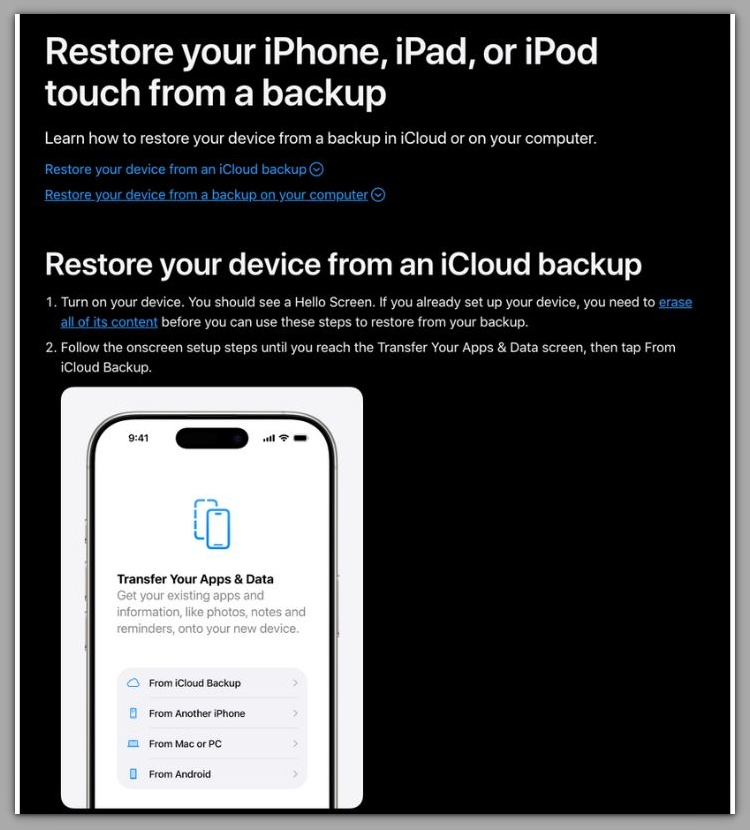
Apple’s official documentation provides additional detail on how iOS evaluates and applies app data containers during the restore process.
────────────────────────
Troubleshooting : iphone restore apps stay empty
────────────────────────
────────────────────────
Why app data does not return even after multiple restores
────────────────────────
When the system excludes app data containers during restore, repeating the same restore rarely changes the result.
Before applying any app-level data, the system evaluates container eligibility using backup metadata, device identifiers, and internal consistency checks.
If the system reaches the same evaluation result, it completes the restore again while skipping the container layer.
This is why users often see identical behavior after several restore attempts when iphone restore apps stay empty.
The restore is not failing. It is repeating the same decision.
Changing networks, waiting longer, or restarting the device does not affect this stage because the system does not make the decision dynamically.
────────────────────────
Why reinstalling apps does not repopulate missing data
────────────────────────
Reinstalling an app only retrieves the application package from the App Store.
The system launches the app with a fresh container created locally on the device.
By design, that container is empty and has no mechanism to pull historical data unless the system applied it during the restore window.
Once the restore finishes, the system does not rebind old containers to newly installed apps.
At that point, installation and restoration become two completely separate processes.
This explains why apps open normally but behave like first-time installations.
────────────────────────
Why iCloud sync does not resolve empty app states
────────────────────────
Users often misinterpret empty apps as delayed iCloud synchronization.
In a sync delay scenario, data gradually appears as background tasks complete.
With container exclusion, no such progression occurs because the system never applied the data locally.
iCloud sync can supplement restored data, but it does not recreate excluded app containers.
If the system skipped the container during restore, sync has nothing to merge into.
This distinction is critical when diagnosing why waiting produces no visible change.
This behavior reflects how iOS applies restore boundaries at the system level rather than a recoverable sync issue.
────────────────────────
Additional Tips
────────────────────────
If some system data appears restored while apps remain empty, this does not indicate a partially successful restore.
Different data domains follow different restore rules.
The system applies settings, preferences, and system-level states earlier in the restore pipeline, while it evaluates app containers later and more strictly.
Users also frequently misunderstand storage availability.
Even with sufficient free space, the system can still reject container restoration due to consistency or compatibility checks.
Understanding these separations helps prevent unnecessary troubleshooting steps when iphone restore apps stay empty and user actions can no longer influence the outcome.
────────────────────────
Final Notes
────────────────────────
When iPhone restore apps stay empty, the restore process has already completed as intended, but the system excluded app data containers at a system boundary beyond user control.
────────────────────────
Checklist
────────────────────────
☐ Restore completes without visible errors
☐ Apps install and open normally
☐ App content remains permanently empty
☐ Reinstalling apps does not recover data
☐ Repeating the restore produces the same result
At this point, user-level recovery has ended, and system-level policy enforces the limitation.
────────────────────────
Extra Section 1
────────────────────────
App data containers exist to isolate user data from system operations and from each other.
During restore, the system assesses whether reattaching container data could introduce conflicts with the current OS version, app version, or security model.
If the system detects incompatibilities, it skips container restoration to preserve system stability.
This design choice prioritizes predictable system behavior over complete data recovery, which explains why iphone restore apps stay empty in container exclusion cases.
While the outcome feels incomplete from a user perspective, it prevents deeper corruption that could affect the entire device.
Recognizing this design tradeoff clarifies why the system allows restore completion without restoring all data.
────────────────────────
Extra Section 2
────────────────────────
Once the restore pipeline closes, no supported method exists to reopen container restoration.
The system does not maintain a secondary pathway to reapply excluded containers, and app installations operate independently from backup logic.
From this point forward, recovery options move outside basic restore mechanics.
This is why official guidance often shifts toward alternative data sources or professional recovery paths rather than continued restore attempts.
The system has already reached its final state.