
Introduction
────────────────────
Your iPhone starts feeling too hot even when no warning appears on the screen.
The battery percentage still moves.
Apps still open.
Charging still shows as connected.
But the back of the phone, the frame, or the area near the battery starts feeling hotter than expected.
That makes the problem hard to judge because heat can come from charging, weak signal, camera use, maps, video calls, hotspot, background activity, or the battery itself.
iPhone battery gets hot is not always a simple battery-replacement sign.
The useful clue is when the heat starts, how fast it builds, and whether the phone cools down after the heavy work stops.
This guide separates normal iPhone warmth from warning signs before you blame the battery too early.
────────────────────
Step-by-Step Guide
────────────────────
────────────────────
Step 1: Check When the Heat Starts
────────────────────
Start with the moment the phone first feels warm.
Look at whether the heat starts during charging, after opening one app, during a call, or while the phone sits unused.
Do not judge the battery from one warm moment alone.
A short warm-up during heavy use points to a different cause than heat that appears during standby.
Write down the first trigger you notice. iphone battery gets hot is easier to judge when the timing is clear.
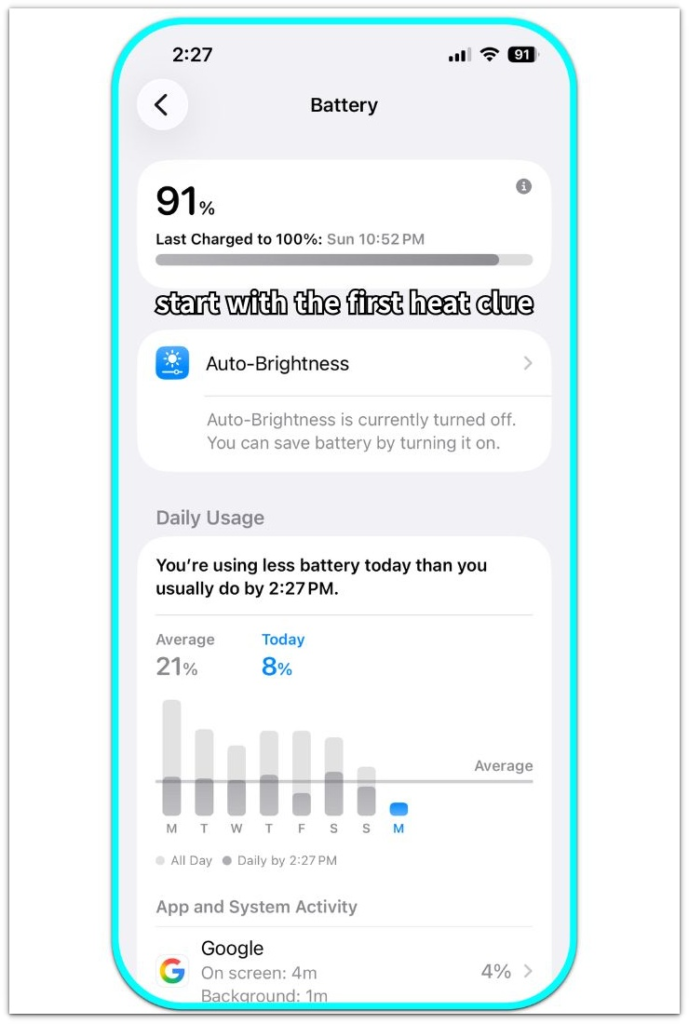
Use the Battery screen first so the heat check starts with timing, not guesswork.
────────────────────
Step 2: Compare Charging Heat With Normal Use
────────────────────
Unplug the iPhone and let it cool for a few minutes.
Then use it normally without charging.
Check whether the same warm area returns when the charger is not connected.
If the phone only gets warm while plugged in, the charger, cable, case, wireless pad, or charging location deserves the first look.
If the heat returns away from the charger, the cause is more likely tied to apps, signal, background work, or the battery condition.
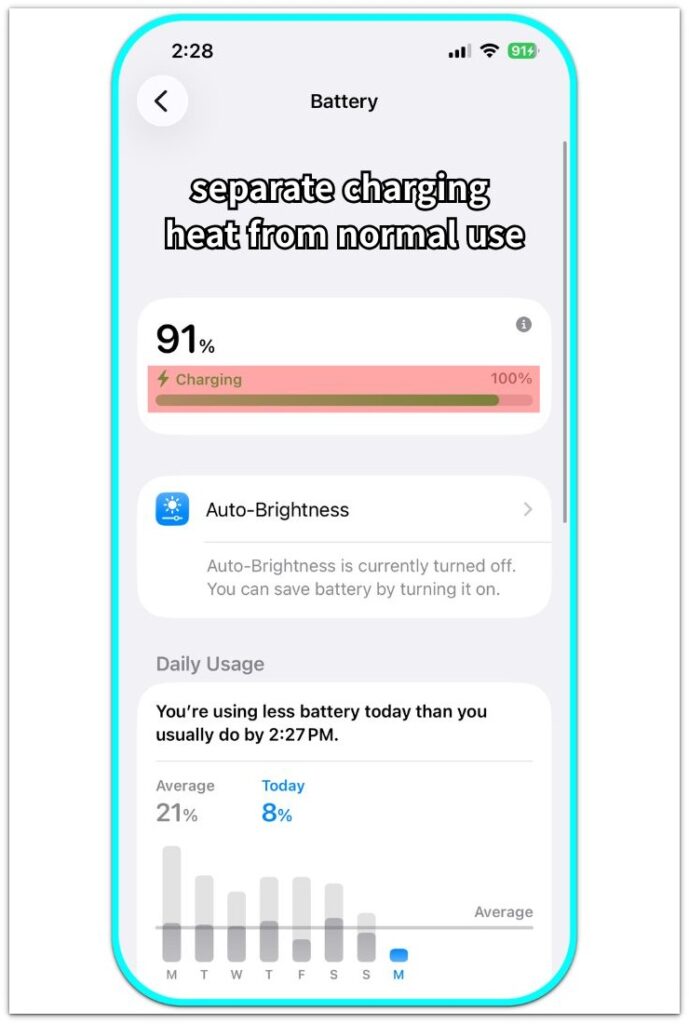
Use the charging screen to separate charger-related heat from heat that returns during normal use.
────────────────────
Step 3: Look at the App or Feature Running Before the Heat
────────────────────
Open Battery settings and check what was active before the phone became warm.
Camera, Maps, FaceTime, games, video streaming, hotspot, and cellular data raise heat faster than light browsing.
High screen brightness also makes the phone warmer when it stays on for a long time.
Check whether the warm-up started after one heavy feature or after normal light use.
That difference helps you read the heat without blaming the battery too early.
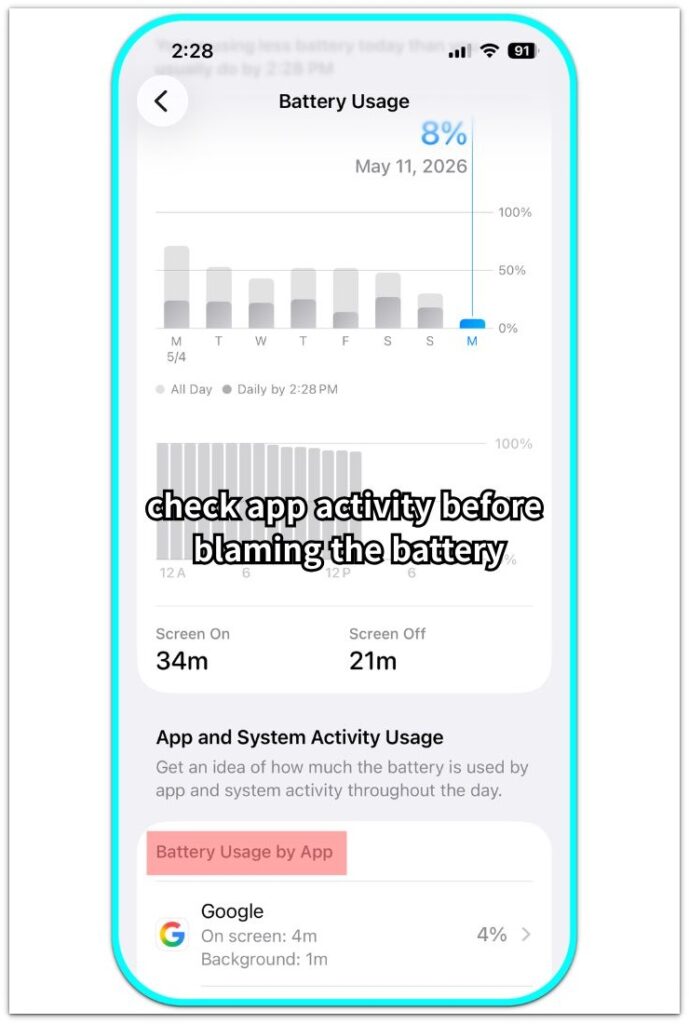
Battery Usage shows screen time, background time, and app activity before the heat is treated as a battery problem.
────────────────────
Step 4: Check Recent iOS, Backup, or Restore Activity
────────────────────
Think about what changed before the heat started.
A recent iOS update, iCloud restore, photo sync, app reinstall, or backup can keep the phone busy in the background.
The home screen looks quiet, but updates, restores, or sync often leave background work running for a while.
Check whether storage, photos, apps, or account sync still look active.
If the heat started right after one of those changes, separate that timing from a battery problem first.
────────────────────
Step 5: Watch Whether the Phone Cools Down Normally
────────────────────
Stop charging and close the heavy app or feature.
Place the iPhone somewhere cool and leave the screen off for a while.
Check whether the warm area fades after the workload stops.
A phone that cools down normally points to a different situation than one that stays hot during light use.
Save repeated heat with no clear trigger for the warning-sign check later in the guide.
Apple separates normal warmth from heat that can affect battery life. Before judging the heat, check when it starts, what the phone is doing, and whether it cools down after the workload stops.
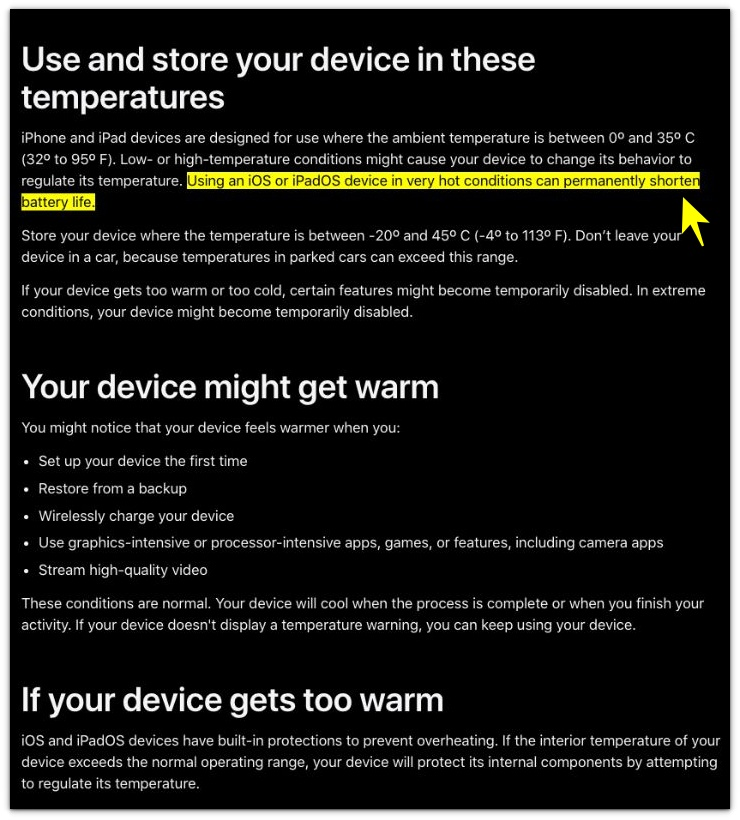
Do not stop at “warm can be normal.” The problem starts when the same heat keeps coming back after the heavy task, charger, hot location, or restore activity is gone.
────────────────────
Troubleshooting
────────────────────
────────────────────
Troubleshooting 1: The iPhone Gets Warm Right After Charging Starts
────────────────────
The phone starts feeling warm within a few minutes of being plugged in.
The charging icon appears, and the connection looks normal.
The heat looks like a battery problem, but the charger, cable, case, wireless pad, or charging surface also raises temperature.
Remove the case, move the phone away from direct sun, and compare a wall charger with the charging setup you were using.
When iphone battery gets hot mainly during charging, separate the charging setup from the phone before blaming the battery.
────────────────────
Troubleshooting 2: The Phone Feels Warm Even When No App Looks Open
────────────────────
The screen looks quiet, but the back of the iPhone still feels warmer than expected.
No game, camera, map, or video call is open on the screen.
A locked screen does not rule out background work, weak signal strain, account sync, or photo processing.
Check whether the phone is also losing battery faster while sitting on the table.
Heat during a quiet screen matters more when it repeats without a clear app, call, charger, or hot location.
────────────────────
Troubleshooting 3: The Heat Comes Back During Light Use
────────────────────
The phone cools down, then gets warm again during simple use.
A short message check, a few minutes of browsing, or a locked screen should not leave the phone hot for long.
Heat that returns after light use no longer looks like normal workload warmth.
Compare the warm area, battery drop, and cooling time across more than one use session.
Repeated heat during light use needs a closer battery and system check, not another quick reset.
Check the battery before you treat that heat as normal.
────────────────────
Additional Tips
────────────────────
Keep the iPhone out of thick blankets, pillows, dashboards, and direct sunlight once it starts feeling warm.
A case traps more heat during charging, navigation, video calls, or hotspot use.
Do not test heat while the phone is still handling several heavy tasks.
Let it cool, then check one condition at a time so the result is easier to read.
iPhone battery gets hot is easier to understand when charging, signal, and heavy app use are not mixed together.
Use the same charger, the same location, and the same light-use test when you compare the result later.
────────────────────
Final Notes
────────────────────
A warm iPhone is not always a bad battery.
Charging, wireless pads, thick cases, weak signal, camera use, maps, video calls, hotspot, and recent iOS activity all make the phone feel hotter than expected.
One warm moment is not the warning sign.
The real warning sign is heat that returns during light use, stays near the battery area, or does not fade after the phone cools down.
iPhone battery gets hot should be treated as a real problem when the heat repeats without a clear workload, charger, signal, or location trigger.
Repeated heat without a clear trigger is a real problem, not normal iPhone warmth.
────────────────────
Checklist
────────────────────
□ Check when the iPhone first starts feeling warm.
□ Compare charging heat with normal use away from the charger.
□ Remove the case if the phone gets warm while charging or using heavy features.
□ Keep the iPhone away from direct sunlight, blankets, pillows, and dashboards.
□ Check Battery settings for camera, maps, FaceTime, hotspot, games, or video activity.
□ Check for recent iOS updates, iCloud restore, photo sync, or backup activity.
□ Let the phone cool with the screen off before testing again.
□ Compare the same charger, same location, and same light-use condition.
□ Treat repeated heat with no clear trigger as a warning sign, not normal iPhone warmth.
────────────────────
Extra Section 1
────────────────────
The phone looked like it had a battery problem because the heat appeared so fast.
It was charging on a desk, inside a thick case, with Maps still active in the background.
The screen brightness was also high because the phone had just been used outside.
The warm back panel made the battery look like the main problem.
But the heat changed once the case came off, the screen stayed locked, and navigation stopped running.
That did not prove the battery was perfect, but it changed what needed to be checked first.
When iphone battery gets hot while charging involves brightness, a thick case, and navigation, remove one condition at a time before blaming the battery.
────────────────────
Extra Section 2
────────────────────
The heat came back after the easy causes were already removed.
The phone was not charging.
It was not sitting in direct sunlight.
No navigation, video call, hotspot, or game was running on the screen.
The owner let the phone cool down, locked the screen, and used it again later in a normal way.
Only a short message check and a few minutes of light browsing were enough for the same warm area to return near the back of the phone.
That made the situation feel different from a phone warming up during heavy work.
There was no single app, charger, hot car, or long video call to explain it.
One warm moment does not prove a problem, but repeated heat after the simple causes are gone should not be treated as normal warmth.