
Introduction
────────────────────────
iPhone backup not compatible restore error describes a situation where an iPhone backup exists, but the restore process is blocked because the system determines it is incompatible with the current device or environment.
In this situation, storage space appears sufficient, network conditions look stable, and no obvious corruption warnings are shown.
Despite this, the restore never properly starts or stops immediately after selection.
This is not a restore failure in progress.
The system makes this decision before data transfer begins.
Once the compatibility check fails, retrying the restore does not change the outcome.
Control leaves the user layer and moves entirely into system policy.
────────────────────────
Step-by-Step Guide
────────────────────────
────────────────────────
Step 1: Understand what “not compatible” actually means
────────────────────────
The phrase “not compatible” in an iphone backup not compatible restore error does not always indicate a damaged backup.
In many cases, the system detects a mismatch between the backup’s internal requirements and the current restore environment.
This evaluation happens before any meaningful restore operation begins.
Common factors checked at this stage include device model alignment, iOS version expectations, encryption context, and account continuity.
If any of these fail, the system blocks the restore path immediately.
At this point, user actions such as restarting the device or selecting the backup again have no effect.
────────────────────────
Step 2: Distinguish compatibility failure from restore interruption
────────────────────────
A compatibility failure occurs earlier than most users expect.
When a restore is interrupted, progress usually starts and then stops.
With a compatibility error, the restore never truly begins.
The setup flow may return to the backup selection screen or display a generic error without details.
This behavior indicates a pre-restore rejection rather than a runtime failure.
Recognizing this distinction matters because troubleshooting steps for interrupted restores do not apply here.
────────────────────────
Step 3: Identify conditions that trigger compatibility rejection
────────────────────────
Several system checks can independently block a restore as incompatible, leading to an iphone backup not compatible restore error.
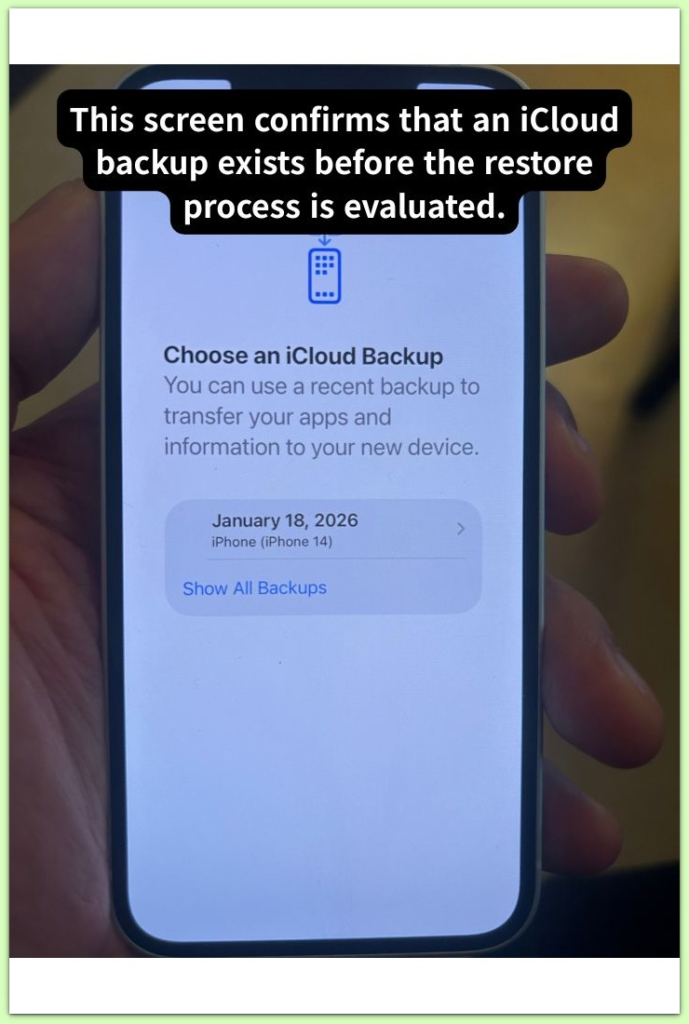
A backup created on a newer iOS version than the current device supports is a common trigger.
Encryption-related mismatches, such as changes in backup passwords or key material, also cause immediate rejection.
Account-related changes, including Apple ID transitions or trust chain breaks, can invalidate the restore context.
In some cases, region or policy constraints applied after the backup was created affect eligibility.
These checks are not visible to the user and are not negotiable once evaluated.
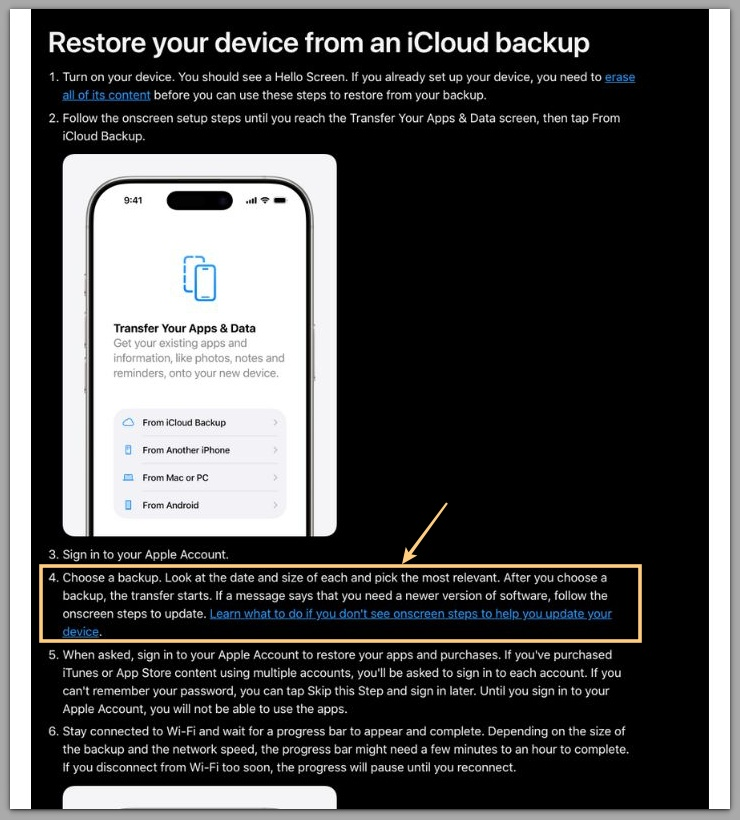
For reference, the official documentation outlines the restore compatibility checks applied at this stage.
────────────────────────
Troubleshooting: iphone backup not compatible restore error
────────────────────────
────────────────────────
Restore stops immediately without showing progress
────────────────────────
When the restore stops before any progress indicator appears, the system already rejects the backup during compatibility evaluation, resulting in an iphone backup not compatible restore error.
This behavior confirms that the restore did not fail mid-process.
The restore never enters the data transfer phase.
At this stage, retrying the same backup on the same device produces identical results.
The system does not re-run compatibility checks unless the restore environment itself changes.
This is a closed decision point, not a temporary interruption.
────────────────────────
“Backup not compatible” appears despite enough storage
────────────────────────
Available storage is not a decisive factor in compatibility errors.
The system evaluates restore eligibility before calculating storage allocation.
If the backup is rejected earlier in the chain, storage availability is irrelevant.
This explains why freeing space or removing media does not change the outcome.
The restore was never approved to begin with.
────────────────────────
Restore works on another device but not this one
────────────────────────
When the same backup restores successfully on a different device, the issue is not the backup itself.
This indicates a device-level compatibility boundary.
Hardware generation, supported iOS range, or security context differences often explain this behavior.
In these cases, the backup is valid, but the target device is not eligible.
The restore result is determined by the receiving environment, not the backup source.
────────────────────────
Error appears after iOS downgrade or delayed update
────────────────────────
Compatibility errors commonly appear when the target device runs an older iOS version than the backup expects.
The restore system does not partially adapt newer backups to older environments.
If version alignment fails, the system blocks the restore entirely.
Updating the device to a compatible iOS version is the only condition that can reopen the restore path.
Without that change, retries remain ineffective.
Beyond this point, the decision falls outside the scope of typical user-level actions.
────────────────────────
Additional Tips
────────────────────────
Compatibility-based restore errors, including cases classified as an iphone backup not compatible restore error, rarely provide actionable feedback.
The system deliberately avoids exposing internal eligibility rules.
From a user perspective, this feels opaque, but from a system perspective, it prevents unsafe restores.
It is useful to separate recoverable restore problems from eligibility failures.
Compatibility errors belong to the second category.
Once identified correctly, this distinction saves time and prevents repeated actions that cannot influence the result.
────────────────────────
Final Notes
────────────────────────
An iphone backup not compatible restore error is not a signal to troubleshoot harder.
It signals that troubleshooting has already ended.
The system finalizes the restore decision before user involvement begins.
From the system’s point of view, the process is already complete.
Recognizing this boundary is essential for setting realistic recovery expectations.
────────────────────────
Checklist
────────────────────────
☐ Confirm the iOS version used when the backup was created
☐ Verify that the target device supports that iOS environment
☐ Check whether encryption or Apple ID context has changed
☐ Accept that compatibility decisions are not reset by retries
Compatibility failures define the end of user control in the restore process.
────────────────────────
Extra Section 1
────────────────────────
Compatibility checks that lead to an iphone backup not compatible restore error are designed to protect long-term system stability.
Restoring a backup is not simply copying data back onto a device.
It reintroduces system states, security contexts, and configuration assumptions.
If any of these assumptions conflict with the current device environment, the system stops the restore preemptively.
This protects the system from entering an unstable or insecure state.
From Apple’s perspective, blocking a restore is safer than allowing a partial or inconsistent recovery.
That is why compatibility rules are strict and non-negotiable.
────────────────────────
Extra Section 2
────────────────────────
Many restore guides focus on recovery steps that users can attempt repeatedly.
Compatibility errors require a different mindset.
They are not problems to be fixed but conditions to be evaluated.
Once the restore environment fails eligibility checks, effort does not influence the outcome.
Only a meaningful change in conditions can alter the decision.
Understanding this shifts the focus from persistence to clarity.
In compatibility-based restore failures, knowing why the restore cannot proceed is more valuable than trying again.