
Introduction
────────────────────────
iPhone activation lock issues arise when the device refuses to complete authorization even though valid credentials appear to be entered.
This state does not occur randomly.
The activation system evaluates device ownership before granting access to the Home Screen.
The activation server continues to associate the device with a previously registered Apple ID.
Once the server rejects authorization, user input no longer overrides that record.
In many cases, the password is correct.
Even then, authorization may stop when device identity, server records, or policy validation fail to align.
Understanding where authorization stops determines whether the issue remains within user control or moves entirely beyond it.
────────────────────────
Step-by-Step Guide
────────────────────────
────────────────────────
Step 1: Confirm that Activation Lock is truly active
────────────────────────
Activation Lock appears after a reset, erase, or initialization.
The setup process pauses and requests the Apple ID previously linked to the device.
If the device reaches the Home Screen, Activation Lock is not involved.
If Settings opens normally, authorization has already succeeded.
Correct identification prevents confusion between a temporary login delay and a device-level authorization refusal.
────────────────────────
Step 2: Identify which authorization layer is blocking access
────────────────────────
Device authorization relies on multiple independent validation layers, which explains why iphone activation lock issues can originate from different points in the activation process.
The system verifies Apple ID identity first.
It then checks the device registration entry stored on Apple’s activation servers.
Next, it compares internal hardware identifiers for consistency.
The activation server grants final approval only after these records align.
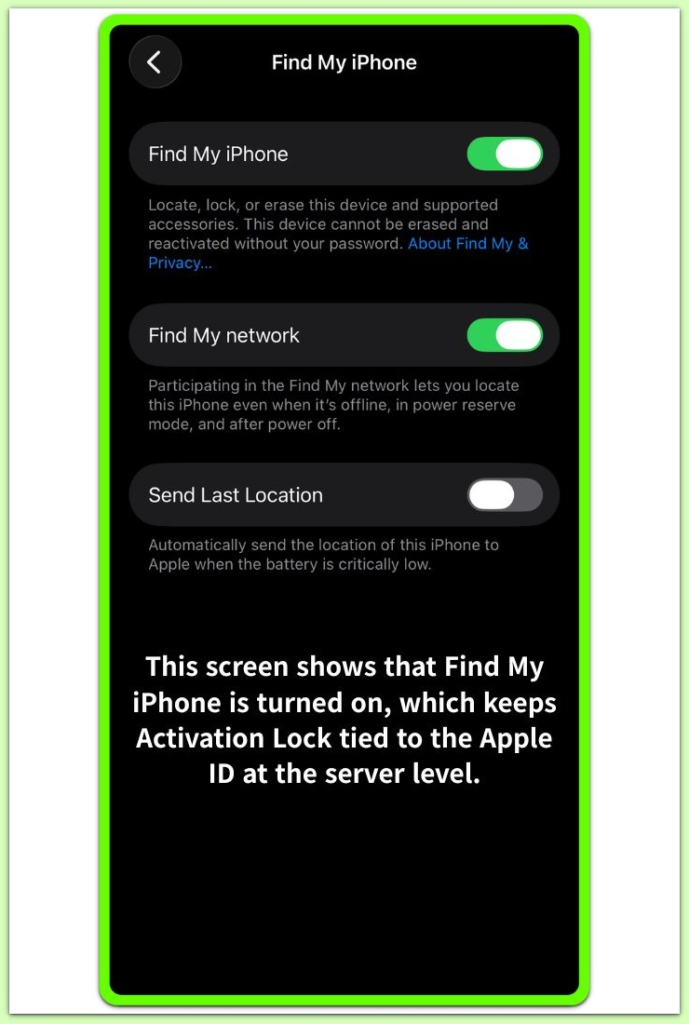
When the system rejects credentials immediately, the identity layer is usually responsible.
Credentials may appear accepted while activation still fails to continue, which indicates the server has withheld authorization.
Activation that works on one network yet fails on another typically points to network-level validation restrictions.
Each layer operates independently, so changing the wrong area produces no meaningful effect.
────────────────────────
Step 3: Review ownership registration status
────────────────────────
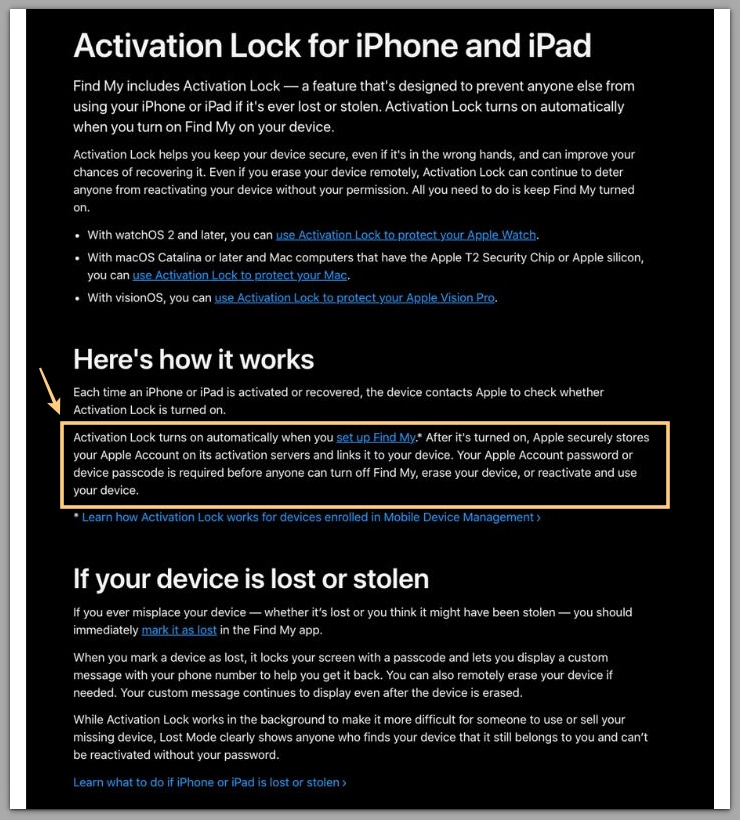
Activation Lock remains active when Apple’s activation database still links the device to an Apple ID.
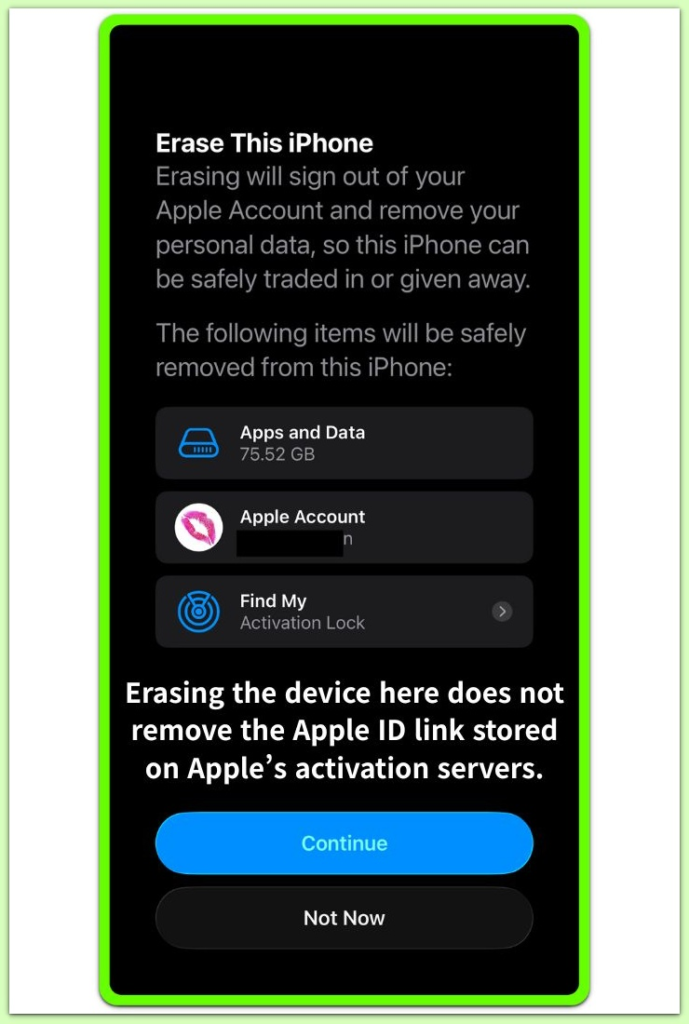
Signing out directly on the device does not always remove the server-side registration entry.
Ownership must be cleared at the account registration level rather than only through the device interface.
Second-hand devices frequently encounter this condition.
A previous owner may erase the phone without removing it from their Apple ID account.
Until someone removes that registration record, authorization cannot proceed, and iphone activation lock issues continue regardless of repeated credential attempts.
For reference only, Apple’s support documentation outlines how ownership records are handled and cleared.
────────────────────────
Troubleshooting: iphone activation lock issues
────────────────────────
────────────────────────
Check Apple ID status
────────────────────────
A suspended, restricted, or recovery-pending Apple ID can trigger activation lock issues.
Users can review account status through Apple’s official account management portal.
If limitations remain on the account, the activation server will not approve authorization.
Password resets may resolve straightforward identity mismatches.
If account-level restrictions exist, iphone activation lock issues persist until the account status is fully restored.
────────────────────────
Evaluate network stability and server communication
────────────────────────
Activation requires stable communication with Apple’s authorization servers.
Corporate firewalls, DNS filtering, or network-level restrictions can block validation endpoints.
Testing activation on a different secure network may reveal whether communication is restricted.
Temporary server maintenance can delay authorization approval.
Once server synchronization resumes, validation continues automatically.
────────────────────────
Assess hardware-related triggers
────────────────────────
Major hardware replacements, including logic board changes, alter device identity records.
When internal identifiers no longer match Apple’s stored activation data, the server may reject authorization.
Refurbished or previously repaired devices occasionally encounter this mismatch.
Software adjustments alone cannot resolve hardware-level identity conflicts.
If ownership verification requires third-party assistance, reviewing available support options in advance can reduce unnecessary delays.
────────────────────────
Additional Tips
────────────────────────
Documentation plays an important role in ownership verification.
Original purchase receipts strengthen identity confirmation during support requests.
Users should preserve serial numbers and IMEI details for reference.
Unofficial bypass methods introduce long-term risks.
Unauthorized modification attempts can permanently lock the device or invalidate eligibility for future support.
In complex iphone activation lock issues, documentation often determines whether ownership verification succeeds.
────────────────────────
Final Notes
────────────────────────
Activation Lock appears only when a specific ownership condition triggers it.
When ownership records and device identity fail to align, iphone activation lock issues move beyond user-level correction.
User-level actions resolve identity mismatches only in limited cases.
Server-side ownership conflicts require formal verification through Apple Support.
Once authorization boundaries are reached, repeating credential attempts does not change the outcome.
────────────────────────
Checklist
────────────────────────
☐ Confirm that Activation Lock screen appears before setup access
☐ Verify Apple ID account status through official channels
☐ Test activation on a stable, unrestricted network
☐ Review ownership and purchase documentation
☐ Contact official Apple Support if server authorization is denied
────────────────────────
Related Activation Lock Cases
────────────────────────
iPhone Activation Lock Without Apple ID — Where Ownership Control Ends
The device requests an Apple ID that cannot be bypassed because ownership validation is stored at the server level. view guide
iPhone Activation Locked Incorrect Apple ID or Password — When Credential Validation Does Not Pass
Activation rejects credentials when server-side account verification fails beyond local input control. view guide
iPhone activation lock asking for apple id you don’t recognize — unfamiliar account requested
The Apple ID shown on the screen belongs to a prior ownership record stored in Apple’s activation system. view guide
iPhone Activation Lock Two-Factor Authentication — Where Verification Control Shifts
Activation stops when identity confirmation moves from password validation to trusted-device verification. view guide
────────────────────────
Extra Section 1
────────────────────────
Device authorization operates through multiple trust layers instead of a single login check.
Apple’s activation infrastructure links each device to a registration record tied to an Apple ID.
That linkage remains on remote servers and does not disappear after a local reset.
During activation, the device transmits hardware identifiers and registration tokens.
The activation server compares those values against stored ownership data.
iphone activation lock issues reflect a failure in cross-verification between device identity and server registration.
The system bases authorization decisions on record alignment rather than password correctness alone.
This layered structure protects devices from unauthorized access and resale.
It also establishes firm boundaries that cannot be bypassed from within the device interface.
This structure explains why repeating the same steps does not change the outcome.
────────────────────────
Extra Section 2
────────────────────────
Many users initially think Activation Lock is just a login problem.
Repeated password attempts create the impression that persistence will eventually succeed.
In reality, authorization refusal reflects a mismatch between device identity data and server-side registration.
Ownership boundaries operate independently from local settings.
Resetting the phone again does not change the activation database.
Extended waiting does not alter authorization status unless the server record itself changes.
Resolution depends on aligning device identity with verified ownership credentials.
When registration data and account identity align correctly, activation proceeds immediately.
When they do not align, repetition alone does not produce a different outcome.
Recognizing this boundary prevents unnecessary troubleshooting cycles.