
Introduction
────────────────────
iPhone spotlight index storage appears when the iphone storage screen shows system data increasing.
this can appear even though no new apps or files were added.
Users usually notice this while reviewing iphone storage.
the storage list shows space being used by system data rather than visible media or applications.
Start by opening settings → general → iphone storage.
check whether the system data category increased after recent device activity.
The storage increase often comes from the spotlight search index.
the system stores searchable metadata so files, messages, photos, and apps can appear instantly in search results.
This situation means the reported storage belongs to the spotlight search database allocation layer.
it does not originate from files the user can directly see or manage.
────────────────────
Step-by-Step Guide
────────────────────
────────────────────
Step 1: confirm the storage value assigned to system data
────────────────────
Open Settings and select General.
Select iphone storage to open the device storage overview.
Locate the system data category in the storage list.
This screen shows how much storage the system currently assigns to background system components and internal data structures.
Confirm the storage size recorded under system data.
Review whether iphone spotlight index storage corresponds to search index allocation.
────────────────────
Step 2: check whether spotlight search indexing recently expanded
────────────────────
Remain on the iphone storage screen and review whether system data increased after recent device activity.
Spotlight continuously scans device content.
Files, messages, notes, photos, and applications can appear immediately in search results.
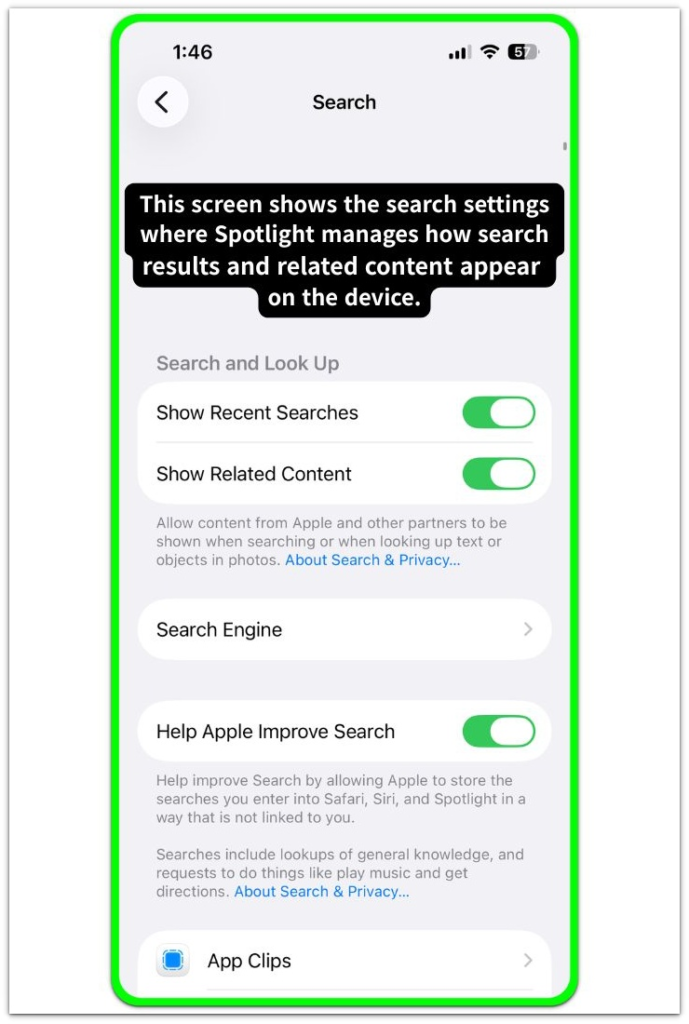
When new data is added or the device reorganizes searchable content, the spotlight index expands.
The system updates searchable metadata during this process.
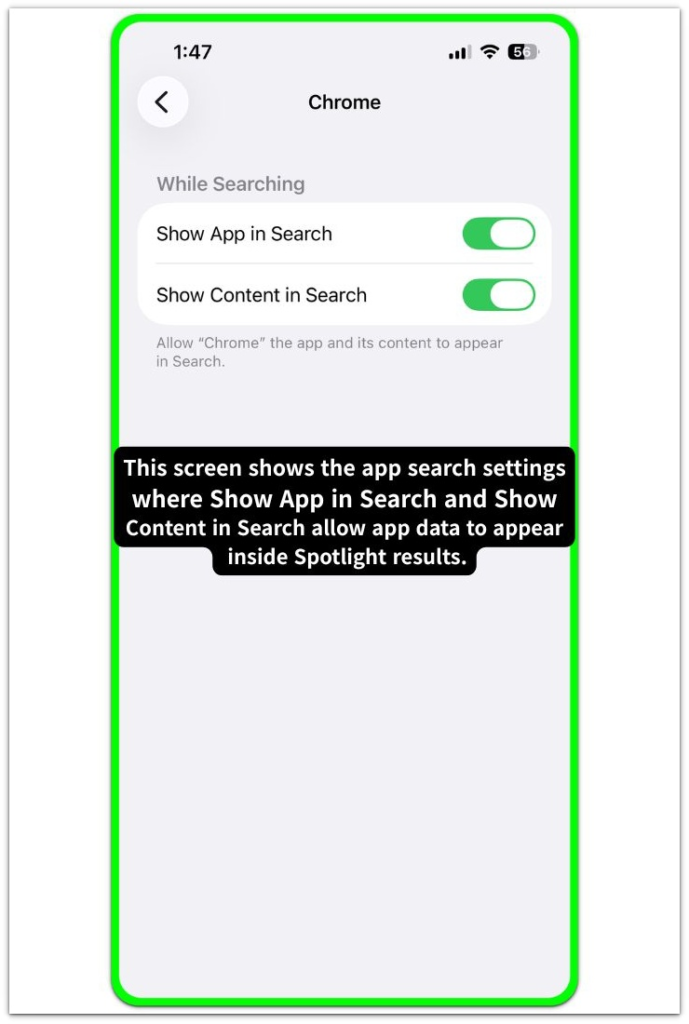
This indexing activity can temporarily increase storage usage.
This appears as iphone spotlight index storage within system data.
────────────────────
Step 3: review recent device changes that may trigger index growth
────────────────────
Consider whether recent actions added large amounts of searchable content to the device.
Examples include restoring a backup, syncing photos, importing files, installing many apps, or completing a system update.
These actions cause the system to rebuild or expand the spotlight search index.
New content becomes searchable after the index updates.
The reported storage belongs to the spotlight search database allocation when indexing activity expands.
It does not originate from files visible in normal storage categories.
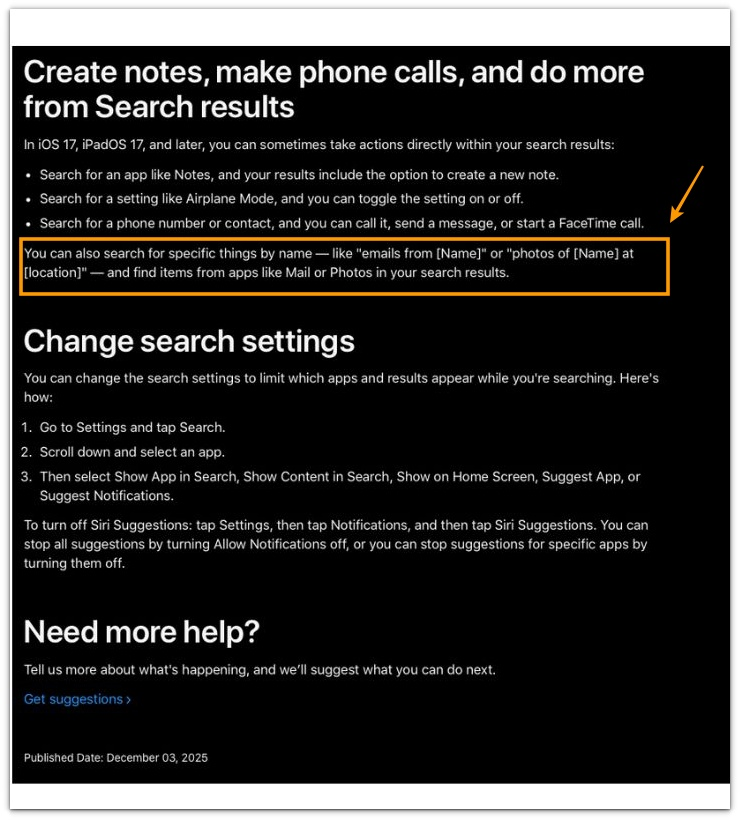
You can refer to the official documentation screenshot below.
────────────────────
Troubleshooting: Iphone spotlight index storage
────────────────────
────────────────────
Troubleshooting 1: spotlight index expansion during search database rebuild
────────────────────
Spotlight maintains a searchable index so content across the device can appear instantly in search results.
The system periodically reorganizes this index when stored content changes.
Large changes in device data can cause the spotlight index to expand while the system rebuilds searchable metadata.
The storage assigned to system data can temporarily increase while the index rebuild occurs.
The reported storage reflects the spotlight search database structure rather than user files.
This situation explains why the reported system data appears even though the user did not intentionally store additional files.
────────────────────
Troubleshooting 2: background indexing triggered by new searchable content
────────────────────
Spotlight indexing activity increases when new searchable content appears on the device.
Examples include importing photos, restoring backups, syncing messages, or installing multiple applications.
Each action introduces new metadata that must be added to the spotlight search index.
The system stores this searchable metadata inside the spotlight database layer.
The storage increase represents index expansion rather than visible media or documents.
This condition can appear as iphone spotlight index storage inside system data.
────────────────────
Troubleshooting 3: index maintenance after system update or data migration
────────────────────
The system reorganizes the spotlight search index after a major system update or data migration.
The indexing engine reviews device content to maintain accurate search results while the index rebuild occurs.
Metadata structures are recreated or reorganized while the index database updates.
Temporary storage growth can occur while this maintenance activity completes.
The reported storage reflects the spotlight search database allocation rather than files managed by the user.
Further investigation may be required when the storage change cannot be explained through the standard settings shown on the device.
────────────────────
Additional Tips
────────────────────
Spotlight indexing activity usually stabilizes after the system completes its search database update.
Leaving the device connected to power and allowing the system to remain idle can help the indexing process finish normally.
Checking system data again later often shows the storage value stabilizing after the indexing cycle completes.
When iphone spotlight index storage appears, the storage typically reflects internal search database structures maintained by the system rather than user-controlled files.
────────────────────
Final Notes
────────────────────
Iphone spotlight index storage reflects how the system maintains its internal search database.
The storage increase appears when the spotlight index expands while searchable metadata is organized across the device.
This situation does not originate from files intentionally saved by the user.
The reported storage belongs to the spotlight search database allocation layer maintained by the system.
Searchable content across apps, messages, photos, and files is stored as metadata so results can appear instantly in spotlight search.
The storage change reflects how the search index database is structured rather than how much visible data the user stored.
Spotlight index storage is not a traditional storage category created by user activity.
It represents how the system organizes searchable information internally.
────────────────────
Checklist
────────────────────
☐ Open settings and review system data inside iphone storage
☐ Check whether recent device activity added large amounts of searchable content
☐ Confirm whether backup restore, photo sync, or system updates occurred recently
☐ Review whether system data stabilizes after the indexing process completes
This storage entry usually reflects the internal spotlight search database rather than files created directly by the user.
────────────────────
Extra Section 1
────────────────────
Many users first notice unexpected system data while reviewing iphone storage after deleting photos, messages, or downloaded files.
The storage screen may still show system data occupying a noticeable amount of space.
The device often appears normal at first glance.
Applications open normally and no large files appear in visible storage categories.
This situation usually becomes noticeable after the device has recently processed large amounts of searchable content.
Examples include importing photos from another device, restoring a backup, or syncing large message histories.
During everyday use the system continues building searchable metadata so content can appear quickly in spotlight search.
Because this metadata belongs to the search index database, the storage value appears inside system data rather than inside media or application categories.
Many users assume hidden files exist on the device.
The reported storage usually reflects how the spotlight search database organizes searchable information across the system.
────────────────────
Extra Section 2
────────────────────
Another common situation appears after a device update or large data migration.
Users sometimes notice iphone spotlight index storage when reviewing storage after installing a system update.
The device may appear unchanged from the user perspective.
Apps, photos, and messages remain the same.
The system may reorganize searchable metadata so spotlight search can return accurate results across the device.
The search index database can temporarily grow while the system rebuilds searchable references.
This can cause system data to appear larger than expected.
Users often interpret this as hidden storage usage inside the system.
The value usually reflects the spotlight index database structure rather than files created directly by the user.
The storage value often remains consistent because the search database structure becomes fixed once indexing settles.