
Introduction
────────────────────
iPhone Maps taking up storage appears when the Maps entry inside iPhone Storage shows more space used than the user expects.
Users usually notice the issue while reviewing the storage list. The Maps app appears to occupy more space than other navigation apps.
Start by checking whether offline maps are saved in the Maps app and whether previously downloaded regions remain stored on the device.
Apple Maps stores regional map tiles, route indexes, and navigation fragments inside its local container. This allows frequently visited areas to load faster during navigation.
When the storage size remains large after checking offline maps, the remaining space belongs to cached region data. This data is maintained inside the Maps storage layer rather than visible user files.
────────────────────
Step-by-Step Guide
────────────────────
────────────────────
Step 1: Confirm the Storage Value Assigned to Maps
────────────────────
Open Settings and select General.
Tap iPhone Storage and locate Maps in the application list.
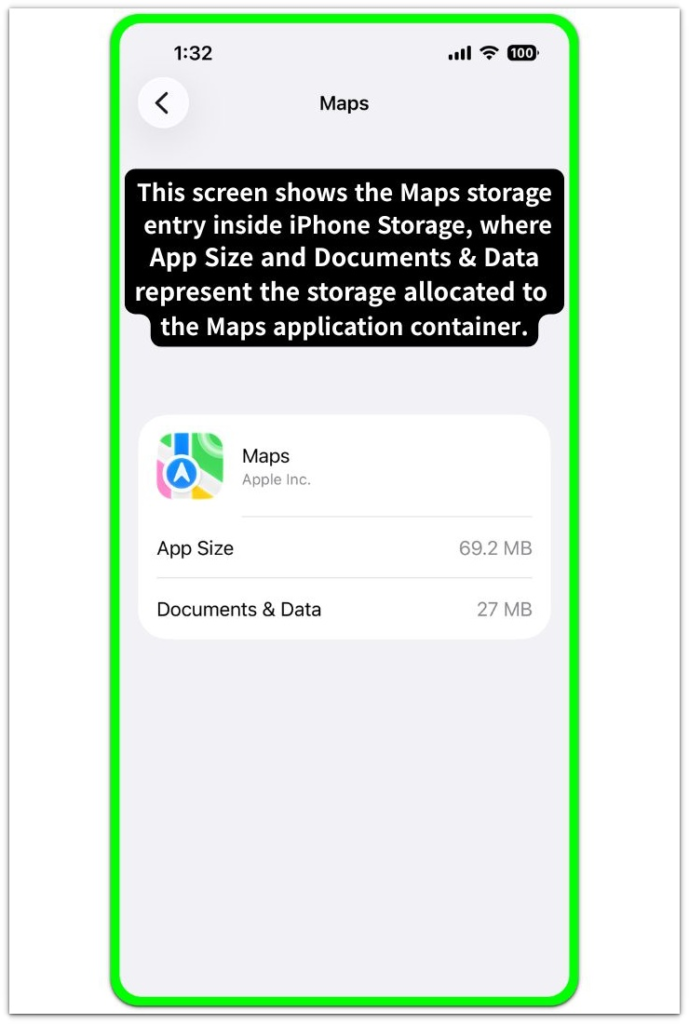
The storage screen shows how much space the Maps container currently occupies on the device.
This step confirms whether iphone maps taking up storage matches the value recorded inside the Maps storage entry.
────────────────────
Step 2: Check Whether Offline Map Regions Are Saved
────────────────────
Open the Maps application and tap the profile icon.
Select Offline Maps and review any regions saved for offline navigation.
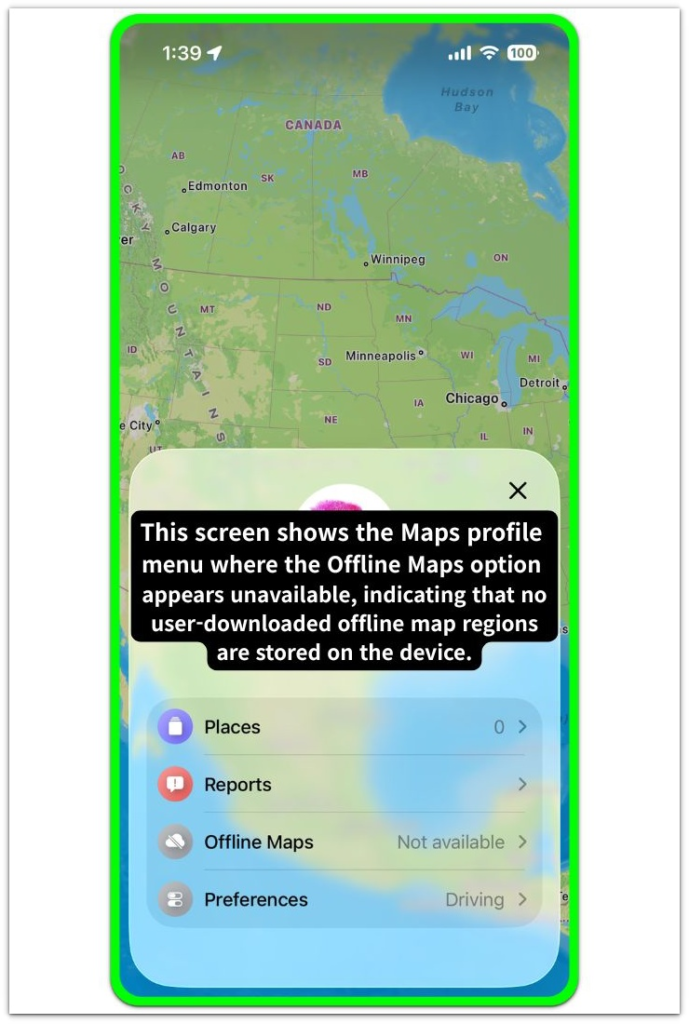
Saved regions store map tiles and routing data. They also maintain regional navigation indexes inside the device storage layer.
If one or more regions appear here, iphone maps taking up storage is partly caused by user-saved offline map regions.
────────────────────
Step 3: Distinguish Offline Map Data From Cached Region Data
────────────────────
Return to the Maps interface and review recently searched locations or navigation routes.
Maps keeps temporary regional data so frequently viewed areas load faster later.
These fragments remain stored inside the Maps container after navigation sessions finish.
If offline regions are limited but the Maps entry still uses space, the remaining usage belongs to cached regional map data maintained by the Maps storage layer.
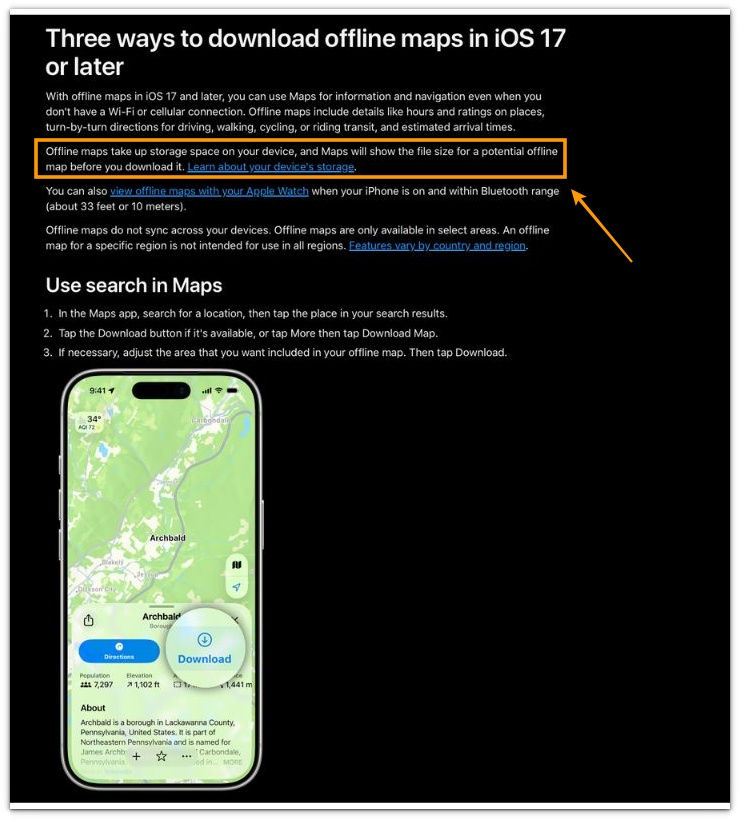
You can see in the official Apple documentation that offline maps take up storage space on the device, which confirms that downloaded offline maps represent user-saved data rather than system cache.
────────────────────
Troubleshooting: iPhone Maps taking up storage
────────────────────
────────────────────
Troubleshooting 1: Offline Map Regions Remaining Stored
────────────────────
Offline map regions sometimes remain stored even after the user stops using them for navigation.
The Maps application keeps these regions so that directions, route previews, and nearby area searches can continue working without downloading map tiles again.
This behavior often causes the Maps entry inside iPhone Storage to appear larger than expected.
When offline regions remain saved, the storage increase originates from user-saved regional map data rather than from abnormal system allocation.
────────────────────
Troubleshooting 2: Cached Navigation Regions Expanding Over Time
────────────────────
Frequent navigation sessions gradually build cached regional data inside the Maps container.
Each route preview, turn-by-turn navigation session, and repeated location search stores additional map tiles and route fragments.
These fragments allow the Maps interface to load familiar areas faster during later navigation.
Cached regional data allows iphone maps taking up storage to expand even when users do not intentionally download offline maps.
────────────────────
Troubleshooting 3: Regional Map Cache Persisting Inside the Maps Container
────────────────────
Some regional map fragments remain stored after navigation activity ends.
The Maps service maintains these fragments so that nearby areas and commonly viewed locations load immediately when the application opens again.
Because this regional cache operates inside the Maps storage container, it does not appear as normal files inside the device file layer.
When offline regions are minimal but Maps storage remains large, iphone maps taking up storage belongs to cached regional map data maintained by the Maps storage layer.
If the storage size continues to grow beyond normal navigation use, the condition may require a deeper inspection of the Maps data container and related system storage layers.
────────────────────
Additional Tips
────────────────────
Users often notice the Maps storage size after reviewing the application list in iPhone Storage and comparing it with other apps.
In everyday use, repeated navigation in the same city gradually increases the amount of regional data stored by the Maps app.
For example, commuting routes, nearby restaurant searches, and repeated destination previews often create additional cached map fragments over time.
Because this data helps the app load familiar areas faster, iphone maps taking up storage can slowly grow during normal navigation use even without downloading offline maps.
────────────────────
Final Notes
────────────────────
The Maps storage size does not always represent files intentionally saved by the user.
The space usually belongs to regional map fragments maintained by the Maps navigation system so that previously viewed areas load faster.
This behavior reflects how the Maps navigation system maintains regional cache data rather than how users store files on the device.
Regional map storage growth is a structural result of navigation caching rather than a visible file accumulation inside the device storage layer.
────────────────────
Checklist
────────────────────
☐ Check whether Maps storage size appears unusually large inside iPhone Storage
☐ Review Offline Maps to confirm whether regional downloads remain saved
☐ Consider whether frequent navigation sessions have created cached regional map data
☐ Recognize that the Maps storage increase may originate from navigation cache rather than user-saved files
Repeated navigation in the same city gradually leaves regional map fragments inside the Maps storage container, which is why the Maps entry can grow even when users never download offline maps.
────────────────────
Extra Section 1
────────────────────
Daily commuting routes and restaurant searches gradually create additional regional map tiles. Frequent destination previews can also add small fragments inside the device.
Navigation apps store these fragments so familiar streets and intersections load faster during later trips. Over time the Maps entry inside iPhone Storage may appear larger than expected even though the user never downloads offline maps.
Many users notice the increase after checking storage during routine device maintenance. The Maps size appears higher than expected because the navigation system keeps regional map fragments ready for faster route loading.
Normal navigation activity gradually leaves regional map fragments inside the Maps container. This is why the Maps storage entry can grow even without offline map downloads.
────────────────────
Extra Section 2
────────────────────
Long-term navigation habits often produce a different storage pattern than users expect. Regular travel between home, work, and familiar locations causes the Maps service to store route fragments and regional tiles related to those areas.
Devices used for months in the same city gradually accumulate regional navigation data connected to frequently viewed areas. The stored fragments help the app display routes and nearby streets more quickly when navigation begins.
Users sometimes discover that the Maps entry grows even though they rarely think about saving map data. The increase reflects navigation activity rather than deliberate file downloads.
Extended navigation use can cause iphone maps taking up storage to appear because regional map fragments remain inside the Maps storage container.