
Introduction
iPhone Mail attachments taking up storage usually means the original files still sit inside saved messages, sent files, or synced account data. That space stays inside downloaded attachments, cached data, or account storage on the device.
Deleting visible files often does not lower the app size because the original message still holds the attachment. The fix begins with Mail storage, then moves through large attachment messages, synced account folders, and the updated iPhone storage number.
Step-by-Step Guide: iPhone Mail Attachments Taking Up Storage
Step 1: Check Mail Storage First
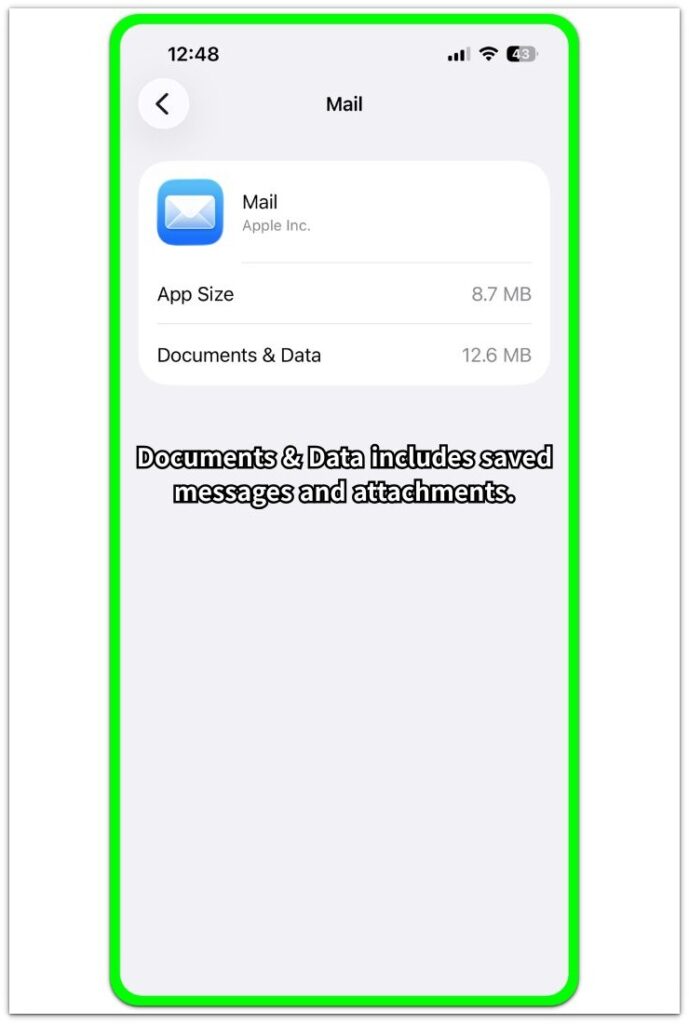
Open Settings, tap General, then open iPhone Storage. Find Mail in the app list and compare App Size with Documents & Data.
A small app size with larger Documents & Data usually means saved content takes up the space, not the app itself. Attachments, cached messages, and account data stay inside this section even when the same files do not appear in Photos, Files, or Downloads.
Step 2: Remove Messages With Large Attachments
Open the Mail app and check Inbox, Sent, Archive, and any folder where you received or sent large files. Look for messages with photos, PDFs, videos, documents, invoices, or repeated forwarded files.
Delete messages you no longer need, then open Trash or Deleted Messages and remove them there as well. A deleted copy still takes space when it remains inside the account folder.
Step 3: Check The Mail Account Behind The Storage
Open Settings, tap Mail, then open Accounts. Check which accounts connect to the app, especially iCloud, Gmail, Outlook, Yahoo, or work accounts that sync large message histories.
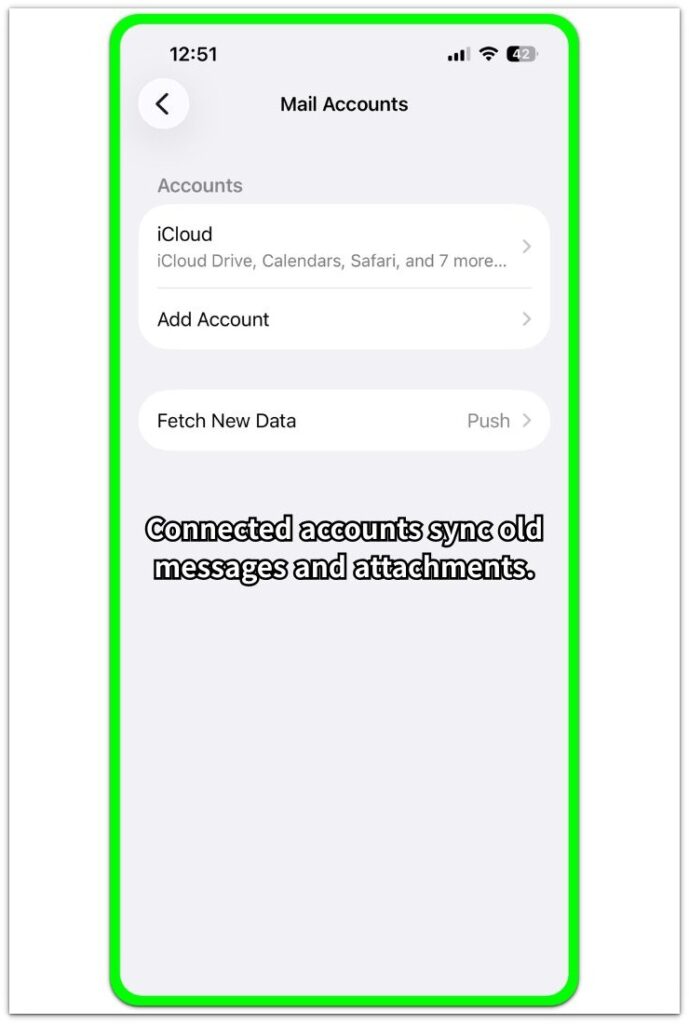
A connected account still controls which messages appear in Mail. After removing old messages from the account, return to iPhone Storage and check the size again after syncing finishes.
Troubleshooting
Troubleshooting 1: iPhone Mail Attachments Taking Up Storage After Deleting Messages
Storage stays high when deleted messages still remain in Trash, Deleted Messages, Archive, or another synced folder. Open those folders in the app and remove the same messages there as well.
After clearing the folders, close the app and return to iPhone Storage. The size updates after the account refreshes its local data.
Troubleshooting 2: Attachments Return After Cleanup
Attachments return when the account syncs old message history back to the iPhone. Accounts with large inboxes, sent folders, archived folders, or work accounts keep those files tied to the account.
Check the account that holds the large messages from the app or browser version. Remove old messages from the source account folders, then let the account sync again before checking the storage number.
Troubleshooting 3: Mail Size Stays High Even After Restart
A high size after restart means stored message data remains rather than a temporary screen delay. Check whether one account holds years of messages, repeated attachments, forwarded files, or large sent messages.
Remove the large messages from the source account, then check iPhone Storage again after syncing finishes. Remove the account only as a last step, and add it again only after confirming the messages remain available on the email service.
Extra Section 1: Why Mail Attachments Do Not Appear in Photos or Files
A common case starts when someone saves a PDF attachment, deletes the visible copy from Files, and still sees several gigabytes in iPhone Storage. That deletion removed only the copy you saved outside the original message. The original message still holds the PDF.
The same pattern happens with photos and videos that arrive as attachments. Photos shows no matching item, Files looks clean, and Downloads looks empty, but the original message still keeps the attachment with the account data. iPhone Storage counts that space under Documents & Data.
Clearing Photos or Files usually fails to lower the storage number when the original message still exists. The real item to remove is the email message or the folder that holds it.
Extra Section 2: Sent Mail Attachments Use Storage Too
Another common case appears after sending a large video, PDF, or work document by email. The inbox looks clean, but Sent still keeps the original message with the attachment.
This matters when someone forwarded the same file, replied with the attachment included, or sent it to more than one person. Each saved sent message keeps data tied to the account, and iPhone Storage reads that space as Documents & Data.
When inbox cleanup does not lower the size, Sent deserves a separate check. Old sent messages, forwarded files, and work documents often explain why the storage number remains high.
Official Source: Mail Includes Emails And Attachments
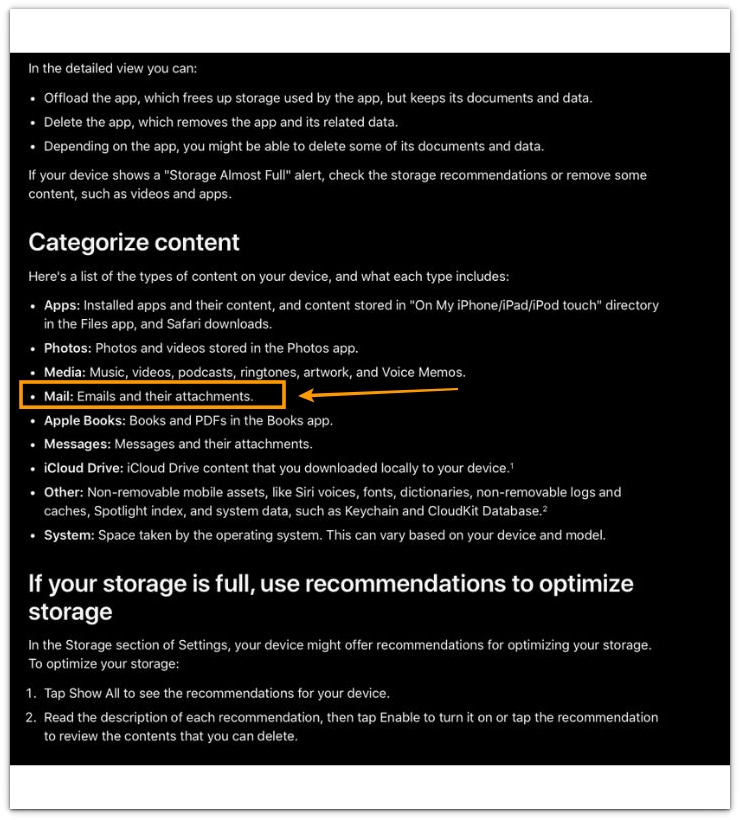
Apple says Mail storage includes emails and attachments. Large messages keep using iPhone storage even when Photos, Files, and Downloads look clear.
Additional Tips
Large attachments often stay hidden in old work folders, shared folders, or account folders you rarely open.
Browser cleanup helps when the same large messages stay on the service after they disappear from the iPhone screen.
Storage needs time to update after cleanup because the account must sync folder changes before iPhone Storage shows a lower number.
Work or school accounts often keep old attachments through server rules, retention settings, or shared mailbox history.
Final Notes
iPhone Mail attachments taking up storage usually come from the message or account folder that still holds the original file.
The correct fix starts inside the app, not Photos or Files. Remove large messages from the actual folders, clear deleted messages, and let the account sync before trusting the final storage number.
When you remove visible files but the size still stays high, the account still holds that storage. Remove the messages from the source account, then confirm the updated size from iPhone Storage.
Checklist
- Check the storage size from iPhone Storage first.
- Find large attachment messages in Inbox, Sent, Archive, and older folders.
- Delete unneeded large messages from the folder that stores them.
- Clear Trash or Deleted Messages after deleting messages.
- Clean old messages from the browser version when the account keeps syncing them back.
- Check the updated size in iPhone Storage after syncing.
For broader storage problems beyond this issue, use the main iPhone storage guide above to compare app data, deleted files, synced content, and system storage.