
Introduction
────────────────────────
iPhone activation lock two-factor authentication describes a condition in which activation fails after correct credential entry because identity confirmation shifts to the account’s second verification layer.
The Apple ID and password may both be accurate, yet activation does not complete once confirmation is required from a trusted device or phone number linked to the account.
The boundary no longer sits inside the device interface but within Apple’s remote identity infrastructure, where Apple determines final authorization.
Password knowledge alone does not establish control, since activation completes only after successful verification through a trusted channel registered under the same Apple ID.
────────────────────────
Step-by-Step Guide
────────────────────────
────────────────────────
Step 1: Confirm the Exact Verification State
────────────────────────
Access the Activation Lock screen and enter the Apple ID credentials carefully.
A verification code prompt confirms that iphone activation lock two-factor authentication has moved beyond credential validation and into the identity confirmation layer.
A direct credential rejection without a code request indicates that the issue remains at the password stage rather than at identity confirmation.
This distinction determines whether the boundary sits at credential validation or identity confirmation.
────────────────────────
Step 2: Identify the Verification Destination
────────────────────────
Review the on-screen message to determine where the verification code is being sent.
Apple may send the code to a previously trusted device or to a registered phone number on the account.
Activation remains pending until a trusted device or phone number approves the verification.
The limitation is tied to the Apple ID’s security settings, not to the physical phone itself.
────────────────────────
Step 3: Evaluate Trusted Endpoint Accessibility
────────────────────────
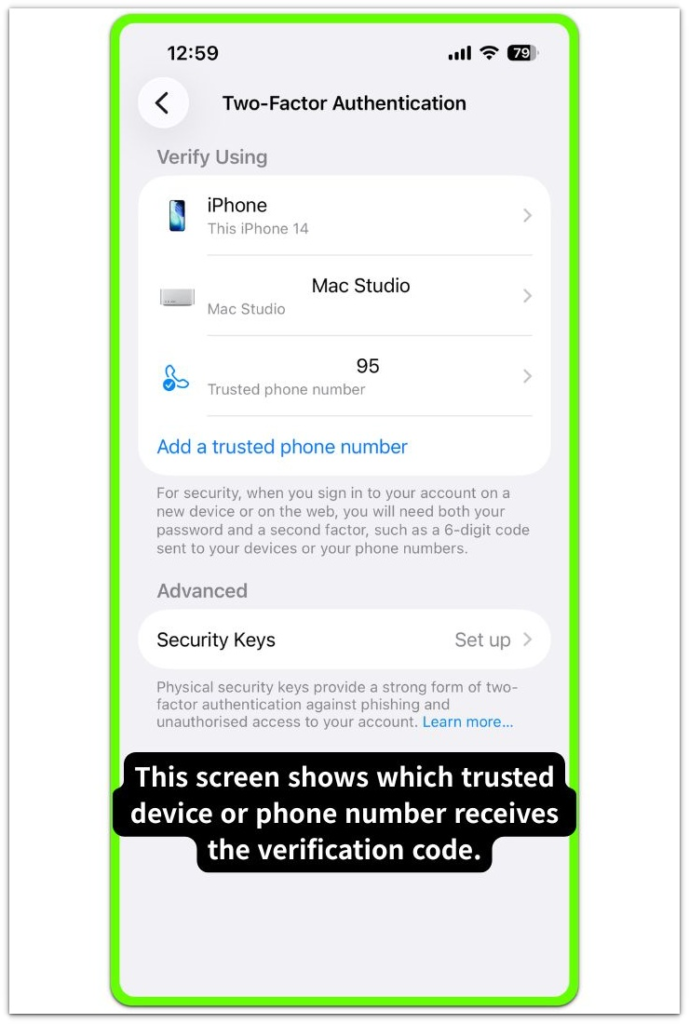
Determine whether any device remains signed into the same Apple ID and capable of receiving verification prompts.
A trusted iPhone, iPad, or Mac can generate the required confirmation, while absence of such a device prevents independent validation from the locked phone.
Within iphone activation lock two-factor authentication, the device does not self-authorize because final approval depends on identity confirmation transmitted through a trusted channel.
────────────────────────
Step 4: Assess Remaining Access Options
────────────────────────
Confirm whether the trusted phone number remains active and capable of receiving messages.
Verify whether another associated device still maintains account login status.
If neither option is accessible, the phone simply waits. The approval decision still happens on Apple’s server, not on the device itself.
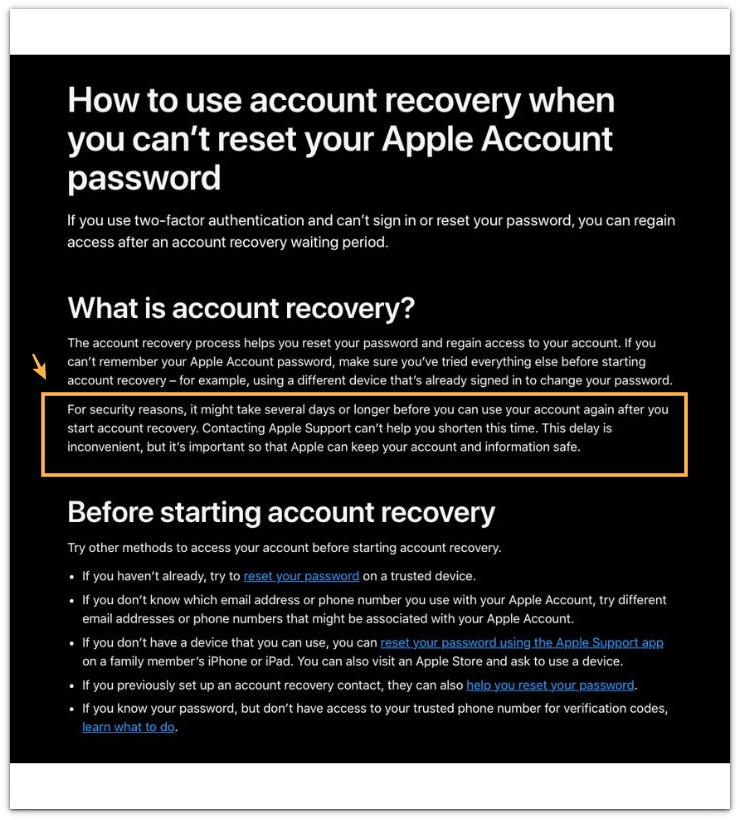
Account recovery remains the formal mechanism for restoring verification access under this account-level boundary.
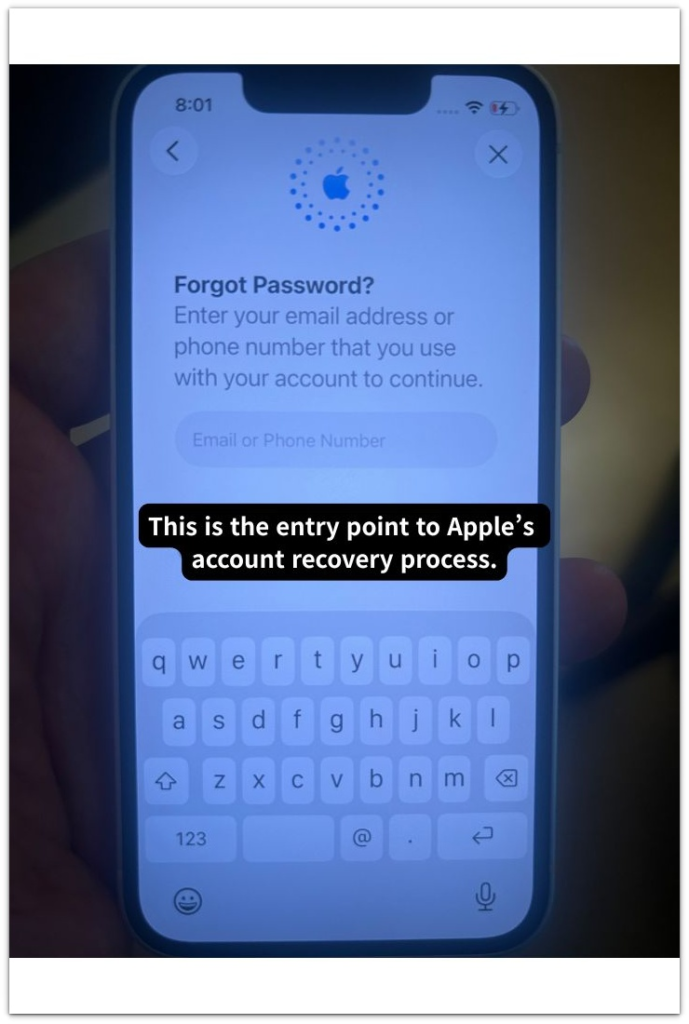
The document below explains how Apple’s account recovery process works. Please refer to it for general guidance only.
────────────────────────
Troubleshooting: iphone activation lock two-factor authentication
────────────────────────
────────────────────────
Troubleshooting 1: Trusted Number No Longer Active
────────────────────────
If the code goes to a deactivated phone number, confirmation fails even when the credentials are correct.
That number forms part of the Apple ID’s stored security record, and modification requires authenticated access within account settings, which the locked device cannot provide.
Entering the password again will not change the outcome. The approval step still depends on Apple’s server record.
────────────────────────
Troubleshooting 2: No Access to Trusted Devices
────────────────────────
Absence of previously trusted devices interrupts the verification chain.
The locked phone cannot approve itself. A code has to come from a device or number that was already trusted under that Apple ID.
Without that source, identity confirmation remains incomplete, reflecting a security safeguard rather than a hardware defect.
Under iphone activation lock two-factor authentication, restoration of account access through Apple’s verification process becomes necessary when no trusted device is available.
────────────────────────
Troubleshooting 3: Verification Code Rejected
────────────────────────
Entering an incorrect verification code may temporarily limit further attempts under account-level protection rules.
This restriction does not mean the system failed. It simply shows that identity validation is still incomplete.
Activation resumes only after you confirm the correct verification code.
If access to the trusted device or phone number cannot be restored, you may need help from a third-party service that specializes in ownership verification.
────────────────────────
Additional Tips
────────────────────────
In iphone activation lock two-factor authentication, Activation Lock operates together with Apple ID security and does not function as a separate system.
Two-factor authentication strengthens the identity layer governing device authorization, meaning password acceptance alone does not determine usability.
During used device transactions, completion of both credential entry and verification code confirmation must be observed before concluding that control has transferred.
Factory reset procedures do not bypass this structure because each activation reconnects to Apple’s server and reassesses ownership status.
────────────────────────
Final Notes
────────────────────────
iPhone activation lock two-factor authentication represents layered identity enforcement in which final control depends on remote verification rather than local interaction.
Credential validation occurs first, yet identity confirmation through a trusted channel determines whether activation completes.
When trusted channels are inaccessible, control does not transfer to the device even if the password is correct.
The device cannot override this identity boundary on its own.
────────────────────────
Checklist
────────────────────────
☐ Confirm that a verification code request appears after password entry
☐ Identify the trusted device or phone number receiving the code
☐ Verify physical access to at least one trusted destination
☐ Avoid repeated incorrect verification attempts
☐ Initiate structured account recovery only if trusted access cannot be restored
The screen can look “done,” but activation only finishes after the code is confirmed on a trusted channel.
────────────────────────
Extra Section 1
────────────────────────
In many real cases, users assume the password is incorrect when the verification screen appears repeatedly.
They re-enter the credentials several times and begin to question their memory rather than the account structure.
Later, closer inspection shows that the trusted device had been erased earlier or the registered phone number had been replaced without updating the Apple ID settings.
In iphone activation lock two-factor authentication, the hardware may remain functional because the interruption exists within the account’s trusted registry rather than within the device itself.
This is often where people misread the situation.
The visible screen suggests a password problem, yet the actual boundary sits inside the account’s verification layer.
Password knowledge alone does not establish activation control when no trusted verification path exists.
────────────────────────
Extra Section 2
────────────────────────
Used device exchanges frequently reveal the same misunderstanding.
A seller may demonstrate correct password entry, and both parties often assume that the process is essentially complete.
The system requests a verification code only after it accepts the credentials, and that second step decides whether control truly transfers.
When the trusted device required for confirmation is not physically present, activation does not complete even though the phone is in hand.
Many buyers overlook this moment.
Physical possession creates the impression of control, yet account authority remains tied to identity confirmation.
Each activation attempt reconnects to Apple’s server, which then reevaluates identity status against the stored ownership record.
Control only shifts after that second code is confirmed. Until then, the account still belongs to whoever controls the trusted verification path.