
Introduction
────────────────────────
iPhone activation lock asking for apple id you don’t recognize describes a state where the device requests credentials for an account that the current user does not identify as their own.
The screen does not display a random address.
It shows the Apple ID that Apple’s activation server links to that specific hardware.
The hardware itself does not choose the account being requested.
The device reads the remote activation record and waits for validation.
An unfamiliar Apple ID request is not a typing error.
It represents a server-level ownership association.
Many users first assume this is a simple login mistake.
The boundary is not at the keyboard.
It sits inside Apple’s stored device record.
────────────────────────
Step-by-Step Guide
────────────────────────
────────────────────────
Step 1: Confirm the exact Apple ID being requested
────────────────────────
Power on the device and proceed to the Activation Lock screen.
Carefully read the Apple ID shown.
Often the address appears partially masked, but the visible characters usually reveal whether it belongs to you.
If the Apple ID on the screen clearly does not match any account you have used, the device links to another Apple ID at the server level.
This confirms that activation lock asking for apple id you don’t recognize ties directly to an external ownership record stored on Apple’s server, not a password failure.
────────────────────────
Step 2: Check for previous ownership or account history
────────────────────────
Consider how you obtained the device.
If you purchased the device used or received it from someone else, verify that the previous owner removed it from their account.
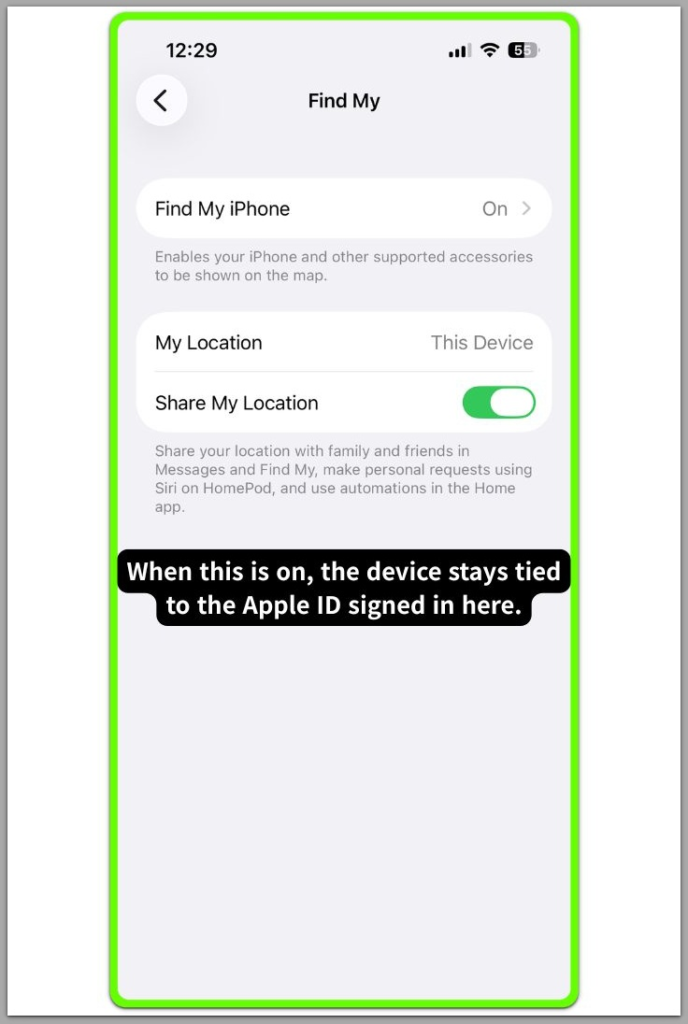
If another family member previously signed into the device, Apple may still keep that record active.
Activation Lock does not disappear after a simple reset.
A factory reset does not erase server ownership.
────────────────────────
Step 3: Verify your own Apple ID account activity
────────────────────────
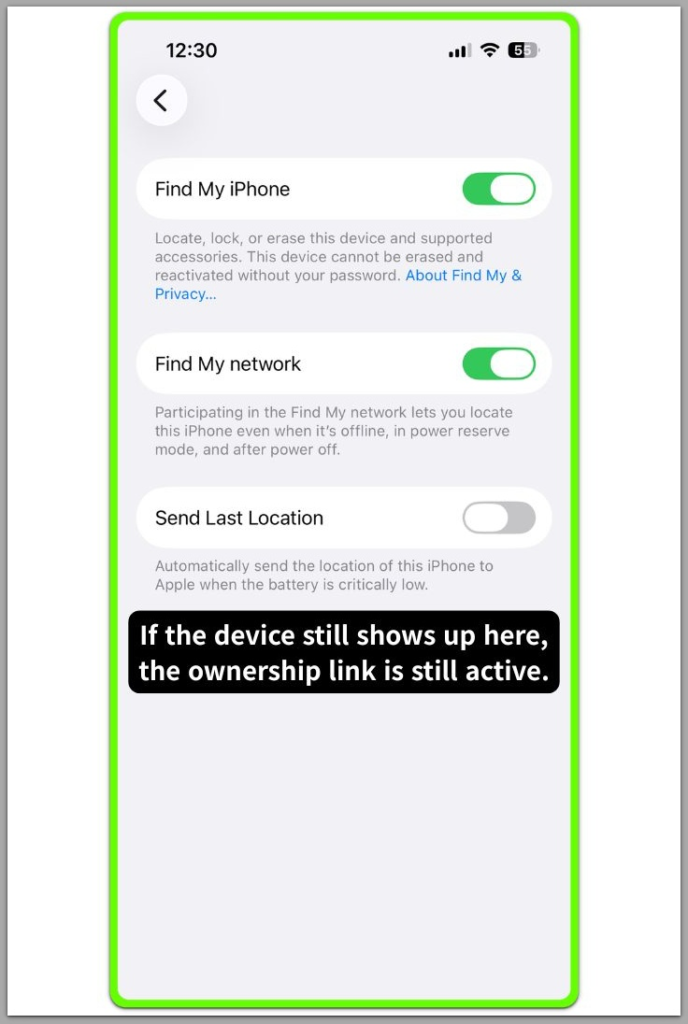
Log in to icloud.com using your known Apple ID.
Open Find Devices and review the device list.
If your account does not list the iPhone, Apple does not recognize you as the registered owner.
This confirms that activation lock asking for apple id you don’t recognize indicates that Apple still keeps the ownership record on its server.
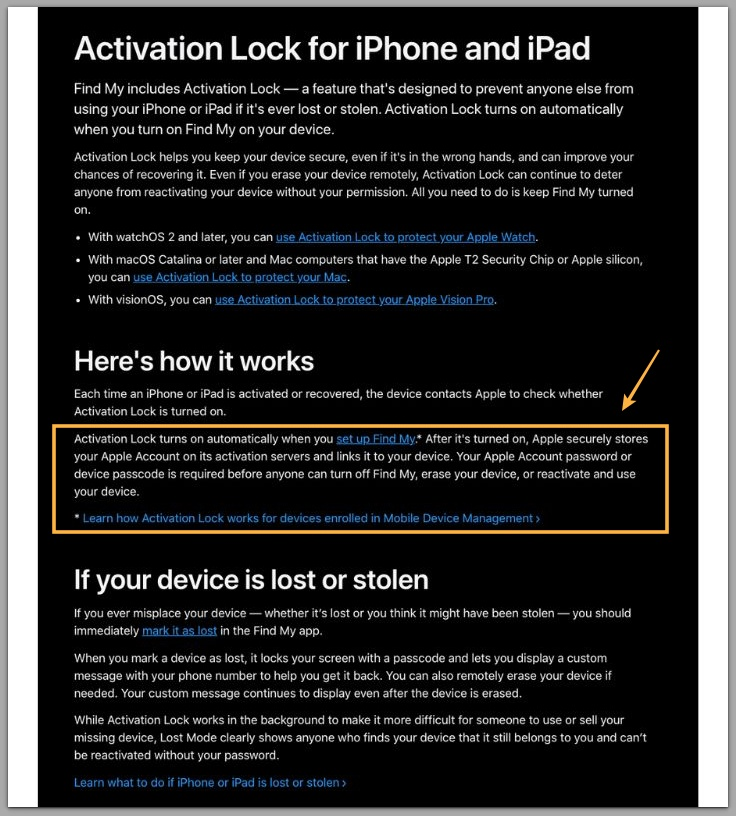
For reference, you can review Apple’s official guidance on Activation Lock below.
────────────────────────
Troubleshooting: activation lock asking for apple id you don’t recognize
────────────────────────
────────────────────────
Troubleshooting 1: The Apple ID looks partially familiar
────────────────────────
If you only see part of the address and it resembles your old email, check older Apple IDs you may have forgotten.
Many users created secondary accounts years earlier and later forgot them.
You may need to complete account recovery if the address belongs to you but you no longer access it.
────────────────────────
Troubleshooting 2: The device was bought second-hand
────────────────────────
If a previous owner still keeps the device inside their account, you cannot complete activation.
Activation Lock enforces ownership at the server level.
Activation lock asking for apple id you don’t recognize continues to appear until the original owner removes the device from Apple’s server record.
────────────────────────
Troubleshooting 3: The device was reset before purchase
────────────────────────
A reset does not remove Activation Lock.
If the seller erased the phone without signing out of iCloud first, their account still holds the lock.
This situation often explains why the Apple ID on the screen feels completely unfamiliar.
This limitation remains in place until the ownership record changes at the account level.
────────────────────────
Additional Tips
────────────────────────
Always confirm Activation Lock status before purchasing a used device.
Ask the seller to sign in with their Apple ID and remove the device directly from their account while you are present.
Do not rely on screenshots or verbal confirmation.
If the seller cannot remove the device in real time, the server still recognizes their ownership.
A factory reset alone does not clear Activation Lock.
If the Apple ID on the screen does not belong to you, repeated setup attempts will not change the authorization record.
Activation lock asking for apple id you don’t recognize does not result from temporary system errors.
It indicates that Apple still links the device to an existing ownership association.
────────────────────────
Final Notes
────────────────────────
iPhone activation lock asking for apple id you don’t recognize reflects a server-bound ownership record rather than a local configuration issue.
The hardware does not generate this request randomly.
Apple’s activation system displays the Apple ID currently tied to the device’s hardware identity.
If you cannot verify or remove the account, user-level control ends at that boundary.
Only the correct Apple ID holder can complete ownership validation.
Without access to that Apple ID, the device cannot move past activation.
────────────────────────
Checklist
────────────────────────
☐ Confirm the exact Apple ID displayed on the Activation Lock screen
☐ Verify whether the device appears in your iCloud Find Devices list
☐ Check if the device was previously owned or shared
☐ Confirm whether the previous owner can remove the device from their account
☐ Stop repeated resets if the Apple ID does not belong to you
If the Apple ID on the screen is not yours and no one can remove it from their account, there is nothing the device itself can change. The limitation sits with the ownership record, not with the hardware in your hand.
────────────────────────
Extra Section 1
────────────────────────
In real-world cases, this issue frequently appears after someone buys a second-hand device that seems fully reset.
The device may look clean, new, and ready for setup.
Everything progresses normally until the activation screen appears.
The unfamiliar Apple ID then becomes visible for the first time.
Many users immediately suspect hardware failure.
The device itself functions normally.
The restriction exists entirely inside Apple’s authorization record.
One actual case involved a buyer who watched the seller reset the phone in person, yet Activation Lock still appeared because the seller had not signed out of iCloud before erasing it.
Understanding this difference prevents unnecessary repair attempts or hardware diagnostics.
────────────────────────
Extra Section 2
────────────────────────
Family-shared devices create another common scenario.
A parent, sibling, or previous household member may have signed into the device years earlier.
Even after multiple resets, Apple keeps the activation record linked to that Apple ID until someone removes it from the account.
The system does not forget prior ownership simply because someone erased the device.
Repeated setup attempts do not alter the server record.
iPhone activation lock asking for apple id you don’t recognize indicates that the last verified ownership link remains active in Apple’s database.
Resolution only happens when the account holder validates ownership or removes the device from the server record.