
Introduction
────────────────────────
iPhone restore cancels automatically describes a condition where an iPhone begins the restore process but stops on its own before any data recovery is applied, without showing a clear error message.
This behavior does not result from a visible user interruption.
No explicit failure alert appears.
The setup flow simply returns or exits before restore progress becomes meaningful.
Instead, iOS may cancel the restore early when a required restore precondition or eligibility check fails, sometimes before any clear error message appears.
In many repeatable cases, the system blocks the restore path before any data application actually begins, even though nothing appears wrong to the user.
Many users assume the cancellation means something failed mid-process.
In reality, the system completes its evaluation earlier than expected and closes the restore path before user-visible progress matters.
When the same cancellation pattern repeats consistently, retrying the restore usually does not change the outcome unless a key condition changes.
At that point, user actions stop influencing the result.
────────────────────────
Step-by-Step Guide
────────────────────────
────────────────────────
Step 1: Identify an Automatic Cancel Instead of a Failed Restore
────────────────────────
The first distinction is whether the restore actually fails or simply cancels itself.
A cancellation happens without warnings, progress errors, or retry prompts.
If the restore stops and returns to setup without explanation, iOS did not encounter a visible technical failure.
Instead, the system ended the process before restore execution began.
This difference matters because technical failures behave inconsistently.
Automatic cancellation repeats the same way every time.
In iPhone restore cancels automatically cases, consistent repetition suggests that the system blocks the restore path rather than experiencing a random technical failure.
────────────────────────
Step 2: Understand the Role of Restore Eligibility Evaluation
────────────────────────
Before restore begins, iOS performs an evaluation related to restore eligibility.
This process considers factors such as account continuity, backup metadata integrity, and device trust state.
If this evaluation does not pass, iOS stops the restore before entering a partial or unstable restore state.
Instead, iOS cancels the restore before data transfer begins.
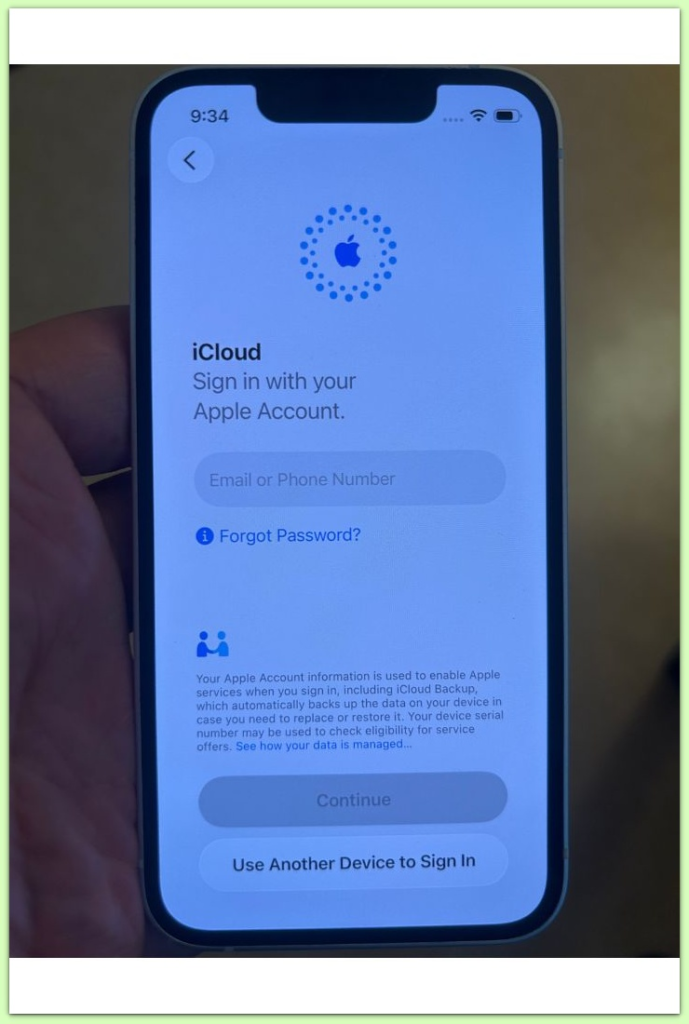
Restarting setup often produces the same evaluation result when the underlying inputs remain unchanged.
This evaluation functions as a gating decision rather than a soft recommendation.
Once the same outcome appears repeatedly, the restore path behaves as if it was never opened.
────────────────────────
Step 3: Confirm Why Repeating Restore Attempts Changes Nothing
────────────────────────
Many users repeat restore attempts expecting a different result.
However, when the same inputs are evaluated again, the same outcome is usually produced.
The same account state, the same backup metadata, and the same device identifiers are rechecked.
Because the conditions remain identical, the cancellation repeats.
In iPhone restore cancels automatically situations, repetition confirms the boundary rather than challenges it.
Waiting does not change the outcome once the same cancellation behavior has stabilized.
────────────────────────
Step 4: Recognize Where User Control Ends
────────────────────────
Once iOS cancels restore automatically in a consistent pattern, user-accessible settings lose authority.
No toggle, reset, or basic login action reopens the restore path by itself.
The backup may still exist.
What disappears is the system’s willingness to apply it under the current conditions.
This distinction often causes confusion.
Users focus on the presence of the backup rather than the system’s refusal to proceed.
Understanding where control ends prevents unnecessary troubleshooting.
At this stage, the restore path has already closed.
At this stage, the restore process is no longer governed by user-accessible actions.
How this boundary is determined is decided internally by the system itself.
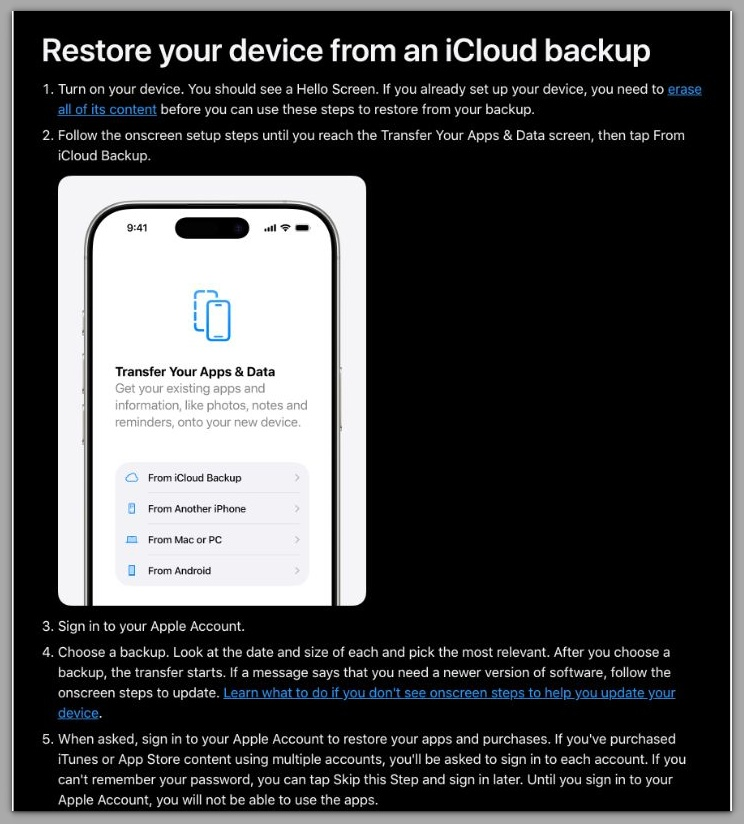
This page explains how the restore process is designed to work at a system level.
────────────────────────
Troubleshooting : iphone restore cancels automatically
────────────────────────
────────────────────────
Repeated Cancellation Indicates a Stabilized Decision
────────────────────────
Many users interpret automatic cancellation as an incomplete failure.
Because no error appears, the process feels interruptible rather than final.
However, when the restore cancels in the same way after multiple clean attempts, the system behavior has already stabilized.
This consistency indicates that iOS enforces a completed evaluation rather than reacting to temporary conditions.
At this stage, repeating setup does not introduce new variables.
iOS applies the same eligibility outcome each time.
────────────────────────
Network Changes Rarely Alter Repeatable Cancellation
────────────────────────
Switching Wi-Fi networks or attempting restore over cellular often feels logical.
Users assume a stronger or different connection might allow the restore to continue.
In iPhone restore cancels automatically cases that repeat identically, network quality is usually not the deciding factor.
The cancellation occurs before sustained data transfer begins.
Because transport conditions are not the primary trigger, network changes rarely affect the result.
────────────────────────
Device Resets Confirm, Not Resolve, the Boundary
────────────────────────
Factory resets and fresh setup cycles are commonly attempted next.
These actions feel like a way to clear hidden errors.
In practice, resets replay the same evaluation inputs.
Account state, backup metadata, and trust indicators remain unchanged.
When cancellation repeats after a reset, the system confirms the boundary.
No additional user-level troubleshooting step exists beyond that point.
────────────────────────
Additional Tips
────────────────────────
It helps to separate restore execution from restore eligibility.
Execution applies data locally.
Eligibility determines whether the system allows that process to begin.
iOS does not expose restore eligibility criteria in user-accessible settings.
No screen explains why the evaluation failed or how to reverse it.
When iPhone restore cancels automatically, changes that improve local conditions often have limited impact because the restore eligibility decision has already been finalized.
New networks, repeated logins, or clean restarts typically leave the outcome unchanged.
The most effective adjustment is expectation-based.
Recognizing that approval was never granted prevents wasted effort.
────────────────────────
Final Notes
────────────────────────
When an iPhone restore cancels automatically in a consistent pattern, iOS has already finalized its restore evaluation.
The system does not pause, reconsider, or queue the request for later approval.
This behavior marks a clear transition point.
User actions stop influencing restore outcomes once the evaluation stabilizes.
Understanding this transition reframes the problem.
The issue is no longer about fixing restore behavior but about recognizing where user authority ends.
────────────────────────
Checklist
────────────────────────
☐ Restore cancels without showing errors
☐ The same cancellation pattern repeats consistently
☐ Network or timing changes do not alter behavior
☐ The backup remains visible but cannot be applied
When all items match, restore eligibility has already closed.
────────────────────────
Extra Section 1
────────────────────────
This situation feels deceptive because the interface offers no explanation.
iOS continues normal setup flow while silently blocking restore execution.
From the user’s perspective, the process looks interrupted.
From the system’s perspective, the evaluation completed earlier and the result was already recorded.
iOS provides no user-facing retry mechanism for restore eligibility.
Once the same rejection outcome repeats, the system enforces it quietly.
This silence creates confusion rather than uncertainty.
The absence of feedback often signals finality, not indecision.
Recognizing this pattern helps separate permanent restriction from temporary setup friction.
────────────────────────
Extra Section 2
────────────────────────
Many users interpret iPhone restore cancels automatically as data loss.
In practice, the state functions more like a permission lock.
The backup may still remain in iCloud even when the system cannot apply it to a device.
What changes is the system’s willingness to proceed under the current conditions.
iOS intentionally separates data retention from restore authority.
This design prevents partial restores and unsupported recovery paths.
If the issue persists after all confirmation points above, further clarification often requires inspection beyond user-accessible controls, such as account-level or system-level review.
At that stage, the restore process has fully exited the user domain.