
Introduction
────────────────────────
iPhone restore missing data means the restore process finishes successfully, but expected data does not fully appear on the device afterward.
The restore completes without errors.
Setup then finishes normally.
At that point, the Home Screen appears as expected.
At first glance, the restore looks successful.
However, iOS evaluates restore eligibility before any missing data becomes visible, which often creates a misleading first impression.
No warning appears during this process.
The system also shows no failure message.
The issue becomes visible only after checking the data.
Photos appear incomplete.
Messages may be missing.
In other cases, app data never returns.
This situation is not the same as a normal iCloud sync delay.
More importantly, waiting longer does not resolve it.
When restore completes but data remains missing, iOS has already decided which data can return.
That decision occurs before the restore session reaches completion, leaving no opportunity for user-level intervention afterward.
This article explains which data iOS excludes after restore completes, why that exclusion occurs, and where user-level recovery ends.
────────────────────────
Step-by-Step Guide : iphone restore missing data
────────────────────────
────────────────────────
Step 1: Confirm the Restore Truly Completed
────────────────────────
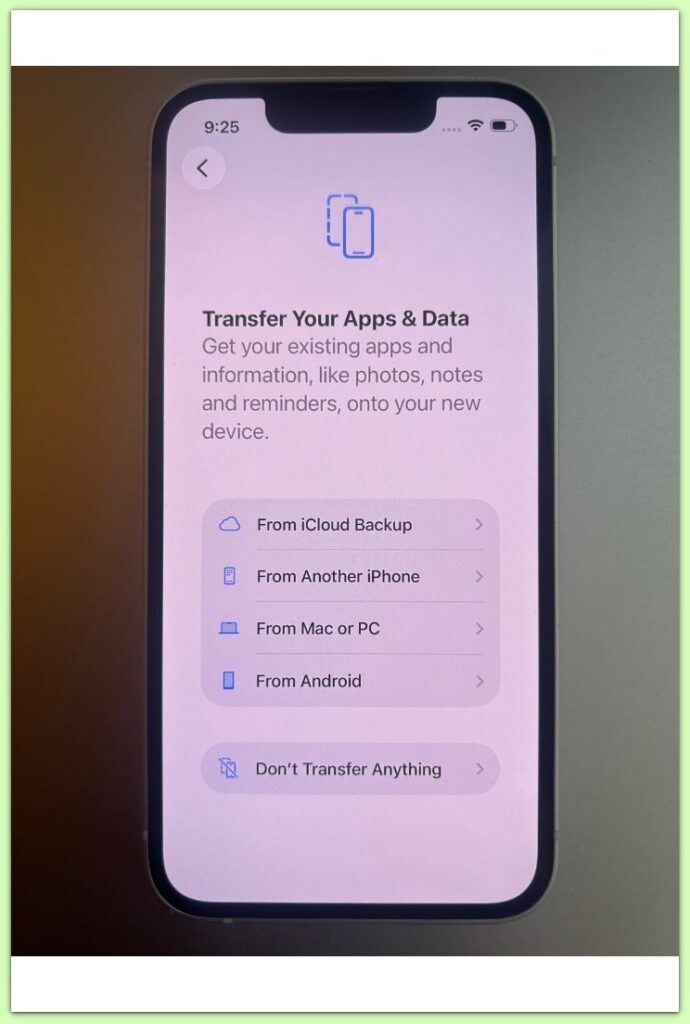
First, confirm that the restore process actually finished.
If the device reached the Home Screen, allowed setup to complete, and did not restart the restore process, iOS treats the restore as successful.
A completed restore with missing data differs from a restore that failed or stopped midway.
In this scenario, the system detects no error.
After the system marks the restore as complete, iOS does not attempt to import excluded data again later.
For that reason, retrying the same restore does not change the outcome.
────────────────────────
Step 2: Identify What Data Is Missing
────────────────────────
Missing data does not always point to the same cause.
Some users notice missing photos.
Others find messages, app data, or settings gone.
In certain cases, only sensitive data disappears.
This variation explains why iphone restore missing data feels confusing.
Restore does not operate as an all-or-nothing process.
iOS evaluates each data category independently.
Some categories qualify for return.
Other categories fail eligibility checks and remain excluded.
────────────────────────
Step 3: Why Data Is Excluded After Restore Completes
────────────────────────
During restore, iOS applies internal eligibility rules.
Most exclusions follow a limited set of system-level rules rather than random failure.
If the device security state changed after backup creation, iOS may block protected data; when encryption requirements no longer match, the system filters out specific data types, and in cases where Apple ID trust or device state differs from the backup metadata, iOS skips certain data.
These outcomes do not indicate failure.
They reflect rule-based decisions.
At this stage, iphone restore missing data does not result from a broken restore process.
Instead, restore conditions no longer meet eligibility requirements.
Once iOS applies these rules, it treats the restore as finished, even if the result feels incomplete.
If restore attempts continue to fail under the same conditions after an iOS update, this is no longer a user-level issue. At that point, restore eligibility and backup compatibility need to be reviewed at the system and account level, which typically requires official diagnostic access or professional assistance.
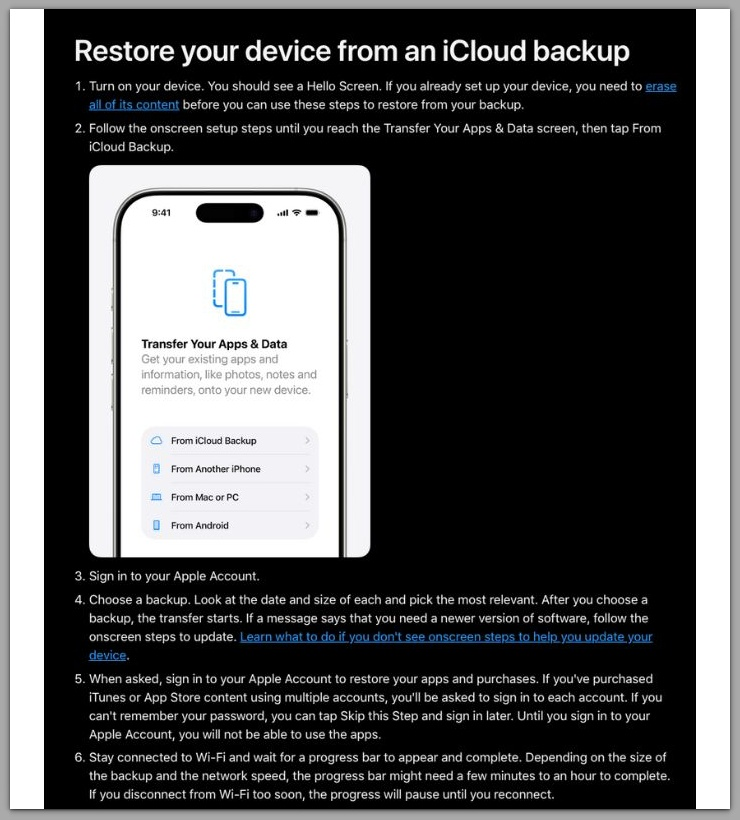
For reference, Apple explains the restore process and related limitations on the official support page below.
────────────────────────
Troubleshooting
────────────────────────
────────────────────────
Restore Repeating Does Not Change the Result
────────────────────────
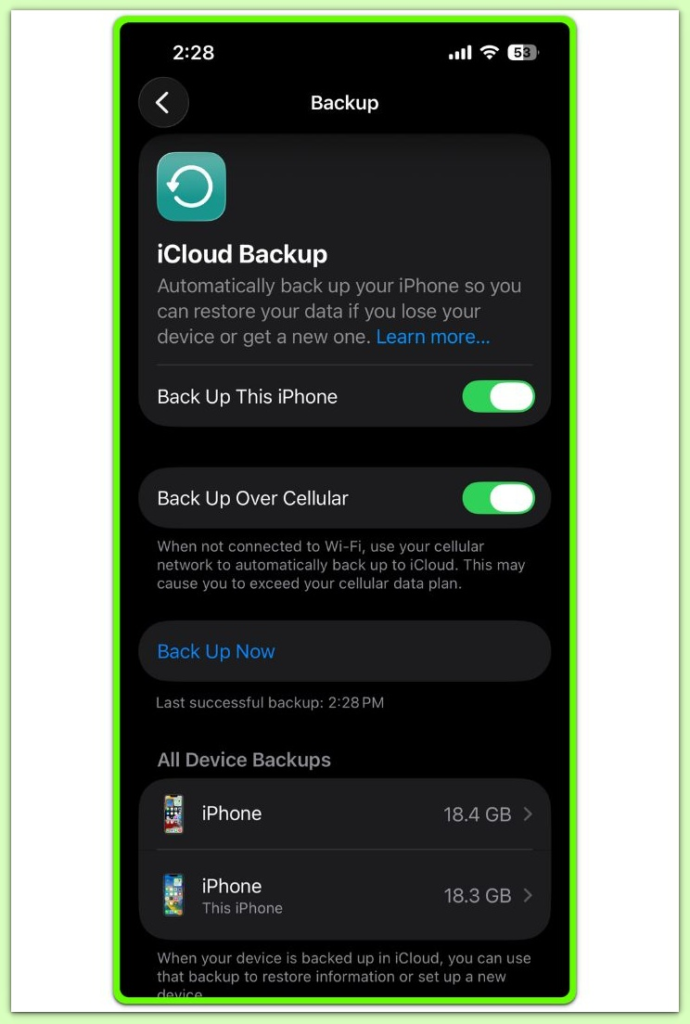
When iphone restore missing data appears after a completed restore, repeating the same restore often becomes the next step.
However, using the same backup under unchanged device conditions always produces the same result.
The restore process behaves identically on every attempt.
Eligibility rules apply again without variation.
As a result, repeated restores confirm the same conditions rather than creating a new recovery path.
If the first restore excluded certain data, subsequent restores exclude the same data.
At this stage, retrying does not qualify as recovery.
It only confirms the outcome.
────────────────────────
Sync Behavior Is Often Misinterpreted as Restore Activity
────────────────────────
After restore finishes, some data may still appear later.
This behavior often leads users to mistake sync activity for restore progress.
In reality, independent sync processes cause this behavior.
Photos, contacts, and calendars download again through iCloud sync.
iCloud sync never returns data that iOS excluded during restore.
That activity also does not indicate an active restore.
Restored data and synced data follow different rules.
After restore completion, excluded data paths remain closed.
────────────────────────
Additional Tips
────────────────────────
────────────────────────
Tip 1: Separate “Missing Data” From Data That Was Never in the Backup
────────────────────────
Before assuming a restore problem, confirm whether the missing data existed in the backup.
Data created after the backup timestamp falls outside the restore scope.
In those cases, restore completes correctly, but the expected data never qualified for return.
────────────────────────
Tip 2: Do Not Confuse Restore Results With iCloud Sync Behavior
────────────────────────
Photos, contacts, and calendars may appear gradually after restore completes.
That timing does not indicate an active restore.
Independent iCloud sync processes deliver these items, not the restore mechanism.
Excluded restore data never returns through sync.
────────────────────────
Tip 3: App Data Loss Often Reflects App-Specific Restore Rules
────────────────────────
Apps do not restore data in the same way.
Some rely on server-side re-download after login, while others depend on local encrypted storage.
When an app installs correctly but internal data remains missing, app-level restore rules usually explain the outcome.
────────────────────────
Tip 4: Repeating Restore Only Helps If Conditions Change
────────────────────────
When iphone restore missing data persists under identical device conditions, repeating the restore produces the same result.
Only changes to device state, account trust, or encryption context alter restore eligibility.
Without those changes, additional restore attempts unlock nothing.
────────────────────────
Final Notes
────────────────────────
When iphone restore missing data appears after completion, the result reflects a finished process rather than an interruption.
At that point, iOS has already determined which data qualified for return.
Waiting longer or repeating the same steps does not affect the outcome.
From a user-level perspective, recovery ends when iOS finishes the restore.
Understanding this boundary prevents unnecessary retries and misdirected troubleshooting.
At that stage, the remaining decision concerns how to proceed with accessible data.
────────────────────────
Checklist
────────────────────────
☐ Confirm that the restore fully completed and reached the Home Screen
☐ Identify exactly which data categories remain missing
☐ Verify whether the missing data existed in the original backup
☐ Accept that repeated restores do not return excluded data
────────────────────────
Extra Section 1
────────────────────────
Many users assume a restore recreates the device exactly as it existed at backup time.
In practice, restore functions as a selective reconstruction.
A backup stores data in multiple forms.
Some data resides directly on the device.
Other information links to the account.
Additional data remains protected by encryption rules tied to the device state at backup creation.
When restore begins, iOS compares backup metadata with the current device environment.
If the environment differs, the system adjusts what it allows to return rather than failing outright.
This behavior explains why restore can complete normally while still producing incomplete results.
The system does not attempt to recreate the past exactly.
Instead, it rebuilds a usable state under current conditions.
After this filtering occurs, iOS already considers the restore complete.
Nothing waits for later application.
What appears on the device represents the final interpretation of that backup.
────────────────────────
Extra Section 2
────────────────────────
At this stage, recognizing where recovery ends matters most.
If iphone restore missing data remains after completion, the system has reached its final decision.
A secondary restore phase never activates later.
Excluded data remains locked after completion.
This boundary exists because restore eligibility depends on security, encryption, and trust conditions fixed at restore completion.
Those conditions do not reopen through device settings or repeated restore attempts.
The backup itself may still hold value.
The user also did nothing wrong.
Restore conditions simply no longer align with the conditions present at backup creation.
Repeating the same restore confirms the same outcome.
It introduces no new variables.
Eligibility remains unchanged.
Understanding this boundary shifts the focus away from repetition.
Instead, the situation becomes a practical decision about how to proceed with the data that remains accessible.
Once recovery ends at the user level, further steps move beyond technical troubleshooting.