
Introduction
────────────────────────
iPhone Restore Stuck at Preparing means the restore process enters the “Preparing” stage and never moves forward, even though the device, cable, computer, and backup appear normal.
The progress bar does not advance.
No error message appears.
Waiting longer changes nothing.
This issue does not come from a slow connection.
It does not come from a temporary server delay.
It does not resolve itself over time.
By the time the screen shows “Preparing,” iOS has already evaluated restore eligibility in the background.
When the process stalls at this stage, the system has already reached a condition where it no longer allows the restore to continue, but iOS does not surface the block to the user.
This article explains why iphone restore stuck preparing never proceeds once the process reaches that stage, and where the user-level recovery path actually ends.
────────────────────────
Step-by-Step Guide : iphone restore stuck preparing
────────────────────────
────────────────────────
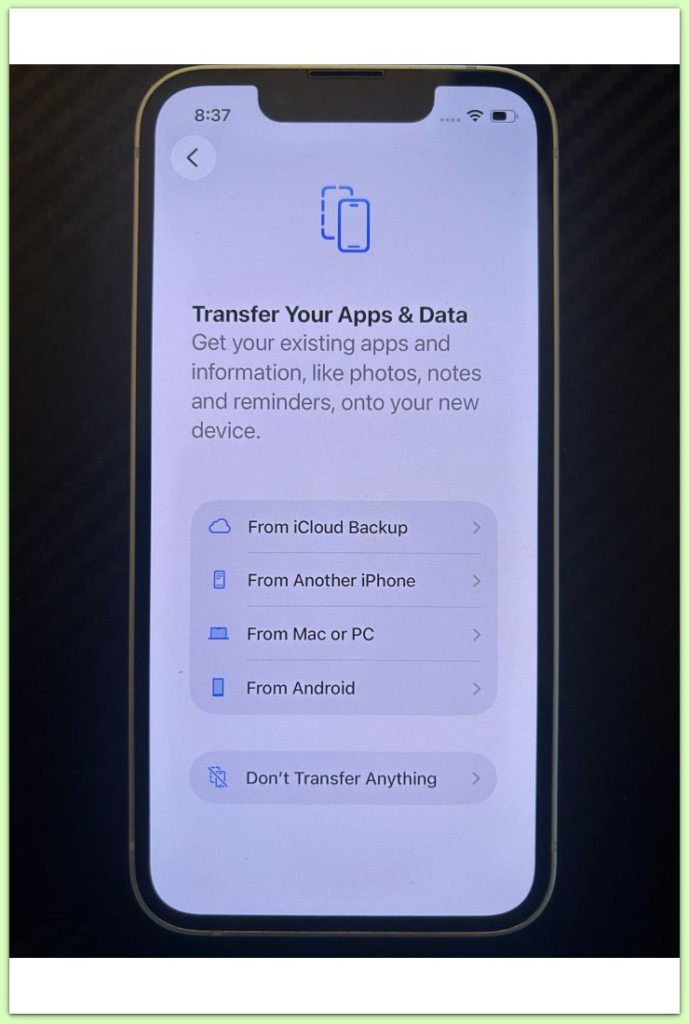
Step 1: Understand What “Preparing” Really Means
────────────────────────
The preparing stage does not perform an active restore.
The system does not write any data yet.
At this point, iOS verifies backup compatibility, system state, firmware integrity, and encryption alignment.
These checks occur before the restore officially begins.
If any condition fails during this phase, iOS does not always trigger an error.
Instead, the system can keep the process frozen at preparing indefinitely.
For this reason, iOS uses this behavior intentionally.
The system stops silently rather than risking a partial restore that could leave the device unstable.
────────────────────────
Step 2: Why Waiting Longer Never Helps
────────────────────────
Once the preparing phase stalls, iOS has already made the decision.
The system is not thinking.
It is not downloading additional files.
It is not waiting for a response.
As a result, the system has already closed the restore path.
Leaving the device connected for hours does not change the outcome because iOS does not retry further checks automatically.
This is why users often report waiting overnight with no progress at all.
────────────────────────
Step 3: The Most Common Hidden Block Conditions
────────────────────────
In most cases, iphone restore stuck preparing occurs because one or more system-level conditions fail silently.
☐ The backup comes from a different iOS build that no longer meets current restore rules
☐ Encryption or security policies changed after a recent iOS update
☐ A previous restore attempt left incomplete system cleanup
☐ Account-level restrictions invalidated restore eligibility
☐ The firmware state passes setup checks but fails restore prechecks
None of these conditions trigger a visible error message.
Instead, iOS refuses to proceed past the preparing stage.
────────────────────────
Step 4: Why Repeating the Same Restore Fails Every Time
────────────────────────
Retrying the restore without changing conditions leads to the same result.
Restarting the device does not reset restore eligibility.
Changing cables does not affect system checks.
Switching computers does not override internal rules.
iOS evaluates restore logic before the process begins.
If the system state does not change, the outcome does not change either.
This is why repeated attempts feel pointless.
They are.
If the restore continues to fail at this stage, this is no longer a user-resolvable issue. In these cases, device state, account-level restrictions, and restore eligibility need to be examined directly beyond standard user-level checks.
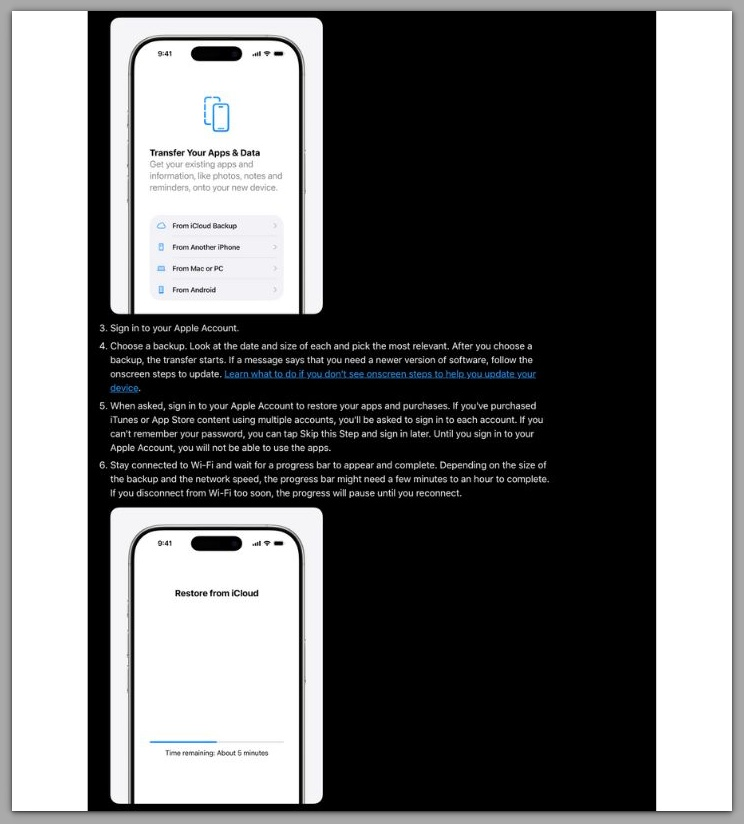
This screen shows how the restore process normally proceeds after the preparing stage completes.
────────────────────────
Troubleshooting
────────────────────────
When iphone restore stuck preparing occurs, most users try to fix the restore process itself.
That approach usually fails.
At this stage, the restore mechanism no longer operates.
The system does not freeze.
It remains idle by design.
Because of this, force-quitting Finder or iTunes rarely changes anything.
iOS evaluates restore logic before the preparing screen appears, not during it.
Another common mistake involves assuming the backup file is damaged.
In many cases, the backup remains intact and readable.
iOS simply no longer accepts it under current restore rules.
If a restore suddenly works after a full erase or account sign-in reset, that does not mean earlier attempts came close.
It means the system conditions finally changed enough to reopen eligibility.
Without a condition change, troubleshooting repeats the same outcome.
────────────────────────
Additional Tips
────────────────────────
iphone restore stuck preparing often appears immediately after a major iOS update, but the timing misleads many users.
The update itself does not break restore.
Instead, it changes restore requirements.
Security patches, encryption handling, and rollback protections frequently change during major updates.
As a result, backups created before those changes can fail compatibility checks silently.
This explains why two backups from the same device behave differently.
One restores without issue, while the other never progresses past preparing.
The absence of a warning does not indicate uncertainty.
It indicates that iOS already finalized the decision and suppressed it from the interface.
Understanding this prevents wasted retries and false hope.
────────────────────────
Final Notes
────────────────────────
When iphone restore stuck preparing does not move forward, the system has already stopped the restore process.
This situation is not a temporary pause.
It is not a connection delay.
It is not something running in the background.
iOS made the decision before restore execution began.
What the user sees as “stuck” marks the point where user control ends.
At this stage, repeating the same steps does not increase success probability.
Only a change in system conditions can alter the outcome.
────────────────────────
Checklist
────────────────────────
☐ The restore remains stuck at preparing without any progress
☐ Waiting longer does not change the restore state
☐ Retrying on another computer or cable produces the same result
☐ No error message appears, but restore never begins
☐ The issue started after an iOS update or a previous failed restore
If all items above apply, the restore path has already closed at the system level.
If the issue still persists after checking everything above, it is unlikely to be a basic settings problem. In these cases, restrictions related to the device, account-level limitations, or underlying system errors usually need to be examined directly, which requires professional assistance. Below, you can see what areas are typically checked and how the support process usually works when resolving this type of issue.
────────────────────────
Extra Section 1
────────────────────────
From Apple’s perspective, iphone restore stuck preparing functions as a risk-managed stop point, not a convenience failure.
A restore that fails midway can leave encryption keys mismatched, user data partially applied, or system services misaligned.
Those failures cause more damage than a restore that never starts.
For this reason, iOS favors early rejection over visible failure.
When restore conditions look uncertain, the system blocks the process before data movement begins.
This design choice keeps the device recoverable but shifts confusion to the user.
The phone looks functional, yet refuses to proceed.
The preparing screen acts as a buffer between safety and transparency.
What looks like a stall is often a deliberate stop.
────────────────────────
Extra Section 2
────────────────────────
The defining factor in iphone restore stuck preparing cases is timing, not duration.
The block happens before restore execution begins.
By the time preparing appears, iOS has already evaluated restore eligibility and either approved or denied it.
If the process does not move forward, the denial has already occurred.
At that point, user-level actions reach their limit.
Further attempts only repeat the same internal decision.
Recognizing this boundary matters.
It separates situations where waiting helps from situations where the restore path has already ended.